WhatsApp message automation means setting rules so that messages are sent automatically when something happens.
For example:
- A customer fills a form and receives an instant WhatsApp reply
- A customer books an appointment and receives a reminder automatically
- A customer asks a common question and gets an instant answer
Automation does not mean spamming users. It means reducing repetitive work while still giving customers timely and helpful responses.
This is why WhatsApp automation is widely used by e-commerce stores, clinics, service providers, educational institutes, and real estate businesses across the subcontinent and the UAE.
Why Automating WhatsApp Messages Saves So Much Time
Before automation, teams usually:
- Reply manually to the same questions
- Send reminders one by one
- Follow up with leads individually
- Update customers about orders manually
After automation:
- Replies are instant
- Follow-ups run on their own
- Updates are sent automatically
- Staff focus on important conversations
Since WhatsApp messages have very high open rates, automation ensures messages are seen quickly without extra effort.
1. Automated Welcome Messages for New Leads
This is the simplest and most effective WhatsApp automation.
Whenever someone:
- Submits a form
- Clicks a WhatsApp button
- Sends the first message
They should receive an instant automated welcome message.
Example
Hi, thanks for contacting us. We received your message and will assist you shortly. Meanwhile, let us know what you are looking for.
Why This Saves Time
- No need to reply manually every time
- Customer feels acknowledged instantly
- Reduces follow-up messages like “Are you there?”
Real-World Impact
Businesses that respond within the first few minutes are far more likely to convert leads than those that respond late. Automation makes this possible even outside working hours.
2. Automated WhatsApp Replies for Common Questions
Most businesses receive the same questions again and again, such as:
- Pricing
- Working hours
- Location
- Delivery timelines
Automating these answers saves a large amount of daily effort.
Example
Customer types: Price
Automated reply:
Our pricing starts from AED XXX. Would you like a detailed breakdown?
Why This Saves Time
- Reduces repetitive typing
- Support teams handle fewer basic queries
- Customers get instant answers
Best Practice
Do not automate everything. Only automate frequently asked and simple questions. Complex queries should still go to a human.
3. Automated Appointment and Reminder Messages
Missed appointments waste time and money, especially for:
- Clinics
- Salons
- Consultants
- Service providers
WhatsApp automation solves this problem easily.
Example Reminder Flow
- Booking confirmation message
- Reminder 24 hours before appointment
- Final reminder on the same day
Why This Saves Time
- No manual reminder calls
- Fewer no-shows
- Better schedule planning
4. Automated Order, Payment, and Delivery Updates
Customers often message businesses asking:
- Has my order shipped
- Where is my delivery
- Is my payment confirmed
These messages consume a lot of time.
Automated Update Examples
- Order confirmation
- Payment confirmation
- Shipping update
- Delivery confirmation
Why This Saves Time
- Reduces incoming support messages
- Customers feel informed and confident
- Support team workload drops
Important Note
These messages are helpful, not promotional. That is why customers welcome them instead of ignoring them.
5. Automated Follow-Ups That Run in the Background
Manual follow-ups are one of the biggest time drains for sales and service teams.
WhatsApp automation allows you to:
- Follow up after an enquiry
- Remind users who did not respond
- Nurture leads without constant manual effort
Example Follow-Up
Hi, just checking if you need any help with your earlier enquiry. Happy to assist.
Why This Saves Time
- No need to track each lead manually
- Follow-ups happen even when staff are busy
- Leads are not forgotten
Key Benefit
Automation ensures consistency, which is often missing in manual follow-ups.
How to Automate WhatsApp Messages in Simple Terms
There are three common ways businesses automate WhatsApp messages:
Using WhatsApp Business App features
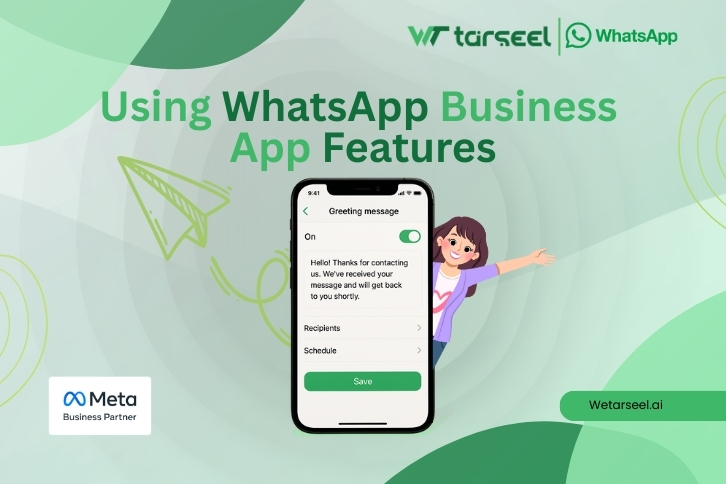
Basic auto-replies and greeting messages, suitable for very small businessesUsing automation tools and integrations
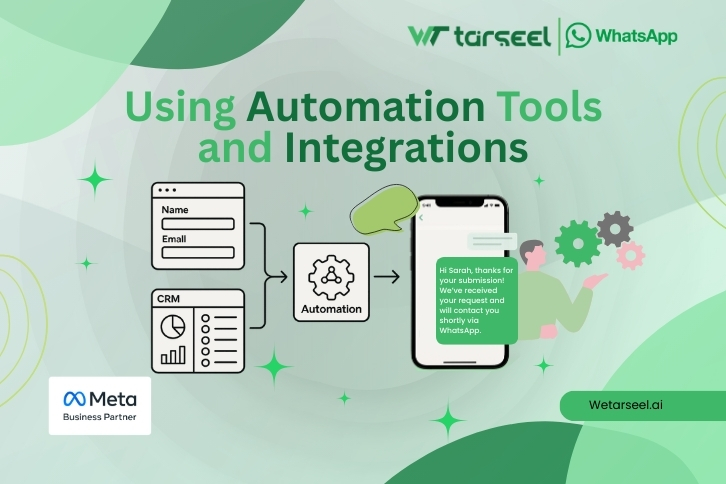
Connect forms, websites, and CRMs to trigger messagesUsing WhatsApp Business API
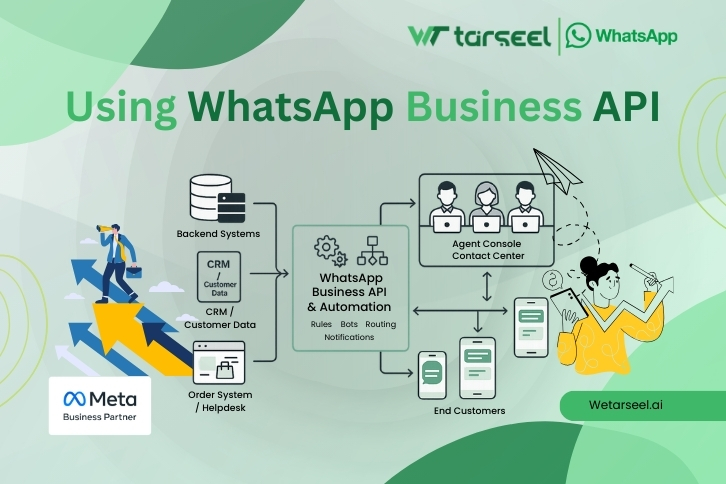
Advanced automation with templates and workflows for growing businesses
The right option depends on your business size and needs.
Best Practices When Automating WhatsApp Messages
To truly automate WhatsApp messages and save time, follow these best practices:
Get Clear User Consent
Always message users who have opted in. This protects trust and avoids issues.
Keep Messages Short and Clear
Long messages reduce engagement. WhatsApp works best with simple language.
Do Not Over-Automate
Automation should support humans, not replace them completely.
Respect Timing
Avoid sending messages late at night or too frequently.
Common Mistakes That Waste Time Instead of Saving It
- Sending automated messages without context
- Using robotic or sales-heavy language
- Automating messages that need human understanding
- Ignoring replies from users
Automation works best when it feels natural and helpful.
Final Thoughts
Automating WhatsApp messages is not about technology alone. It is about removing repetitive work, so your team can focus on meaningful conversations.
Start with one automation, measure the impact, and then expand. Small improvements can save many hours over time.