You Can Make a Customer Purchase Your Product Without Ever Leaving the App. Yes You Can! Here is How.
Imagine you’re having a casual conversation with a potential customer on WhatsApp. Instead of copying product links or juggling images, you send one simple message. Within seconds, your entire product catalog appears right in the chat. But, your catalog should be beautifully organized, easy to browse, and ready to buy.
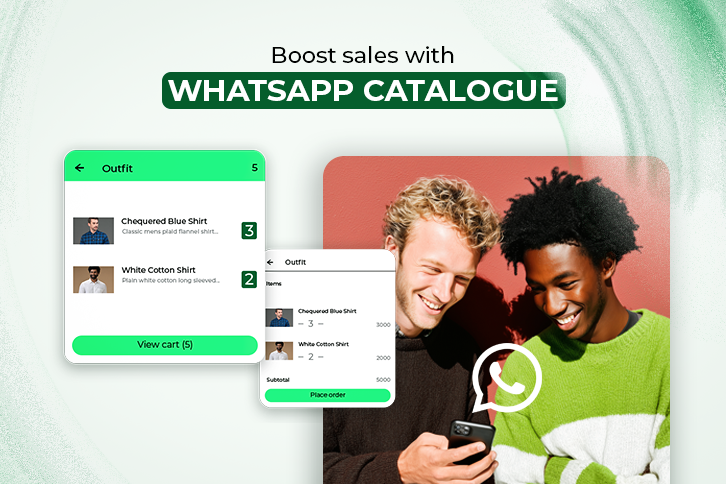
They scroll through, ask a few questions, and make a purchase, all without leaving the app.
That’s the power of the WhatsApp Catalogue. And if you’re here wondering how to use it to grow your sales, automate smartly, and simplify the entire buying journey, you are in the right place.
You’ll learn what WhatsApp Catalogue is, how to set it up the right way, and most importantly, how to use it strategically to convert more chats into customers.
Let’s get started.
What is a WhatsApp Catalogue—and Why It’s a Game-Changer
At its core, the WhatsApp Catalogue is a built-in feature of the WhatsApp Business App and API. It lets you showcase products or services as an organized storefront, directly in your customer’s inbox.
But this isn’t just another feature. It’s a shift in how small businesses, solopreneurs, and ecommerce brands interact with customers. Catalogues make sales conversational, fast, and frictionless.
Key Benefits:
- Faster conversions – Reduce the steps from interest to checkout
- Visual appeal – High-quality photos and details in one glance
- Trust-building – Clear pricing, product info, and seller profile = more buyer confidence
- Global reach – No website needed, just WhatsApp
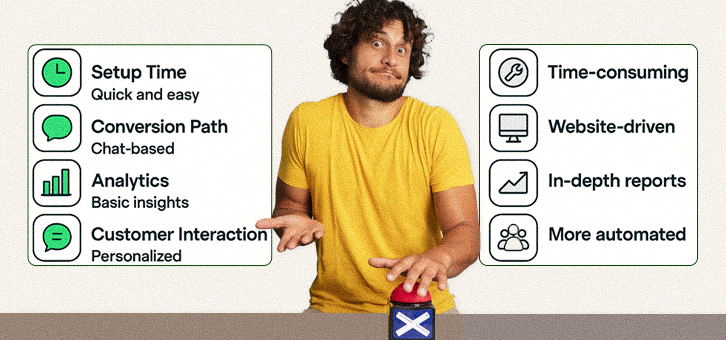
| Feature | WhatsApp Catalogue | Traditional E-Commerce |
|---|---|---|
| Setup Time | 15 mins | Days to weeks |
| Hosting Costs | None (App-based) | Varies (Hosting, domain) |
| Conversion Path | Direct chat-to-sale | Multi-step checkout |
| Personalization | Very high (chat-based) | Moderate |
| Analytics | Limited (API needed) | Advanced |
How to Set Up Your WhatsApp Catalogue (Step-by-Step)
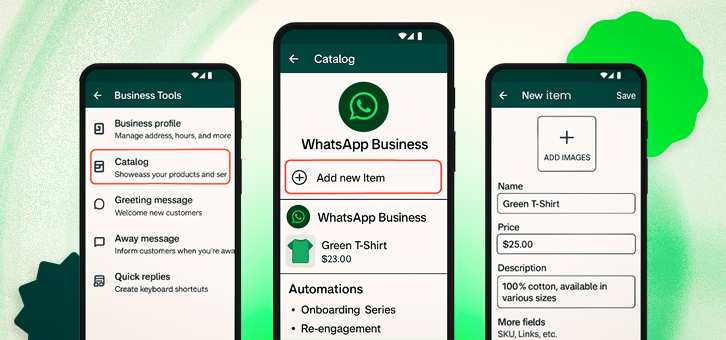
Setting up your WhatsApp Catalogue takes only a few minutes, but getting it right sets the tone for how your products are discovered. Here’s how to do it:
- Download the WhatsApp Business App (or use API-based platforms like AiSensy or Zoko for larger scale).
- Go to Business Tools → Catalogue.
- Tap “Add Product or Service”.
- Upload high-quality images, product name, price, and a compelling description.
- Organize products into categories if you have many SKUs.
Once your catalogue is live, your products become instantly shareable—within conversations, quick replies, or auto-responses.
Smart Ways to Use WhatsApp Catalogue for Sales
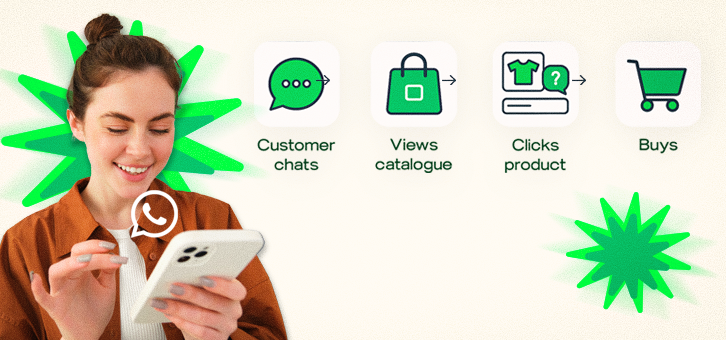
Using the catalogue isn’t just about displaying products. Here are use cases that actually drive conversions:
- Live chat selling: Share specific catalogue items when a user asks about them.
- Click-to-WhatsApp ads: Link Facebook/Instagram ads to catalogue items in chat.
- Quick replies: Create pre-saved responses that include catalogue links.
- Status updates: Showcase catalogue items via WhatsApp status and add a CTA.
Using WhatsApp Catalogue With Automation
Once your catalogue is live, plug it into automation tools to work smarter. With WhatsApp Business API, you can:
- Send catalogue items in auto-replies based on keyword triggers.
- Guide users using a chatbot to relevant products/categories.
- Set reminders or follow-ups for abandoned cart recovery.
This transforms your catalogue into a 24/7 sales assistant—selling without needing you online all the time.
Measuring Success: Metrics That Matter
You can’t improve what you don’t measure. If you’re using catalogues, track these:
- Click-through Rate (CTR): How many people are opening catalogue items?
- Conversion Rate: How many are buying after viewing?
- Response Time: Are faster replies leading to higher conversion?
Tools like AiSensy, Wati, and Zoko offer analytics dashboards that help you track and optimize catalogue performance.
Common Mistakes to Avoid When Using WhatsApp Catalogue
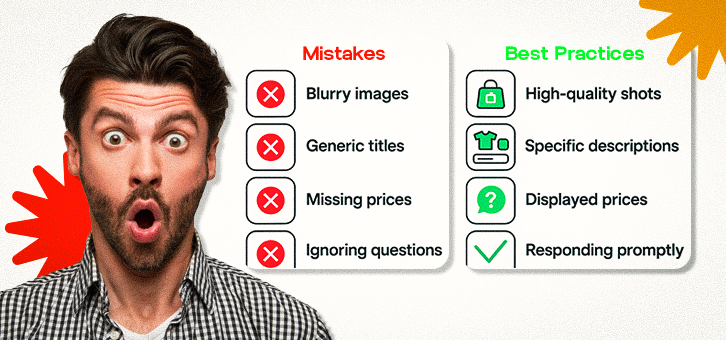
- Overloading the catalogue with too many options—this creates decision fatigue.
- Missing product details like price or stock status.
- Poor visuals that don’t load or don’t inspire confidence.
- Ignoring customer questions—automation doesn’t replace empathy.
- Spamming users with irrelevant catalogue links.
Avoid these, and you’ll retain trust, not just attention.
How to Use WhatsApp Broadcast Lists with Your Catalogue
Broadcast lists allow you to send messages to multiple customers individually (not in a group). When combined with your catalogue:
- Segment lists by customer behavior (new, repeat, high-value)
- Share curated product carousels
- Run flash sales or exclusive drops
WhatsApp Catalogue for Service-Based Businesses

Yes, service providers can win here too. Instead of physical products, list:
- Coaching packages
- Event services
- Digital offerings (eBooks, templates)
- Consultation rates
Use clear visuals, client testimonials, and CTA buttons like “Book Now” or “Message for Quote.”
How to Collect Customer Feedback Through WhatsApp After a Sale
Feedback = growth.
- Send links to Google reviews or surveys
- Offer small incentives for responses
- Share positive reviews via WhatsApp Status
Using Analytics to Improve Your Catalogue Strategy
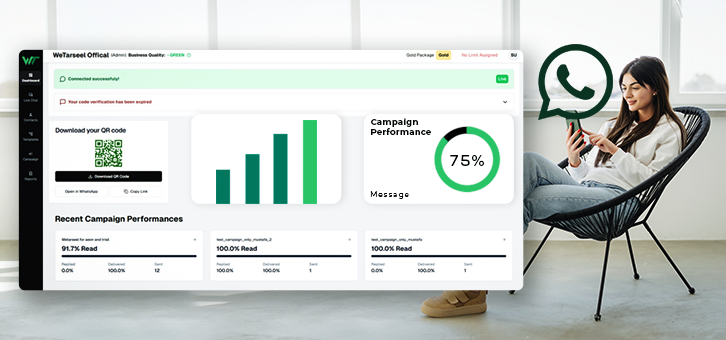
If you’re using the WhatsApp API, connect platforms like AiSensy or Gallabox to get:
- Most viewed products
- Drop-off points
- Time-to-reply metrics
- Best-performing broadcast campaigns
Use these insights to reorder products, refine messaging, or run A/B tests.
Legal and Privacy Tips for Selling Through WhatsApp
- Get opt-in before sending promotional messages
- Don’t store customer data without consent
- Be transparent about return/refund policies
- Use secure payment gateways—don’t request card details in chat
- Stay updated with WhatsApp Business policies
Building a Funnel: From WhatsApp Lead to Catalogue Buyer
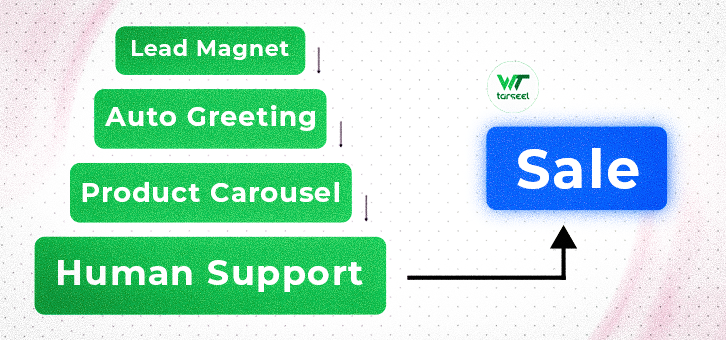
A customer journey might look like this:
- Lead comes in via IG ad
- Automated greeting shares mini-catalogue
- Customer clicks product > asks a question
- Bot answers + prompts human takeover
- Purchase closed in chat
Every step is an opportunity. Don’t rush it—nurture it.
Optimizing Your WhatsApp Profile for Catalogue Conversions
- Business Name: Keep it clean and searchable
- Profile Photo: Logo or face—builds trust
- Bio: Short, benefit-focused tagline
- Catalogue Link: Pin it or send it in greeting
- Quick Replies: Prepare answers for FAQs, pricing, policies
Who Should Use WhatsApp Catalogue?
You, if you’re in:
- Retail (clothing, cosmetics, accessories)
- Home businesses (bakers, crafters, designers)
- Wholesale/distribution
- Digital products or services
WhatsApp Catalogues are especially powerful for:
- Businesses without a website
- Local sellers with strong WhatsApp customer bases
- Brands wanting to scale conversational commerce
FAQs: Everything You Were Wondering
Q1: Can I use WhatsApp Catalogue without a Facebook page?
Q2: How many products can I add?
Q3: Can customers buy directly from the catalog?
Q4: Is there a way to track performance?
Q5: Is it free?
Q6: Can I update or remove items easily?
Q7: Can I link my catalogue with Facebook or Instagram Shops?
Q8: What languages are supported?
Q9: What happens if I change my phone or number?
Q10: Can catalogues work for appointment-based businesses?
Final Thoughts: WhatsApp Catalogue Isn’t Just a Feature—It’s a Sales Channel
If you’re serious about scaling in 2026, WhatsApp Catalogues should be in your sales playbook. It’s fast, friendly, and future-ready.
No more messy PDFs. No more back-and-forth texts just to explain a product. With just a few taps, your business becomes a personalized shopping experience; available anytime, anywhere.
Ready to turn chats into checkouts? Set up your WhatsApp Catalogue and let your products sell themselves.