When businesses want to send a message to a user on WhatsApp (especially via the WhatsApp Business Platform/API) there are different rules and message types depending on who initiates, when, and what purpose the message has. A key mechanism in this is the template message.
A template message is essentially a pre-approved message format that a business uses to reach customers proactively (i.e., from business → user) outside of the standard free 24-hour “customer service window”. Templates must be approved ahead of time by WhatsApp (Meta) and conform to strict guidelines.
Why use them? Because if you send a free-form message from the business side outside the 24h window, it may be blocked or result in higher cost or account risk. Templates provide a compliant way to contact users, but approval does not guarantee delivery or prevent reclassification if user feedback, opt-out rates, or policy violations occur.
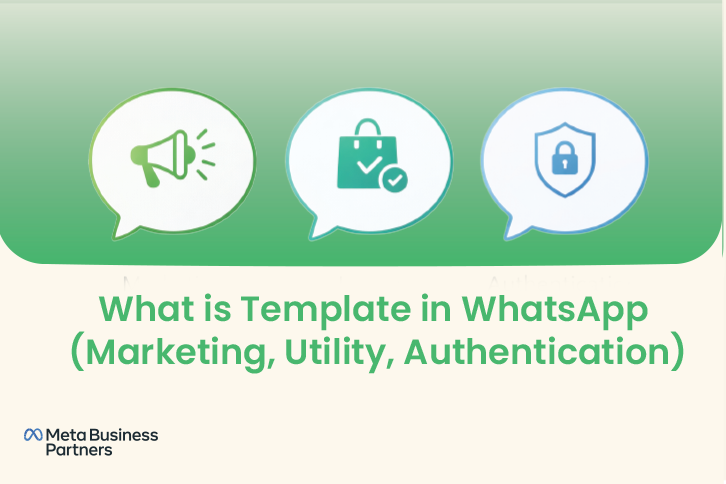
WhatsApp divides template messages into three broad categories (for business-initiated messages) based on their purpose. These categories matter because they determine how the message can be used, how it is reviewed/approved, and the cost structure. The three are:
- Marketing
- Utility
- Authentication
Marketing

This category covers messages whose primary purpose is promotional — i.e., to promote a product, service, offer, cross-sell, upsell, loyalty reward etc.
For example: “Hi {abc}, check out our new summer collection, 20% off for the next 24 hours!”. Because the goal is promotional, WhatsApp treats marketing templates more strictly (for approval) and often at higher cost.
Some sources say:
“Any conversation that does not qualify as a utility or authentication conversation is classified as a marketing conversation.”
It’s important to note that if you mix in promotional language (even in a message that might appear transactional) it could get classified as marketing, with attendant cost effects.
Utility
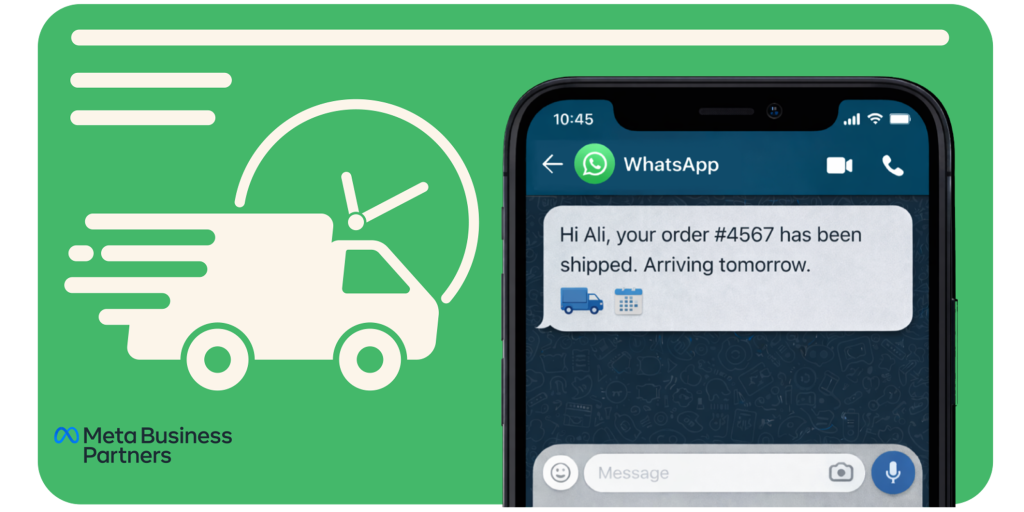
Utility templates are those where the message covers a transactional or service-related update tied to something the user is already involved in (order status, payment reminder, appointment confirmation, subscription renewal). The message is not primarily promotional.
Example: “Hi {{1}}, your order #{{2}} has been shipped and will arrive on {{3}}.”
WhatsApp describes these as; “customer care, appointment reminders, payment and shipping updates…” for templates.
Using this category properly is important because the cost is generally lower than marketing messages — but the message must meet the narrower definition (and any promotional content may disqualify it). For example, messages that look like surveys or feedback without being transactional may now be treated as marketing.
Authentication
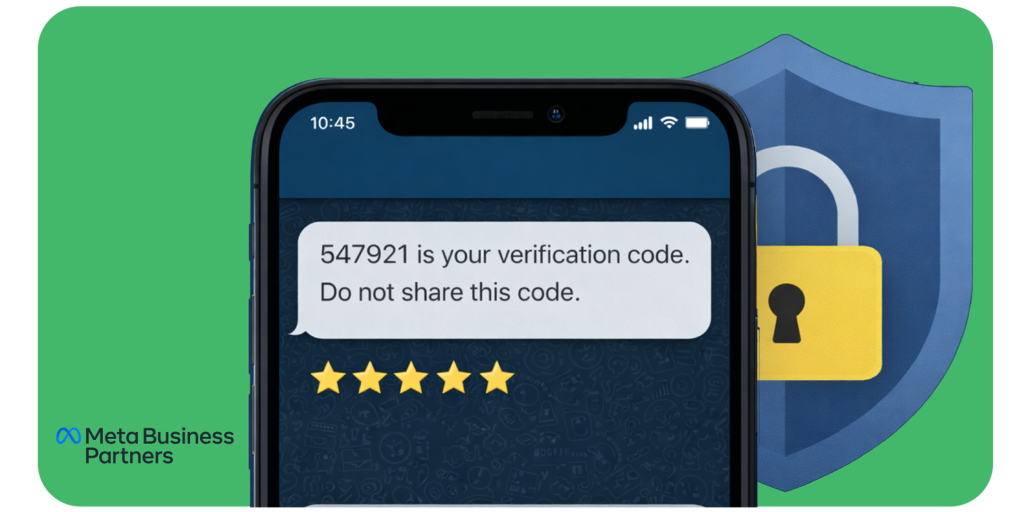
Authentication templates are highly restricted: they must contain only verification or security-related content, typically without images, promotional text, or external links. Any deviation may result in rejection or reclassification.
These templates are used for verifying identity or providing access codes — e.g., OTPs (one-time passcodes), login verification, account recovery messages. They are the most restricted in terms of what you can include (no marketing/upsell, limited or no media/links).
Example: “{{1}} is your verification code for your account. Do not share this code with anyone.”
Because the purpose is security/authentication, the cost may also differ and approval/formatting rules are strict.
Why the Category Matters?
- Cost: The category influences the cost you pay per template message (or per conversation) under WhatsApp’s pricing model. Using marketing when you should have used utility increases expense.
- Approval & Classification: While businesses select a category during submission, Meta has the final authority to approve, reject, or reclassify templates at any time based on actual usage and message intent. If you misuse, your template may be rejected or reclassified.
- User experience & compliance: Choosing the right category ensures you stay within policy (less risk of being flagged as spam) and helps you provide the right type of communication to users.
Template Guidelines
Here are the important guidelines you must follow when creating and using templates for WhatsApp Business Platform. These combine information from the official docs and the Wetarseel guide.
1. Submission & Approval
- Every template must be submitted for approval ahead of use. You draft the template (with placeholders) and send it to WhatsApp for review.
- Once approved, the template gets an ID/name and can be reused. If you edit the text significantly, you may need to resubmit.
- Approval may take time (24-48 hours or more) so plan ahead.
2. Structure & Formatting Rules
- Templates can include placeholders like
{{1}},{{2}}which you fill at send-time. - The message must match the language you choose; Templates must generally be written in a single language per template version. Mixing multiple languages within one template often leads to rejection unless explicitly supported under WhatsApp’s approved language configuration for that template.
- Avoid URL shorteners (like bit.ly) in the template — use official domain links.
- For Authentication templates especially: minimal media/no media, no promotional language.
- The message should begin clearly (greeting + purpose) and should not include threatening, abusive, or misleading content.
- Templates may include a footer like “Reply STOP to unsubscribe” if appropriate (especially for marketing).
3. Category-Specific Constraints
- Marketing: Allowed to promote products/offers but must follow policy. You can include offers/discounts etc. But if your message is truly transactional you might be better using Utility category.
- Utility: Must be purely functional; cannot include promotional offers. Once WhatsApp tightened their rules (July 2025) many previous “survey” style or “feedback” messages lost utility status and were reclassified as marketing.
- Authentication: Very strict: no promotional language, minimal or no media, must be clearly for login/verification.
- If you misuse or your template blends promotional + transactional, WhatsApp may reclassify it (and you’ll pay more).
4. Usage Rules & Free Window
- When a user sends you a message (i.e., user-initiated), you get a 24-hour “customer service window” to send free-form responses and possibly template messages at lower/no cost. Outside this window you must use approved template messages and you may be charged.
- With the new pricing model (discussed below), even template messages sent may incur charges depending on category and recipient country.
- Good practise: encourage user interaction (so you stay within the 24h window) to reduce costs and improve deliverability.
5. Reclassification & Monitoring
- WhatsApp may automatically reclassify your template type if they determine it doesn’t fit the declared category. For example, a “feedback survey” may no longer count as utility if it’s promotional in nature.
- You should track your template statuses and monitor approval, rejection, rejects reasons, and cost/volume trends. Maintain a spreadsheet or template-tracker.
- High quality (low opt-out rates, good user feedback) helps maintain access and good account standing.
For a detailed, step-by-step walk-through of creating and submitting templates (with examples) you can refer to this guide:
WhatsApp Template Message Guide – Step-by-Step Tutorial
Template Pricing
Key Points
- WhatsApp now charges per template message, not per 24-hour session.
- Pricing depends on category, country, and volume.
- Pakistan: Marketing ≈ $0.047 | Utility ≈ $0.0054 | Authentication ≈ $0.0228
- UAE: Marketing ≈ $0.03-0.04 | Utility ≈ $0.013-0.02 | Authentication ≈ $0.02-0.025
- Always check the most recent Meta pricing table or your BSP dashboard for updated rates.
For a deeper, simplified explanation, check Wetarseel’s Complete WhatsApp API Pricing Article.
Understanding how WhatsApp charges for message templates is essential for any business that wants to use WhatsApp effectively — whether for marketing, sending notifications, or verifying users.
What Changed
Originally, WhatsApp charged businesses per conversation, not per message.
Each “conversation” meant a 24-hour session that started when either you or your customer sent a message. During that window, you could send as many messages as you wanted without paying extra.
However, starting from late 2024 through 2025, Meta (the company behind WhatsApp) changed this structure to make pricing per message — especially for business-initiated messages (those you send outside the customer service or “free” window).
This means that every template message you send can now be billed individually.
The cost of each message depends on:
- The category of your template (Marketing, Utility, or Authentication)
- The recipient’s country code (e.g., +971 for UAE, +92 for Pakistan)
- Your message volume tier (the more messages you send, the lower your per-message cost may be)
This update brings more transparency but also means you need to plan your message strategy carefully.
For official Meta documentation, see WhatsApp Template Pricing Updates.
What This Means in Practice
Here’s how it works:
- Marketing templates (promotions, product updates, campaigns) are always charged per message, no matter when you send them.
- Utility templates (like order confirmations or payment receipts) are free if sent within the 24-hour customer service window but charged if sent after it.
- Authentication templates (e.g., OTPs or verification codes) are billed per message and usually fall between marketing and utility rates.
Some “free windows” still exist:
- When a customer messages you first, a 24-hour service window opens, during which you can reply for free.
- Certain entry points, such as Click-to-WhatsApp ads, can trigger a Free Entry Point (FEP) that opens a 72-hour customer service window, provided the business responds within the required time. During this window, free-form replies and eligible utility templates may be sent without charge.
In short, if you send a message after those windows close, it will cost you according to Meta’s per-template pricing for that message category and the recipient’s country.
Indicative Pricing Examples (not official Meta rates):
Pricing varies by recipient country, monthly message volume, and Business Solution Provider (BSP). The figures below are approximate estimates based on publicly shared BSP data and should not be treated as official Meta pricing.
Businesses should always refer to Meta’s official WhatsApp pricing rate card or their BSP dashboard for the most up-to-date and exact rates.
Why: Meta does not publish fixed prices per country publicly; BSPs apply Meta base rates plus margins.
WhatsApp API Price in Pakistan (Example Rates)
Based on publicly available data from reputable resources and verified WhatsApp BSPs, here’s an approximate view for Pakistan (as of 2025):
| Template Type | Approx. Cost per Message (USD) | Notes |
|---|---|---|
| Marketing | ~$0.047 | For promotions or campaign messages |
| Utility | ~$0.0054 | Free inside 24-hour window |
| Authentication | ~$0.0228 | Used for OTPs or login codes |
WhatsApp API Price in United Arab Emirates (UAE) (Example Rates)
According to public summaries and BSP data, approximate costs for UAE are:
| Template Type | Approx. Cost per Message (USD) | Notes |
|---|---|---|
| Marketing | ~$0.03 – $0.04 | Promotional content, campaigns |
| Utility | ~$0.013 – $0.02 | Order receipts, reminders |
| Authentication | ~$0.02 – $0.025 | OTP or secure login messages |
This shows that UAE’s pricing is slightly higher than South Asia but still moderate compared to Europe or North America.
Why This Matters
Understanding these costs helps you:
- Budget effectively for campaigns and automation flows.
- Choose the right template type — using Utility instead of Marketing when appropriate can lower costs.
- Take advantage of free windows to save money.
Even small differences per message add up when you send thousands of notifications monthly.
Update rates are here Click here
Final Words
WhatsApp’s new template-based pricing model marks a major step forward in how businesses communicate with their customers — transparent, measurable, and performance-driven.
For business owners, this shift is not a cost burden but a strategic opportunity: you now have the clarity to align every message with its value. Whether it’s a marketing campaign, a transaction alert, or a security verification, you can predict your spend and measure ROI with precision.
By understanding template categories, timing your messages within free windows, and choosing a reliable provider like Wetarseel, you can keep costs low while building real, lasting customer connections.
In short — WhatsApp is no longer just a chat tool; it’s a measurable business channel. The more thoughtfully you use it, the more efficiently it pays off.