

What You Can Build with WeTarseel’s Flow Builder
Create No-Code Chat Automations
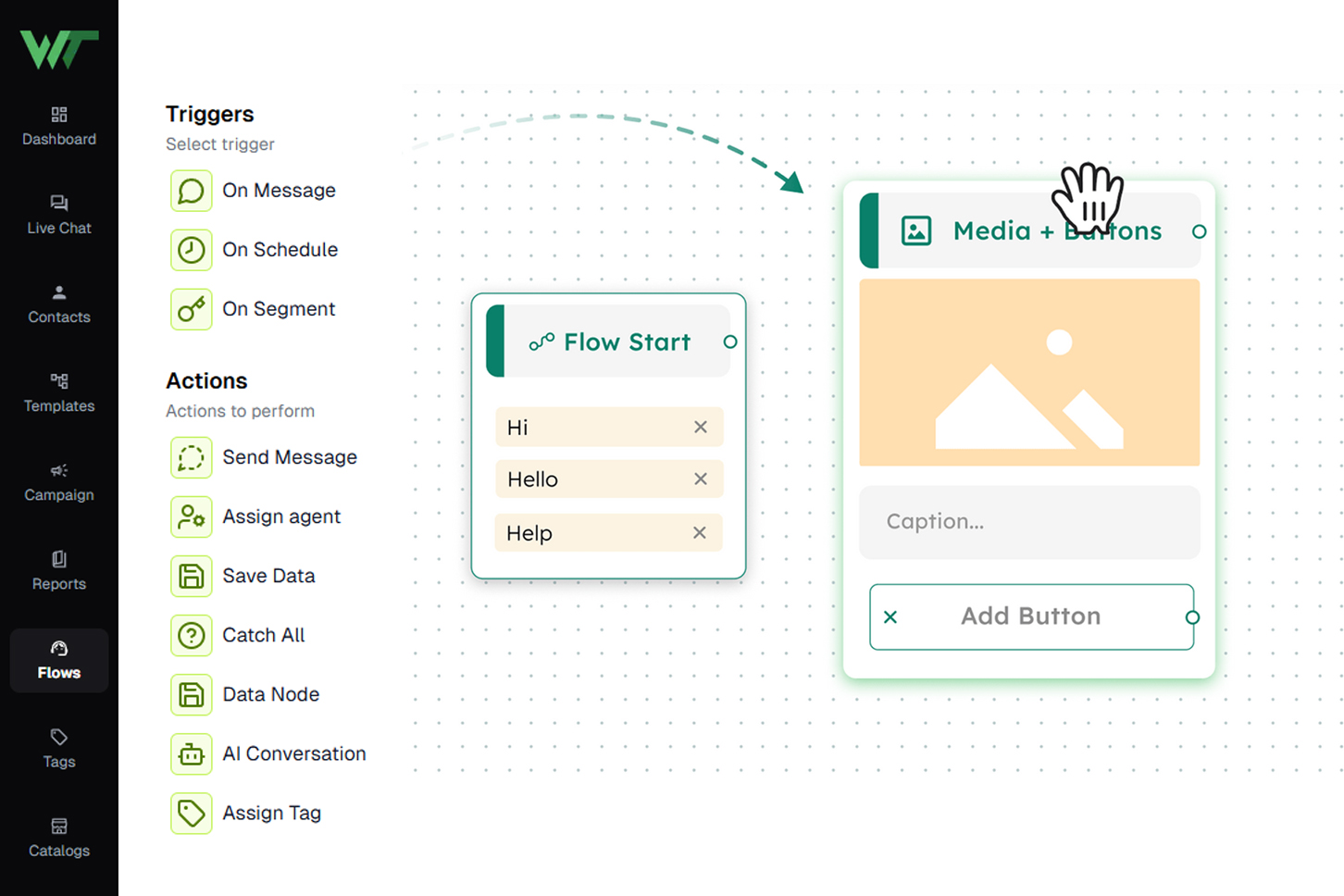
Plan and design conversation paths visually. Add messages, buttons, menus, and input fields with a simple drag-and-drop interface.
Build AI-Powered Chatbots
Enable your chatbot to understand customer messages, respond naturally, and reduce manual workload.
Automate Lead Capture & Qualification
Collect customer name, number, email, and preferences automatically. Segment them based on behavior or tags for more targeted follow-ups.
Smart Support Automation
Answer repetitive queries instantly — such as pricing, delivery details, product info, availability, and policies.
Shopify Order Tracking Bot
Allow customers to check their order status instantly using order tracking tags — no agent required.
Human Agent Handover
Switch from bot → human when conversations need personal attention. Agents can handle chats through the multi-agent Team Inbox.
Key Features Inside the Flow Builder
Visual Drag-and-Drop Builder
- Drag message blocks
- Add buttons & list menus
- Build multi-step journeys
- Organize flows clearly
- Preview before publishing
AI Chatbot Creation
- AI understands user messages
- Auto-respond to FAQs
- Reduce agent workload
- Works across WhatsApp, Instagram & Facebook
- Smoother conversations with natural language
Rich Message Blocks
- Text messages
- Images, videos & documents
- CTA buttons
- Product menus
- Forms & input fields
- Delay timers
Triggers & Entry Points
- Keywords
- Click-to-WhatsApp Ads
- Instagram DM triggers
- Website chat widget
- Buttons inside previous flows
Lead Capture & Storage
- Auto-saving user responses
- Built-in CRM lead storage
- Lead tagging
- Segmentation for campaigns
- Easy export options
Shopify Order Tracking with Tags
- Customer submits order ID
- Bot fetches real-time updates
- Responds with order status
- No agent involvement required
- Seamless support automation for eCommerce
Conditional Logic & Smart Branching
- User reply
- Button selection
- Tags
- Lead attributes
- Previous behavior
Team Inbox Integration
- Auto-transfer to agents
- Multi-agent support
- Internal notes
- Real-time user details
- Full conversation history
Broadcast & Campaign Friendly
- WhatsApp broadcasts
- Re-engagement campaigns
- Drip sequences
- Promotional messages
- Abandoned inquiry reminders
It's Simple
Activate the WeTarseel Flow Builder and start automating your customer conversations, sales, and support across WhatsApp instantly.
WhatsApp Chatbot Use Cases
Top Ways Businesses Use WeTarseel’s WhatsApp Automation
E-commerce Automation
Smart Customer Support
Lead Capture & Filtering
Appointment Scheduling
Ad-to-Chat Engagement
Order Tracking & Notifications
How It Works?
Start a New Flow
Open your WeTarseel dashboard, click “Create Flow”, name your flow, and you’re ready to design your first chatbot journey.

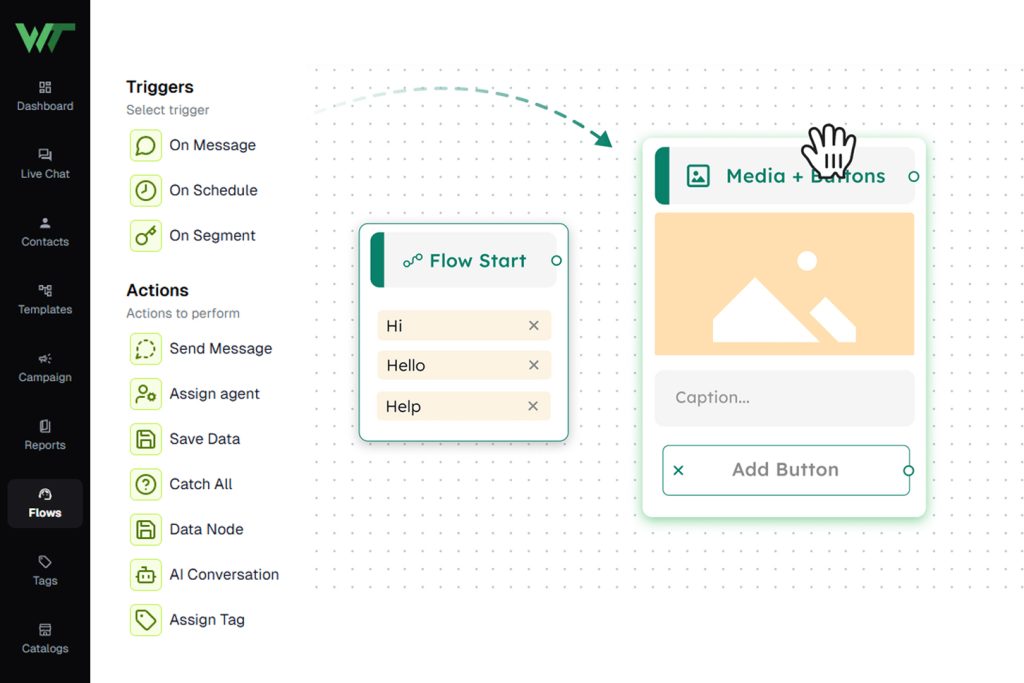
Design Visually Without Any Coding
Use our drag-and-drop builder to place messages, menus, buttons, forms, and more. Connect them in the order you want the conversation to run.
Define Entry Points & Triggers
Choose what starts the flow, whether it’s a keyword, a social-media message, a website chat, or a button click from an ad campaign.
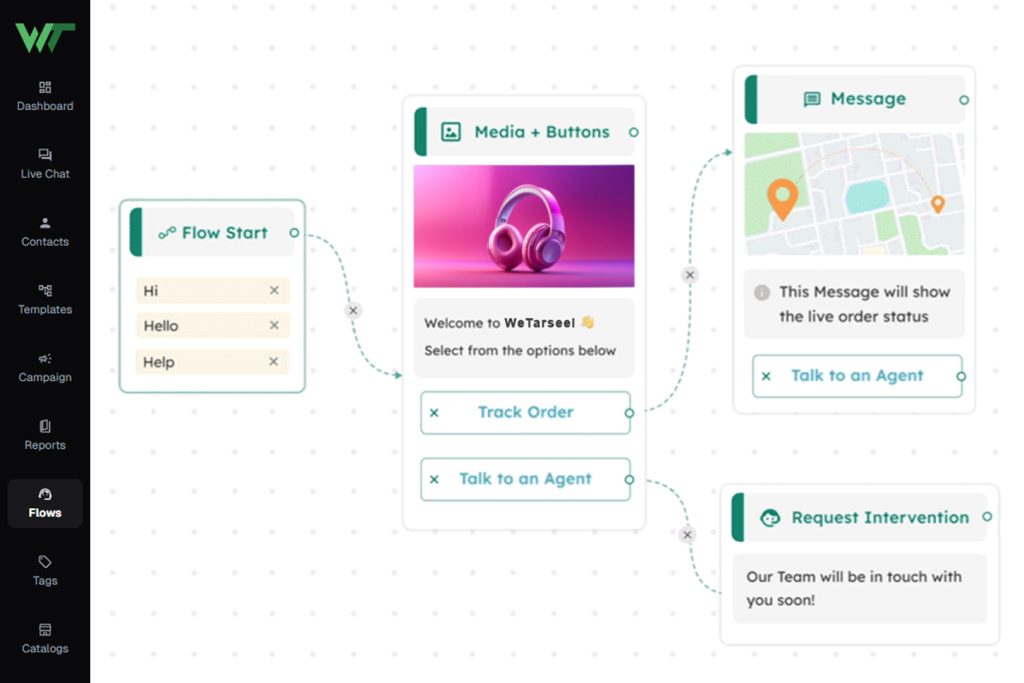
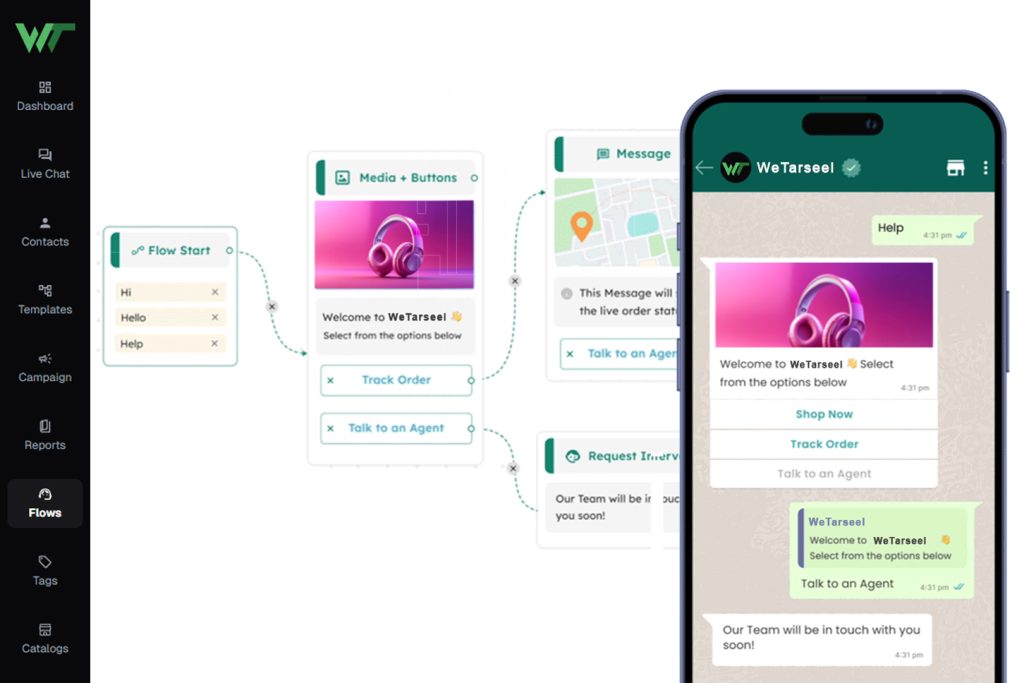
Add Logic, Integrations & Smart Routing
Use conditional rules, API calls or database checks to fetch data, tag leads, redirect to live agents, or respond dynamically based on user input.
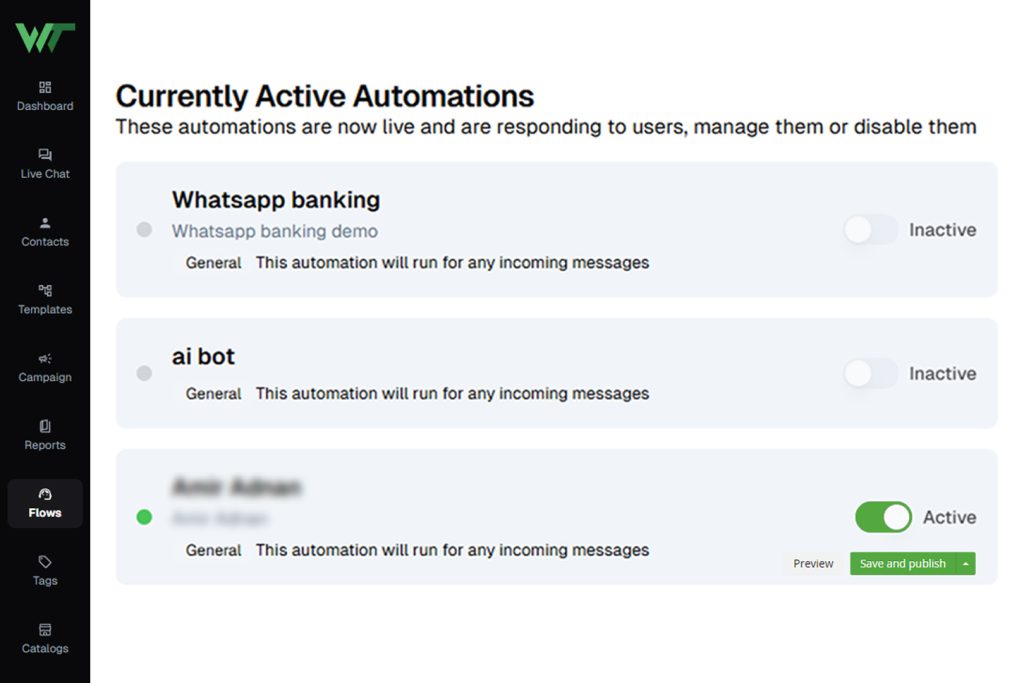
Preview & Publish Instantly
Test the flow preview to ensure everything works. Once ready, save and activate. Your chatbot goes live and starts interacting immediately.
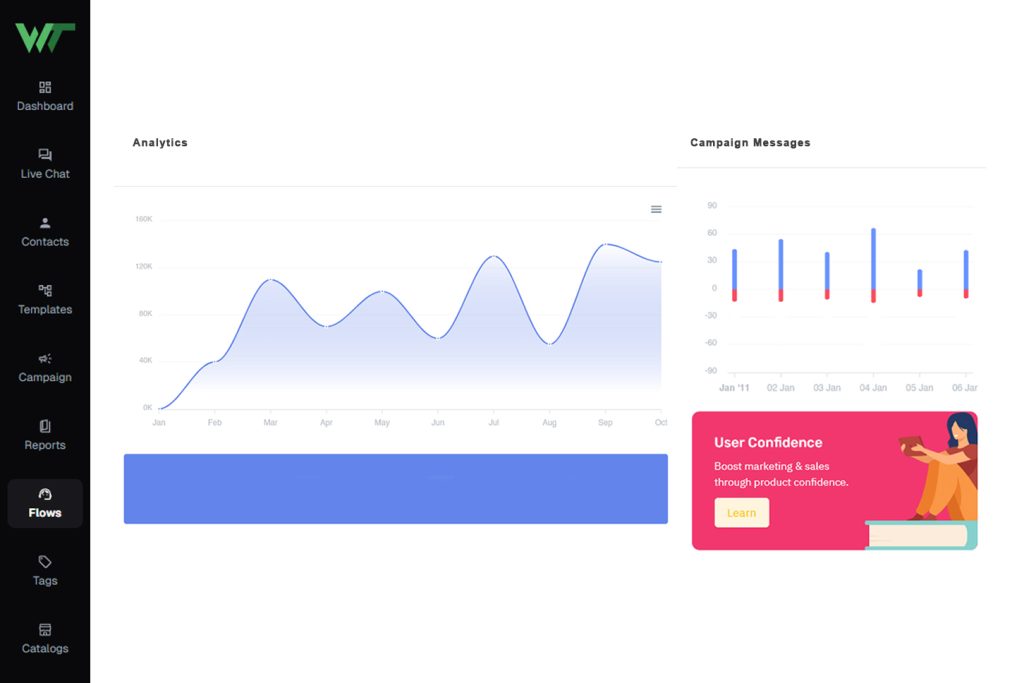
Monitor, Update & Optimize
View analytics, track conversations, gather feedback, and tweak the flow over time to improve engagement and conversions.
Everything You Need for WhatsApp Engagement
Multi-Agent Live Chat
Empower your team — multiple agents can handle chats on the same WhatsApp number simultaneously, ensuring prompt support and collaboration.
Learn MoreAI-Powered Chatbots
Set up smart, no-code chatbots that reply automatically — qualify leads, answer common questions, and reduce manual workload around the clock.
Learn MoreBroadcast & Bulk Messaging
Reach hundreds or thousands of customers at once — schedule and segment broadcast campaigns to maximize engagement.
Learn MoreNotifications & Alerts
Send automated order updates, reminders, confirmations or personalized alerts — keep customers informed and engaged without manual work.
Learn MoreAd-to-Chat Integration
Run ad campaigns that lead directly to WhatsApp — capture leads instantly and start conversations with zero delay.
Learn MoreWhatsApp Product Catalog
Showcase your products directly in WhatsApp — let customers browse catalogs, ask questions, and buy — without leaving the chat.
Learn MoreLead & Contact Management
Import, tag, segment, and manage leads — all inside WeTarseel’s integrated CRM. Perfect for organized follow-ups and better conversions.
Learn MoreUnified Omnichannel Inbox
Manage WhatsApp, Instagram, Messenger and more — all conversations in one place. Assign agents, track context and never miss a message.
Learn More-
1. What exactly does WeTarseel do?
WeTarseel is a customer engagement platform built around WhatsApp. It helps businesses automate responses, run broadcast campaigns, manage leads, and handle multi-agent live chat — all from one dashboard. The platform is designed to increase conversions, reduce response time, and simplify customer communication.
-
2. Do I need any technical skills to use WeTarseel?
Not at all. WeTarseel offers a clean, user-friendly interface where you can build chat flows, create broadcasts, and manage contacts without touching a single line of code. Everything is drag-and-drop or form-based, making it easy for beginners and teams.
-
3. Does WeTarseel support WhatsApp Business API?
Yes. WeTarseel is built on top of the official WhatsApp Business API, allowing you to send template messages, broadcasts, notifications, and automate workflows while staying compliant with WhatsApp policies.
-
4. Can multiple support agents reply from the same WhatsApp number?
Absolutely. WeTarseel provides a multi-agent live chat inbox, enabling your entire support or sales team to respond to customers simultaneously. Conversations are organized, role-based permissions can be added, and you can track who said what.
-
5. Can I automate customer queries using chatbots?
Yes. WeTarseel includes an AI-driven chatbot builder that automates FAQs, lead qualification, product discovery, and follow-ups. You can combine automated replies with human handover whenever needed.
-
6. Does WeTarseel allow sending broadcast messages?
Yes. You can send WhatsApp broadcasts to your existing customer list, segment users based on tags/interactions, and schedule campaigns ahead of time. Broadcasts work only with WhatsApp-approved templates, as per Meta guidelines.
-
7. What types of businesses use WeTarseel?
WeTarseel is used by eCommerce stores, coaching/education brands, service providers, real estate teams, clinics, D2C brands, SaaS companies, and more. Any business that wants to convert leads or support customers on WhatsApp can benefit from the platform.
-
8. Can WeTarseel integrate with my website or CRM?
Yes. The platform supports API/Webhook integrations, form submissions, lead capture widgets, and can connect with your existing CRM or website to sync customer data automatically.
-
9. Is there a limit on the number of messages I can send?
Messaging limits depend on WhatsApp’s API tiers. As your business interacts with more users and maintains healthy quality ratings, WhatsApp automatically expands your messaging limit. WeTarseel simply follows WhatsApp’s official limit structure.
-
10. Does WeTarseel offer an analytics dashboard?
Yes. You can view message delivery rates, read receipts, broadcast performance, agent reply metrics, and chatbot-driven conversions. These insights help optimize your campaigns and customer engagement strategy.
-
11. Can customers start conversations directly from ads?
Yes. WeTarseel supports Click-to-WhatsApp Ads. When someone taps your ad, they land directly in your WhatsApp chat powered by WeTarseel — allowing you to trigger automated workflows instantly.
-
12. Is customer support available?
Yes. WeTarseel offers dedicated support through WhatsApp, email, and onboarding assistance to help you set up your flows, broadcasts, and integrations the right way.


