If you run a Shopify store, customers will ask the same questions again and again after they buy:
“Did my order go through?”
“When will it ship?”
“Where is my parcel?”
“How can I return or exchange?”
The most effective way to answer these questions (without increasing your support team) is WhatsApp automation.
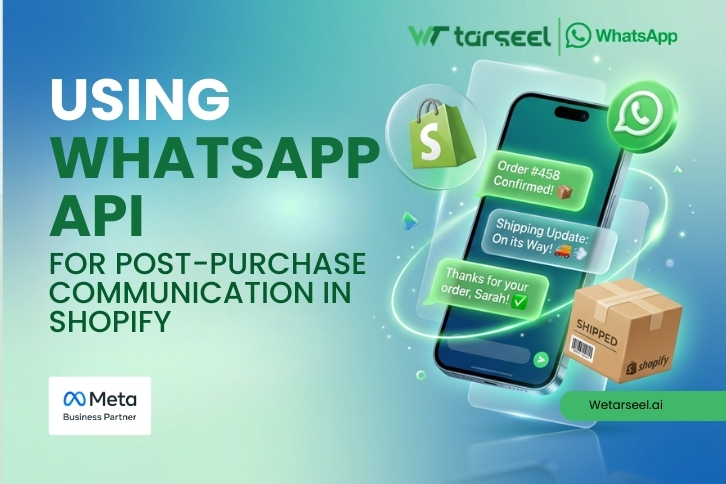
WhatsApp API for Shopify post‑purchase communication lets you automatically send order confirmations, shipping updates, delivery alerts, and feedback messages — directly on WhatsApp, where customers actually read messages.
In this guide, you’ll learn exactly how it works, what messages to send, how pricing works, what mistakes to avoid, and what a good setup looks like.
Table of Contents
What Is WhatsApp Business API And How It’s Different From the WhatsApp Business App?
Most Shopify merchants start with the free WhatsApp Business app. It’s good for basic chatting — but it has limitations.
WhatsApp Business App (Free)
Manual messaging (your team replies one by one)
Limited automation
No reliable Shopify order triggers
Not ideal for scaling
WhatsApp Business API (For Businesses)
WhatsApp Business API (often called WhatsApp API) is the official system that allows:
Automated WhatsApp messages triggered by Shopify events
Multiple agents using the same number
Message templates for order updates and notifications
Integration with CRM, helpdesk, and Shopify workflows
Better compliance and stability for growing brands
Important: WhatsApp API is not a “hack” or unofficial tool. It is the approved way to automate WhatsApp messages for customers.
How WhatsApp API Works With Shopify?
Shopify does not natively send WhatsApp notifications by default.
To use WhatsApp Business API, you connect Shopify order events to WhatsApp message templates through an integration platform (or custom development).
Here’s the real flow:
Step 1: Get WhatsApp API Access
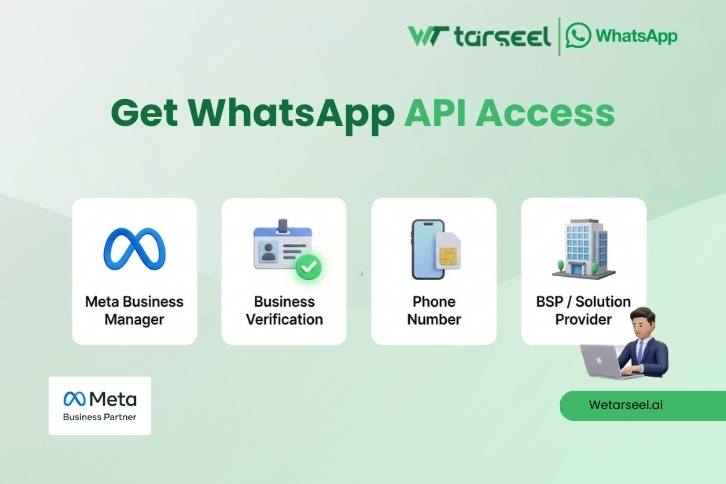
To use WhatsApp API, you usually need:
A Meta Business Manager account
A verified business (in many cases)
A phone number for WhatsApp API (new or existing)
A WhatsApp Business Solution Provider (BSP)
A BSP is an approved company that helps you get WhatsApp API access and manage messaging.
Step 2: Connect Shopify to WhatsApp API
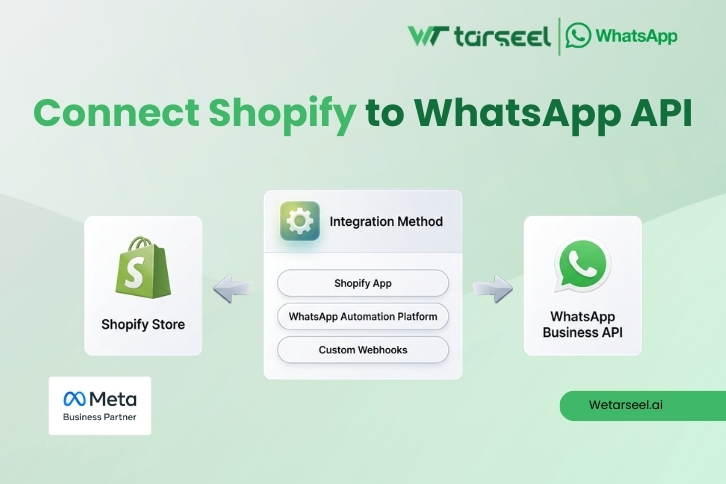
This connection is usually done using:
A Shopify app
A WhatsApp automation platform
Or custom integration using Shopify webhooks
Step 3: Create and Approve WhatsApp Message Templates
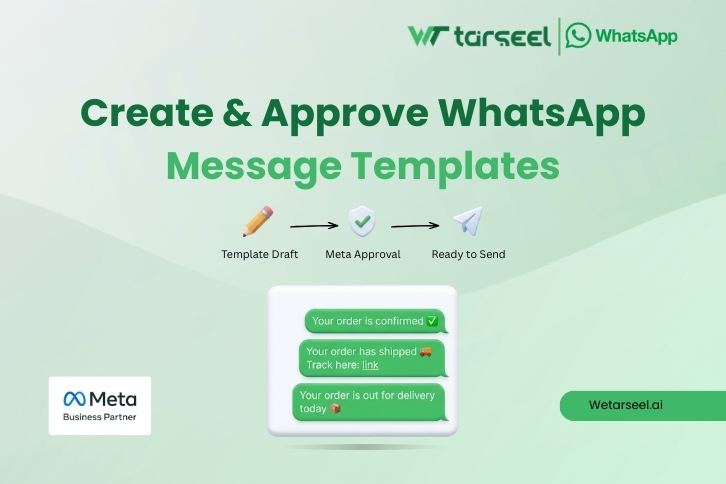
WhatsApp requires template messages for most automated notifications.
Templates are short messages like:
“Your order is confirmed.”
“Your order has shipped.”
“Your order is out for delivery.”
Step 4: Set Automation Triggers
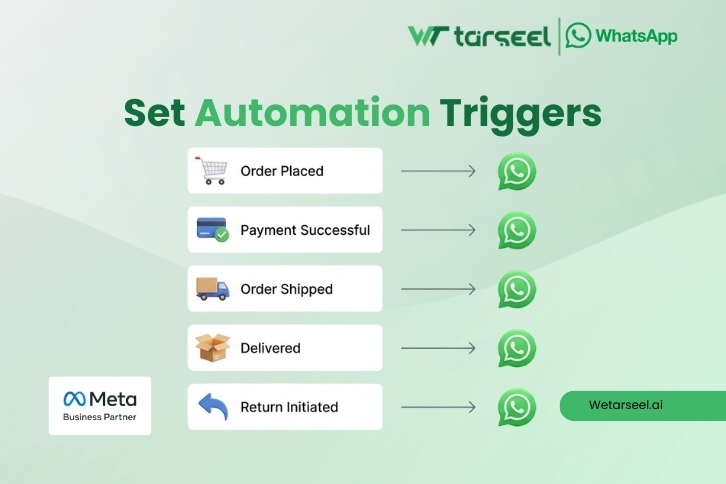
You choose what events will send messages, such as:
Order placed
Payment successful
Order shipped
Delivered
Return initiated
Step 5: Test and Monitor
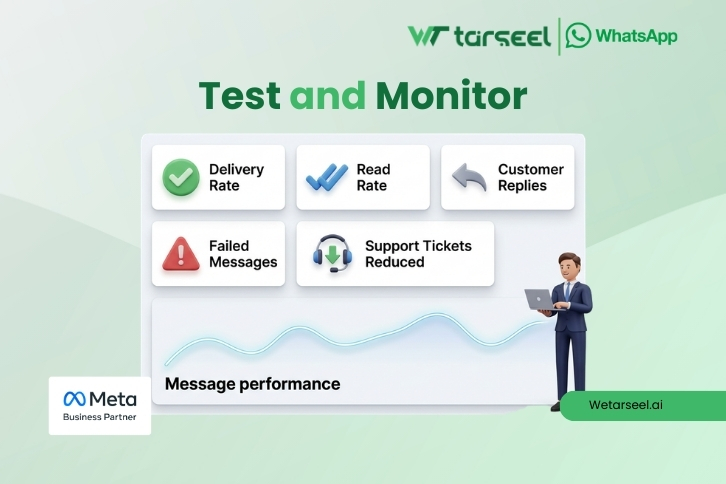
You test messages on real orders and monitor:
Delivery rate
Read rate
Customer replies
Support ticket reduction
Why Shopify Stores Use WhatsApp for Post‑Purchase Communication?
Post‑purchase communication is not only about “informing customers.”
It directly impacts:
Customer satisfaction
Return rates
Cash on delivery (COD) success
Repeat purchases
Customer support workload
In many markets (especially the subcontinent and UAE), WhatsApp is the default channel customers trust.
The Best Post‑Purchase WhatsApp Messages to Automate in Shopify
A strong WhatsApp post‑purchase flow usually has 5 to 8 messages.
Below are the most useful ones, with examples.
1) Order Confirmation Message
This message reduces customer anxiety and confirms the purchase.
Example template:
Hi {{1}}, thanks for your order {{2}}! 🎉 We’ve received your order and will update you once it ships.
2) Payment Confirmation (For Prepaid Orders)
Useful for reducing payment disputes.
Example:
Payment received for order {{1}} ✅ We’ll start processing your order now.
3) COD Confirmation / Verification (Very Important)
If you sell with COD, this message can reduce fake orders and RTO.
Example:
Hi {{1}}, please confirm your Cash on Delivery order {{2}}. Reply YES to confirm or NO to cancel.
4) Order Processing Update
This message reduces “Where is my order?” support requests.
Example:
Good news! Your order {{1}} is now being packed. We’ll share tracking details once it ships.
5) Shipping / Tracking Message
This is one of the highest‑value messages.
Example:
Your order {{1}} has shipped 🚚 Track here: {{2}}
6) Out for Delivery Message
This improves delivery success rates.
Example:
Your order {{1}} is out for delivery today. Please keep your phone available.
7) Delivered Message + Support Link
This reduces complaints and sets a professional tone.
Example:
Delivered ✅ Hope you love your purchase! If you need help, reply here anytime.
8) Feedback / Review Request
This helps you build reviews and improve repeat purchases.
Example:
Hi {{1}}, how was your experience? If you have 30 seconds, please leave a review here: {{2}}
WhatsApp Business API Rules You Must Know (So You Don’t Get Blocked)
A lot of Shopify merchants get their WhatsApp number restricted because they don’t follow WhatsApp’s rules.
Here are the key rules in simple words:
1) The 24‑Hour Customer Support Window
If a customer messages you, you can reply freely for the next 24 hours.
After 24 hours, you must use an approved template to message them.
2) Templates Must Be Approved
Order updates and notifications should be sent using pre‑approved templates.
3) You Must Have Customer Consent (Opt‑In)
You should collect opt‑in on:
Checkout page
Order confirmation page
Pop‑ups (optional)
A simple checkbox like:
“I agree to receive order updates on WhatsApp.”
is usually enough.
4) Avoid Spammy Messaging
If customers report or block you, your WhatsApp quality rating can drop.
This can lead to:
Reduced sending limits
Slower approvals
Account restrictions
WhatsApp API Pricing: How It Works? (Meta Fees + Platform Fees)
Pricing is one of the most confusing parts for Shopify merchants.
To keep it simple: WhatsApp API usually has two types of costs.
1) Meta WhatsApp Conversation Charges
Meta charges per “conversation.”
A conversation is a 24‑hour window where you can send multiple messages.
There are different categories:
Utility (order updates, shipping, delivery)
Marketing (promotions, offers)
Authentication (OTP, login)
Service (customer support replies)
Post‑purchase communication usually falls under Utility.
Good news: Utility conversations are usually cheaper than marketing.
2) Platform / BSP Charges
Most businesses also pay a monthly fee to their BSP or WhatsApp automation platform.
This fee may include:
WhatsApp API access
Template management
Shopify integration
Automation builder
Agent inbox
Analytics
Example Cost Scenario (Simplified)
Let’s say you have 1,000 Shopify orders per month.
If you send:
Order confirmation
Shipping update
Delivery confirmation
This can be managed efficiently within utility conversations.
Your total cost depends on:
Customer country (Meta pricing varies)
How many conversations you open
How many messages are template vs. support
Tip: A good provider should show you estimated costs before you scale.
What to Look for in a WhatsApp API Shopify Setup?
If you want a stable, scalable setup, look for these features:
Shopify‑Specific Automation
Order placed trigger
Fulfillment trigger
Tracking link automation
COD confirmation flow
Message Template Support
Easy template creation
Fast approvals
Dynamic variables (name, order ID, tracking)
Team Inbox
Multiple agents
Assign conversations
Saved replies
Analytics
Delivered vs. failed
Read rate
Reply rate
Revenue from recovered carts (optional)
Compliance Tools
Opt‑in capture
Opt‑out keyword handling (STOP)
Quality rating monitoring
Real‑Life Use Cases: How WhatsApp Post‑Purchase Automation Helps Shopify Stores
Below are practical examples that happen every day in eCommerce.
Example 1: Reducing “Where Is My Order?” Messages
A Shopify store that sends shipping and delivery updates automatically can reduce repetitive support questions.
This helps the support team focus on:
Returns
Exchanges
Product issues
Example 2: Improving COD Delivery Success
In COD markets, many orders fail because:
Customers entered wrong numbers
Customers are not available
Fake orders were placed
A WhatsApp confirmation message (YES/NO) can help filter fake orders before shipping.
Example 3: Faster Return and Exchange Handling
When customers know the return process clearly, they complain less.
A WhatsApp template can share:
Return steps
Pickup timelines
Exchange policy
Best Practices When Using WhatsApp API for Shopify Post‑Purchase Communication
These best practices make your WhatsApp automation feel helpful — not annoying.
Keep Messages Short
WhatsApp is not email. Customers prefer quick updates.
Use One Clear CTA
Example:
Track your order
Confirm COD
Leave a review
Personalize Using Variables
Use:
Customer name
Order number
Tracking link
Don’t Over‑Message
A common mistake is sending 15 messages per order.
A good post‑purchase flow is usually 5–8 messages.
Always Provide a Human Reply Option
Even with automation, customers want to reply and talk to support.
Common Mistakes Shopify Merchants Make With WhatsApp API
Avoid these mistakes to protect your WhatsApp number and customer trust.
Mistake 1: Using Unofficial WhatsApp Tools
Unofficial tools may work temporarily but often lead to:
Number bans
Lost chats
No template approval
Mistake 2: Sending Promotions in Post‑Purchase Messages
Post‑purchase messages should be mostly utility.
If you mix promotions too early, customers block you.
Mistake 3: Not Capturing Opt‑In
Without opt‑in, you risk complaints.
Mistake 4: Not Setting Expectations
Customers feel safer when you tell them what will happen next.
Example:
“We’ll send you tracking details within 24–48 h

Best Whatsapp Business API for Dubai – Complete Guide to Choosing an API

WhatsApp API Provider for Karachi – Complete Guide for Businesses (2026)

WhatsApp API Provider in Lahore: Complete Guide for Businesses (2026)

WhatsApp API for Shopify Post‑Purchase Communication: 2026 Complete Guide