Quick answer:
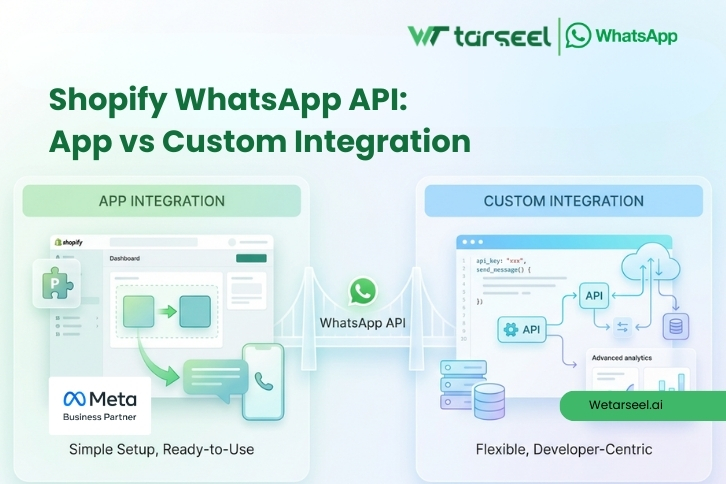
For most small and medium Shopify stores, an app is the fastest and simplest option. For larger stores (or stores with unique workflows), custom integration gives more control — but it costs more and needs technical resources.

This guide explains the difference in very simple terms, including how each option works, what to look for, pricing factors, and which option is right for your business.

Table of Contents

If you want to send order updates, delivery alerts, and customer support messages on WhatsApp from your Shopify store, you have two main options:

  1. Use a Shopify WhatsApp app (ready‑made integration)

  2. Build a custom integration using Shopify webhooks + WhatsApp Business API

First: What “WhatsApp API” Means in Shopify

When people say “WhatsApp API,” they usually mean WhatsApp Business API.

WhatsApp Business API is the official system provided by Meta that allows businesses to:

  • Send automated messages (order confirmations, shipping updates, etc.)

  • Use message templates (approved formats for notifications)

  • Handle higher message volume

  • Use multi‑agent inbox (many support staff on one number)

Important clarification

Shopify does not have a built‑in WhatsApp button that automatically sends order notifications.

So in real life, WhatsApp messaging from Shopify always happens like this:

Shopify event (order placed) → integration layer → WhatsApp Business API → customer receives message

The only difference is:

  • In the app method, the integration layer is already built for you.

  • In the custom method, you build the integration layer yourself.

WhatsApp Business App vs WhatsApp Business API (Why This Matters)

Many merchants confuse the free WhatsApp Business app with the WhatsApp Business API.

WhatsApp Business App (Free)

  • Works on a phone

  • Good for manual chat

  • Limited automation

  • Not designed for Shopify event triggers

WhatsApp Business API

  • Designed for automation

  • Can connect to Shopify order events

  • Supports templates and high volume

  • Supports multiple agents

If your goal is post‑purchase automation (order confirmation, shipping, delivery, returns), you will almost always need the WhatsApp Business API.

Shopify WhatsApp API: App vs Custom Integration (What’s the Real Difference?)

Here is the simplest way to understand it:

Shopify WhatsApp App

A Shopify WhatsApp app is a ready‑made tool that connects your store to WhatsApp Business API.

The app usually provides:

  • Shopify triggers (order placed, shipped, delivered)

  • Template creation and management

  • Automation flows

  • An inbox for replies

  • Analytics

Custom WhatsApp Integration

A custom integration means your team (or developer) builds a system that:

  • Listens to Shopify events (webhooks)

  • Creates logic for message sending

  • Calls the WhatsApp Business API

  • Stores logs and delivery results

  • Handles opt‑in and opt‑out

Both methods can work well.

The right choice depends on your:

  • Order volume

  • Budget

  • Technical resources

  • Need for customization

  • Compliance requirements

Option 1: Using a Shopify WhatsApp App (How It Works)

A Shopify WhatsApp app is usually the easiest option.

How the app method works

  1. You install the app on Shopify

  2. You connect your WhatsApp Business API number (through the app’s provider)

  3. You create WhatsApp templates

  4. You turn on triggers like “order placed” and “order shipped”

  5. Customers start receiving automated WhatsApp messages

Benefits of using an app

  • Fast setup (usually hours, not weeks)

  • No development needed

  • Built‑in templates and automation

  • Easy to manage for non‑technical teams

Limitations of using an app

Apps can be limited if you need:

  • Advanced conditional logic (example: special messages by product category)

  • Deep customization (example: custom delivery workflows)

  • Connection to internal systems (ERP, warehouse, custom CRM)

  • Full control of data and message routing

What to Look for in a Shopify WhatsApp App (Important Checklist)

Not all apps are the same.

When comparing apps, check these features:

1) WhatsApp Business API (Official)

Make sure the app uses the official WhatsApp Business API.

Avoid tools that claim:

  • “No API needed”

  • “Send unlimited messages free”

  • “Use WhatsApp without templates”

These are often unofficial and can lead to number restrictions.

2) Template Support

The app should allow:

  • Easy template creation

  • Variables like name, order ID, tracking link

  • Template status tracking (approved / rejected)

3) Shopify Triggers

At minimum, it should support:

  • Order placed

  • Payment success

  • Fulfillment/shipped

  • Delivered

4) Multi‑Agent Inbox

If you have a support team, you need:

  • Multiple agents

  • Conversation assignment

  • Tags and notes

  • Saved replies

5) Analytics

You should see:

  • Sent / delivered / failed messages

  • Customer replies

  • Clicks on tracking links (if supported)

6) Opt‑Out Handling

A reliable system should support:

  • STOP

  • Unsubscribe

  • Opt‑out lists

Option 2: Custom Integration (How It Works)

Custom integration means you build your own system.

What a custom Shopify WhatsApp integration usually includes

A developer typically sets up:

  • Shopify webhooks (for order, fulfillment, refunds)

  • A backend server (logic layer)

  • A WhatsApp Business API connection (via a provider)

  • A database for logs and customer status

  • A queue system for sending messages safely

What “custom logic” looks like in real life

Custom integration is useful if you want things like:

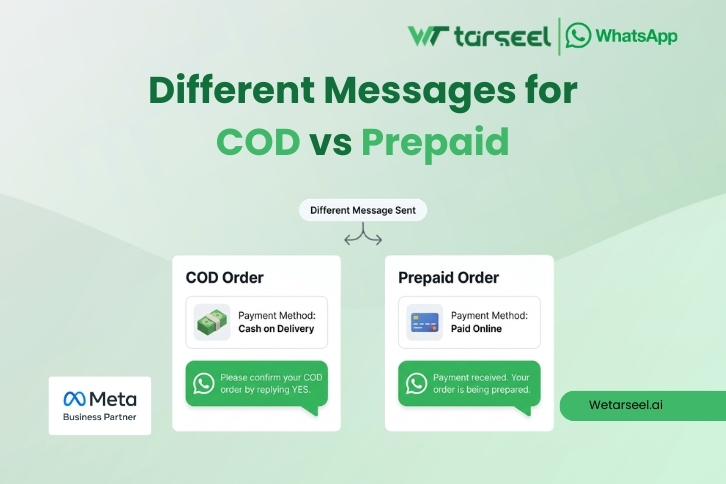
  • Different messages for COD vs prepaid

Post 01 2 3

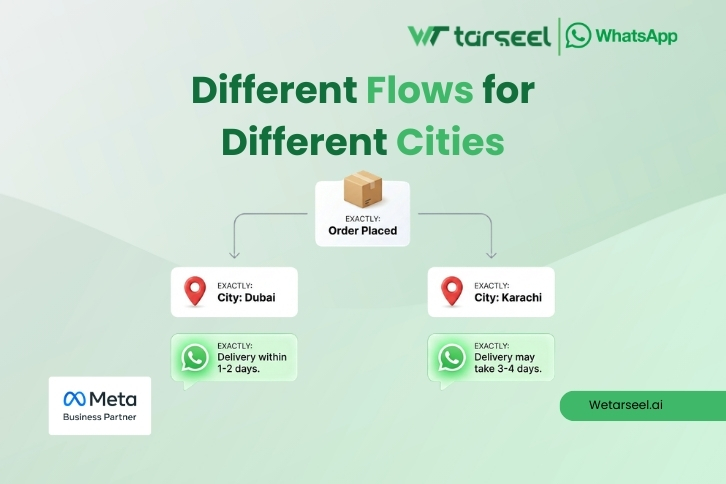
  • Different flows for different cities

Post 01 3 3

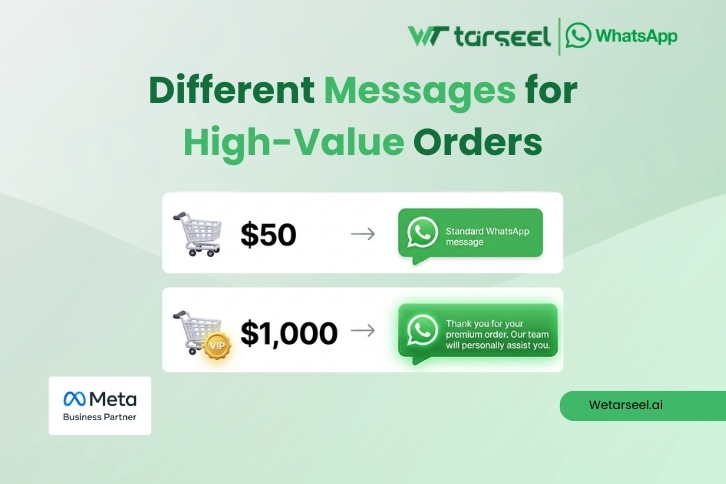
  • Different messages for high‑value orders
Post 01 4 3

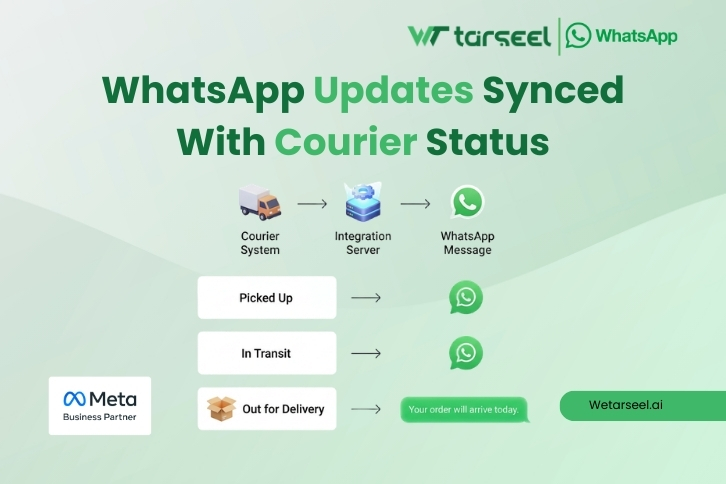
  • WhatsApp updates synced with courier status
Post 01 5 3

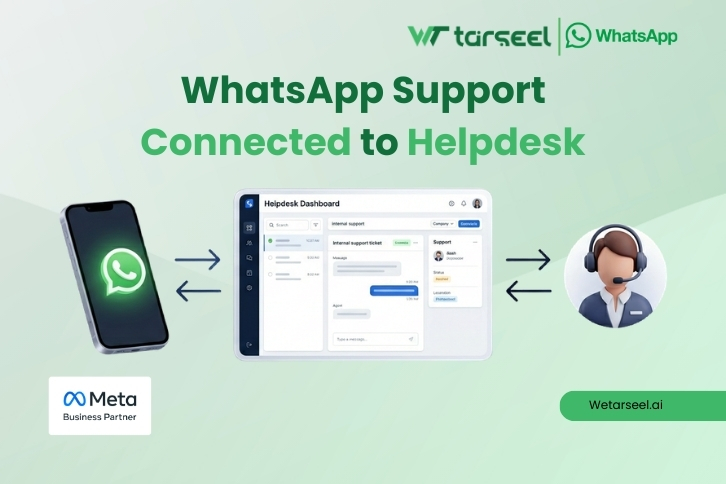
  • WhatsApp support connected to your helpdesk
Post 01 6 2

Benefits of custom integration

  • Full control of automation

  • More flexibility in message logic

  • Easier integration with internal tools

  • Better for unique workflows

Limitations of custom integration

  • Requires developer time

  • Needs testing and monitoring

  • Can break when Shopify changes APIs or apps

  • You must manage compliance carefully

Shopify WhatsApp API: App vs Custom Integration (Side‑by‑Side Comparison)

Pricing: What You Pay in Both Options?

Pricing is one of the biggest reasons merchants feel confused about WhatsApp API.

That confusion happens because WhatsApp messaging costs usually come from two different places (and sometimes three).

Cost 1: WhatsApp conversation charges (Meta)

WhatsApp Business API is priced by Meta using a conversation-based model.

A “conversation” is a 24‑hour window where messages are grouped into one session.

Meta categorizes conversations into:

  • Utility (order updates, shipping, delivery, account updates)

  • Marketing (promotions and offers)

  • Authentication (OTP and verification)

  • Service (customer support replies)

For Shopify post‑purchase communication, most messages fall under Utility.

What affects Meta pricing (high level):

  • Customer’s country/market

  • Conversation category (utility is usually cheaper than marketing)

  • How many conversations you open per month

Important: Meta pricing can change and differs by region, so always check the latest official rates before final budgeting.

Cost 2: Platform or Shopify app fee

If you use a Shopify WhatsApp app or automation platform, you may pay:

  • Monthly subscription

  • Per‑agent fee (for team inbox)

  • Per‑message markup (some platforms add this)

This fee usually covers:

  • WhatsApp API access via their provider

  • Shopify integration

  • Automation builder

  • Template management

  • Inbox + analytics

Cost 3: Development cost (custom integration only)

If you choose custom integration, you will also pay for:

  • Developer time to build the integration

  • Server hosting (backend)

  • Monitoring and maintenance

  • Bug fixes when Shopify or WhatsApp updates rules

A realistic way to think about cost

  • Apps are cheaper to start because you avoid development.

  • Custom integration can be cheaper at scale only if you have a clear need for flexibility and you can manage maintenance.

A practical approach many businesses follow:

  1. Start with an app for speed

  2. Move to a more advanced platform as you grow

  3. Build custom only when your workflows truly require it

Which Option Is Right for You? App or Custom Integration

Choose a Shopify WhatsApp app if:

  • You want fast setup

  • You don’t have developers

  • Your workflows are standard

  • You mainly need order updates + basic support

Choose custom integration if:

  • You have complex workflows

  • You want advanced conditional logic

  • You want to connect WhatsApp with internal systems

  • You want full control over automation and data

A realistic middle option (common in real businesses)

Many stores start with an app.

Then later, when they grow, they move to:

  • A more advanced WhatsApp platform

  • Or a hybrid setup (app + light custom work)

Compliance and Safety (Very Important)

WhatsApp is strict about spam.

To protect your number, always ensure:

  • Customers opted in

  • Templates are approved

  • Messages are useful (mostly utility)

  • You provide opt‑out

Avoid unofficial tools.

If customers block or report you, your quality rating can drop.

Common Mistakes (App and Custom)

Mistake 1: Choosing based only on price

The cheapest tool is not always the safest.

Mistake 2: Ignoring opt‑in

Without opt‑in, you risk customer complaints.

Mistake 3: Sending too many messages

A good post‑purchase flow is usually 5–8 messages.

Mistake 4: Mixing marketing into transactional flows

Order updates should stay helpful.

FAQs

Final Thoughts

There is no universally “better” option between a Shopify WhatsApp app and a custom WhatsApp API integration.

There is only what fits your current operational reality.

If your priority is speed, structured automation, and low technical involvement, an app provides a stable and efficient path. If your priority is long-term control, system-level customization, and workflow flexibility, custom integration becomes a strategic investment.

The smartest decision is not the most advanced one — it is the one aligned with your team’s capacity, your technical resources, and your growth direction.

Choose based on business clarity, not technical hype.