Short answer (so you don’t bounce):
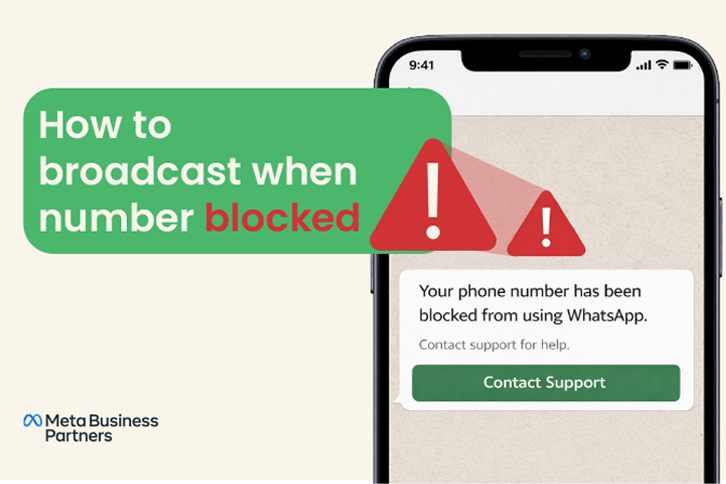
If your number is fully banned or suspended, you can’t send broadcasts or any messages at all.
If your number is only restricted due to poor quality (low rating or user complaints), you may still message existing customers but cannot send broadcasts to new contacts until your rating improves.
In case it is banned, you can:
(1) get your number reinstated via appeal, or
(2) use an alternate number or channel (for example via WhatsApp Business API with a fresh number).
Note: Always confirm your account’s exact status in Meta Business Manager → WhatsApp Manager → Phone Numbers tab (check Quality Rating).
Below you’ll find exactly what’s possible, what’s blocked, and what you should try — all in simple terms.
What “Broadcast” Means in WhatsApp?
Before diving into the blocked case, let’s ensure we know what a “broadcast” is (so we understand what we lose when blocked):
- A “broadcast list” in WhatsApp lets you send the same message to many contacts privately (each recipient gets it as a direct message).
- When using the “Broadcast” feature, only contacts who have saved your number will receive the message. If they haven’t saved your number, they won’t get it.
- Also, in the WhatsApp Business App, each broadcast can have up to 256 contacts maximum.
- Each broadcast message is delivered only to recipients who have saved your number and haven’t blocked you
So, under normal conditions, you use the native broadcast tool (or later, the API) to reach many contacts.
For larger-scale messaging, Meta recommends using the WhatsApp Business Platform (API) with pre-approved templates instead of app broadcasts
What “Blocked Number” Means for Broadcasting?
When a WhatsApp number faces issues, such as being restricted, temporarily limited, or permanently banned, its ability to send messages or broadcasts changes depending on the exact status:
- If the number is permanently banned or suspended:
You can’t send or receive any messages, including broadcasts. The account becomes inactive, and all communication is blocked until reinstated. - If the number is restricted (due to low quality or user complaints):
You can still send messages and broadcasts to existing customers who have interacted with you before, but your ability to reach new contacts may be limited. Message delivery rates drop, and broadcasts may fail for unsaved or inactive contacts. The broadcast feature itself remains available in the app, but delivery is partially restricted by Meta’s quality filters. - If a contact has blocked you:
They won’t receive your broadcast or any message from your number, even if your account is active.
What You Can Try if Broadcast is Blocked?
If your WhatsApp number is blocked, restricted, or suspended, your ability to broadcast messages depends on the account status. While there’s no guaranteed workaround, here are the only legitimate and Meta-approved paths you can take:
A. Appeal or Resolve the Account Block
Since broadcast and messaging depend on your number’s account health, the first and best step is to appeal the block directly through WhatsApp or Meta Business Support.
Steps:
- Open WhatsApp → Tap “Request a Review” (if you see an account suspension or ban notice).
- Clearly explain your case. confirm that your business follows WhatsApp’s Commerce and Business Policies and won’t send unsolicited or bulk messages.
- Wait for WhatsApp’s review. Most decisions arrive within 24–72 hours.
If your account is reinstated, your messaging, including broadcast capability, is automatically restored.
Important: Never use third-party or unofficial tools during the appeal period; this can permanently disqualify your number.
B. Use a New (Clean) Number With WhatsApp Business App or API
If your appeal isn’t successful or your number remains permanently banned, the only official option is to start fresh with a new, unused phone number.
Here’s what to do:
- Register the new number with the official WhatsApp Business App or via a WhatsApp Business Solution Provider (BSP).
- Make sure you verify your business information under the same Meta Business Account for authenticity.
- Rebuild your contact list organically, only message users who have opted in and saved your number, as only those will receive broadcasts.
If you use both the WhatsApp Business App and the WhatsApp Business Platform (API), you can run them side by side (using different numbers).
- For example, use your Business App number for 1:1 personal chats, and use your API number for automated or large-scale notifications.
For setup help, check out the official WhatsApp Business Platform coexistence documentation or your BSP’s guide (e.g., Wetarseel, AiSensy, etc).
C. Use WhatsApp Business Platform (API) for Large-Scale Messaging
Instead of traditional broadcast lists, you can send bulk or structured messages through the official WhatsApp Business Platform (API).
This method is Meta-compliant and works even for businesses that need to reach many users at once — as long as your account is in good standing.
Key conditions:
- Only send messages using approved message templates for notifications or marketing.
- You can message users within 24 hours of their last interaction freely, or outside the 24-hour window using approved templates.
- Maintain high message quality, avoid spammy or repetitive messages that could harm your Quality Rating.
- The API doesn’t use the app’s “Broadcast List,” it delivers messages individually via official, traceable sessions.
In short: “Broadcasting” through the API is not the same as in the app, but functionally it allows you to reach many users safely and compliantly — as long as Meta’s messaging limits and policies are followed.
Why Your Broadcast May Fail (Even if Not Fully Blocked)?
Even when not “fully blocked,” broadcast failures often happen. Understanding these helps prevent future issues:
- Recipient hasn’t saved your number → broadcast won’t reach them.
- Recipient has blocked you → you won’t get delivery to them.
- Your number may be in “Restricted” mode due to quality issues, so broadcast to new contacts is disabled.
- You exceeded broadcast or messaging limits (app limit 256, or API tier limit).
- WhatsApp flagged your activity as spammy (too many messages, many complaints) → your number loses broadcast privileges.
- If your number’s messaging limit tier is downgraded (e.g., from 10K to 1K daily), you may hit unseen message caps.
So even when “not fully blocked,” you must respect rules and quality.
Step-by-Step Plan for “Broadcast When Blocked” Scenario
Here’s a clear roadmap you can follow (or advise your users):
- Confirm whether your number is truly blocked / restricted. Try sending a normal message; see if “Request Review” option appears.
- If appeal is possible, appeal immediately. Use polite, clear explanation. Wait patiently.
- If Meta’s review rejects your appeal, you’ll get a final notice by email or in-app. Don’t keep re-submitting — this may flag your number again.
- While waiting, plan a fallback number. Set up a fresh number ready to go.
- If your original number is reinstated, resume broadcast cautiously. Start with small lists, check delivery, monitor complaints.
- If you use the API, follow Meta’s opt-in and template policy strictly to avoid being flagged again.
- If reinstatement fails, switch to the fallback number. Use official tools (Business App or API) and ensure compliance with WhatsApp rules.
- Use API broadcast or template messages if you scale up. But only if your number/account is healthy and approved.
Note: Meta officially supports broadcasting only for active, policy-compliant accounts. Using unapproved third-party tools violates WhatsApp’s Terms of Service.
FAQs
-
1. How do I avoid getting blocked when sending WhatsApp broadcast messages?
Don’t send mass broadcasts to numbers that haven’t saved you. Limit messages to small batches and avoid promotional or repetitive messages that trigger spam reports. Avoid sending repeated identical messages and unapproved links.
-
2. Avoid getting blocked WhatsApp broadcast messages — what’s the best practice?
Always use official WhatsApp tools. Do not use third-party automation tools or unofficial bulk senders, as they can cause instant bans. Use Meta-approved BSP dashboards, like Wetarseel, for compliance.
-
3. Can I use WhatsApp Business App and API at the same time?
Yes, you can use both App and API on the same number if eligible under Meta’s Coexistence rollout.
-
4. How to use WhatsApp Business App and API on the same phone number?
Use Meta’s Embedded Signup flow (Coexistence onboarding). Once activated, both interfaces work on the same number. Region eligibility applies.
-
5. Bulk broadcast chatbot: can that help when a number is blocked?
If your number is blocked, you can’t use a chatbot or automation from that number. You’d need to use a new, unblocked number integrated with a WhatsApp API-based chatbot for broadcasting. Chatbots only work for active numbers in good standing, banned numbers cannot host any automation.
-
6. WhatsApp business coexistence — does it help with broadcasting safely?
Yes. Coexistence lets you broadcast safely via API while keeping the same number active on your Business App for human conversations.