Quick Overview
- The WhatsApp Business API is an official business messaging solution provided by Meta.
- It is designed for medium and large businesses that need to handle high volumes of customer conversations.
- The API supports automation, multiple agents, and integrations with CRM and ecommerce systems.
- D2C brands use it for order updates, customer support, cart recovery, and marketing messages.
- Messages sent through the API have much higher visibility compared to email and SMS.
- Businesses must follow WhatsApp policies, use approved message templates, and collect clear customer opt-in.
- The API helps brands save time, improve customer experience, and scale communication efficiently.
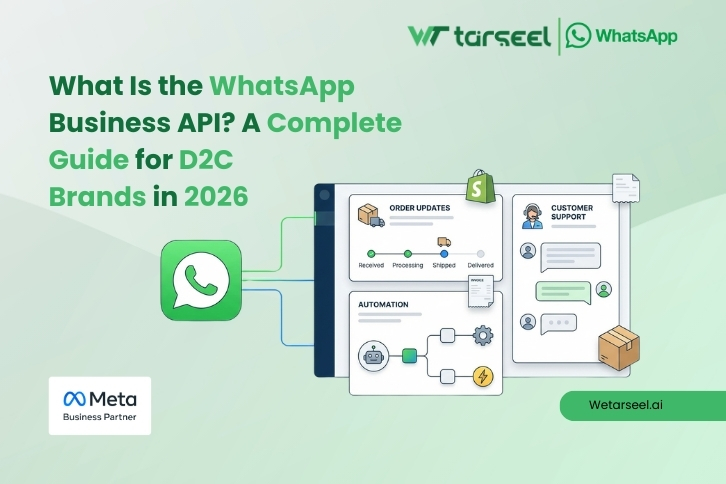
The WhatsApp Business API is an official business messaging solution by Meta that allows D2C brands to communicate with customers at scale through WhatsApp. It supports automation, approved message templates, and system integrations, making it suitable for managing customer support, order updates, and engagement from a single platform.
For growing D2C brands, WhatsApp is more than a messaging channel. It is where customers ask questions, track orders, and expect quick responses. The WhatsApp Business API helps brands meet these expectations in a structured, compliant, and scalable way.
In this guide, you will learn what the WhatsApp Business API is, how it works, why D2C brands use it, its benefits and limitations, real use cases, and how to get started correctly.
Table of Contents
The WhatsApp Business API is built for D2C brands that need to manage large volumes of customer conversations on WhatsApp. It enables automation, system integrations, and multi-agent support, making it ideal for order updates, customer service, cart recovery, and consent-based marketing. Compared to email and SMS, it delivers faster responses and much higher message visibility, while following strict opt-in and compliance rules.
WhatsApp Business API vs WhatsApp Business App
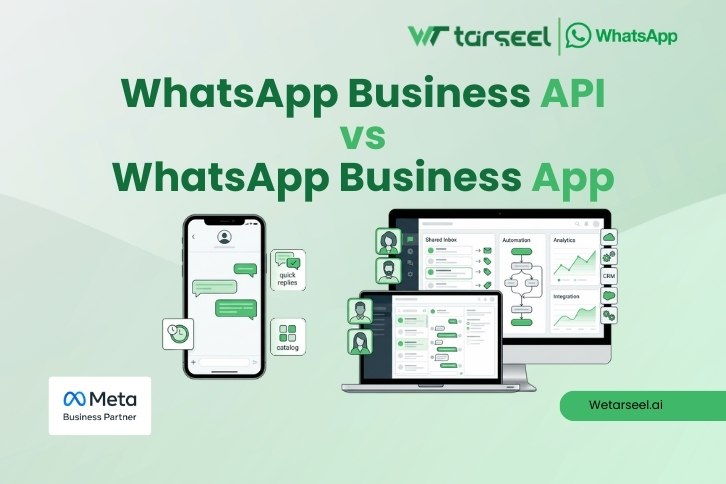
Many businesses search for the WhatsApp Business API because they have already outgrown the WhatsApp Business App. This comparison helps readers instantly understand which one they need.
| Feature | WhatsApp Business App | WhatsApp Business API |
|---|---|---|
| Designed for | Small businesses | Medium and large businesses |
| Number of users | Limited to one device | Multiple agents and teams |
| Automation | Very basic | Advanced workflows and chatbots |
| CRM and ecommerce integration | Not supported | Fully supported |
| Message templates | Not required | Required for business-initiated messages |
| Scalability | Low | High |
| Cost | Free | Paid, based on usage |
| Best for D2C brands | Not suitable at scale | Built for D2C growth |
In Short,
If your business handles a small number of chats per day, the WhatsApp Business App may be enough.
If you manage high customer volume, multiple agents, or need automation and integrations, the WhatsApp Business API is the right choice.
WhatsApp Business API vs WhatsApp Apps: Move From One to Other
Why the WhatsApp Business API Matters for D2C Brands?
D2C brands depend heavily on direct communication with customers. Every missed message, delayed response, or poor experience can affect trust and repeat purchases.
The WhatsApp Business API solves common problems D2C brands face as they grow.
1. Customers Expect Fast Responses
Customers today expect replies in minutes, not hours. Email support often fails here. WhatsApp messages are usually read quickly, which makes it easier for brands to respond on time and keep conversations moving.
With the API, replies can be:
- Automated for common questions
- Routed to the right support team
- Handled by multiple agents at once
This reduces response time and improves customer satisfaction.
2. Order Updates Reduce Support Load
D2C brands receive many messages asking about:
- Order confirmation
- Shipping status
- Delivery timelines
Using the WhatsApp Business API, these updates are sent automatically when an order is placed, shipped, or delivered.
This:
- Reduces incoming support messages
- Saves team time
- Keeps customers informed without effort
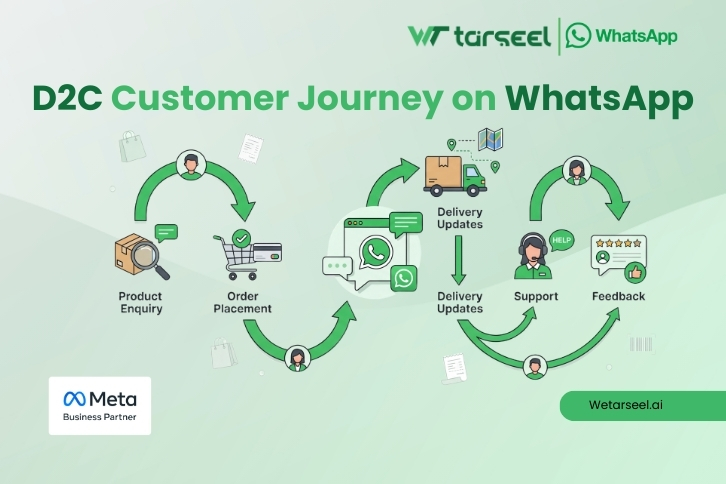
3. One Channel for the Full Customer Journey
With the WhatsApp Business API, a D2C brand can manage:
- Product enquiries
- Cart reminders
- Order updates
- Customer support
- Feedback and reviews
All inside WhatsApp.
This removes the need to switch between email, SMS, and multiple tools, making operations simpler and more efficient.
4. Automation Without Losing the Human Touch
Automation does not mean removing humans. It means:
- Automating repetitive tasks
- Letting agents focus on complex issues
For example:
- A chatbot answers basic questions
- A human agent takes over when needed
This balance is one of the biggest advantages of the WhatsApp Business API for D2C brands.
Key Use Cases of the WhatsApp Business API for D2C Brands
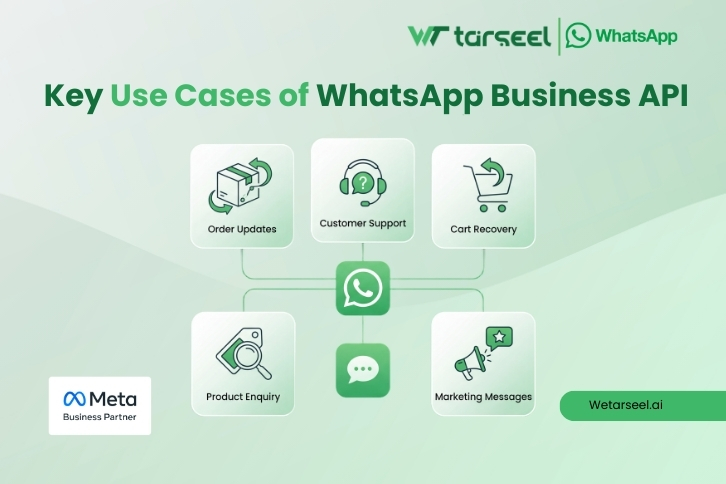
The WhatsApp Business API is not used for one single purpose. D2C brands use it across the entire customer journey, from first contact to post-purchase support.
Below are the most common and most effective use cases, explained with real business context.
1. Order Confirmation, Shipping, and Delivery Updates
This is the most widely used and most valuable use case.
After a customer places an order, they usually want quick confirmation and regular updates. If they do not receive these, they contact support, which increases workload.
Using the WhatsApp Business API, D2C brands automatically send:
- Order confirmation messages
- Payment confirmation
- Shipping notifications
- Delivery confirmation
These messages are triggered directly from the order system.
Why this matters
- Customers feel confident about their purchase
- Support teams receive fewer “Where is my order” messages
- Updates are seen quickly because WhatsApp messages are rarely ignored
For many D2C brands, this alone reduces a large percentage of inbound support queries.
2. Customer Support at Scale Using Automation and Agents
As a D2C brand grows, handling customer support from a single phone becomes impossible.
The WhatsApp Business API allows:
- Multiple support agents to handle chats
- Automatic routing of conversations
- Chatbots for common questions
Common questions like order status, return policy, or delivery timelines can be answered automatically. More complex issues are passed to human agents.
Business impact
- Faster response times
- Better support quality
- Lower support costs per conversation
Customers also prefer WhatsApp support because it feels more personal than email.
3. Cart Abandonment Recovery on WhatsApp
Cart abandonment is a major challenge for D2C brands.
With the WhatsApp Business API, brands send automated reminders when:
- A customer adds items to cart
- Leaves without completing the purchase
These messages usually include:
- A simple reminder
- The product name or image
- A direct link back to the cart
Why WhatsApp works better here
- Messages are read quickly
- Customers can reply with questions
- The experience feels helpful, not pushy
Many brands recover a meaningful portion of abandoned carts using WhatsApp reminders, especially when messages are sent within the first 24 hours.
4. Product Discovery and Pre-Purchase Enquiries
Before buying, customers often ask:
- Is this product available
- What size or variant should I choose
- What is the delivery timeline
Using the WhatsApp Business API, brands handle these enquiries with:
- Automated replies
- Product images
- Quick reply buttons
- Human handover when needed
This helps customers make decisions faster and reduces drop-offs.
For D2C brands selling fashion, electronics, beauty, or subscription products, this use case directly supports conversions.
5. Post-Purchase Support and Returns Management
The customer journey does not end after delivery.
D2C brands use the WhatsApp Business API for:
- Return and exchange requests
- Warranty registration
- Product usage questions
- Issue resolution
Automated flows guide customers through basic steps, while agents step in for complex cases.
Why does this improve trust
- Customers know where to get help
- Responses are faster
- The experience feels organized and reliable
This directly affects repeat purchases and brand loyalty.
6. Feedback, Reviews, and Customer Insights
After an order is delivered, brands often want feedback.
Using the WhatsApp Business API, they send:
- Short feedback requests
- Rating prompts
- Review links
Because WhatsApp messages are highly visible, feedback response rates are usually higher than email.
This helps D2C brands:
- Improve products
- Identify issues early
- Build social proof
7. Marketing Messages with Consent and Control
While WhatsApp is not meant for spam, it is effective for marketing when used responsibly.
D2C brands send:
- Back-in-stock alerts
- Price drop notifications
- New product launches
- Limited-time offers
All messages are sent using approved templates and only to users who have opted in.
Key point
Marketing works best on WhatsApp when messages are relevant, timely, and limited in frequency.
How the WhatsApp Business API Works?
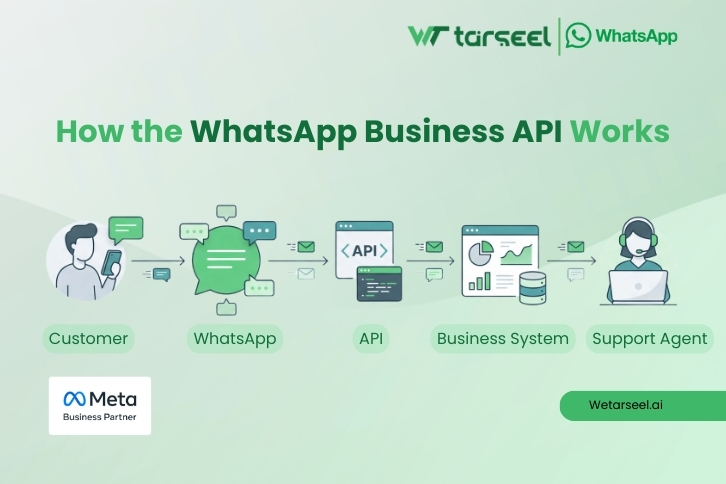
The WhatsApp Business API works differently from the WhatsApp Business App. It is not a mobile app that you download and start using immediately. Instead, it is a backend system that connects WhatsApp with your business software.
Here is how it works, step by step.
1. Official Connection with WhatsApp (Meta)
The API is provided by Meta and can only be accessed through:
- Official WhatsApp Business Solution Providers, or
- Direct Meta Cloud API access
This ensures that all messages are secure, verified, and compliant with WhatsApp policies.
Your business number is approved and verified before you can start sending messages.
2. Customer Opt-In Comes First
Before you message a customer, they must give clear consent. This opt-in can happen through:
- Website checkout
- Sign-up forms
- Order confirmation pages
- Customer-initiated WhatsApp messages
This rule protects users and ensures messages are relevant.
3. Message Types and Templates
There are two main types of messages:
User-initiated messages
These happen when a customer messages your business first. You can reply freely within a 24-hour window.
Business-initiated messages
These are messages sent by the business. They must use pre-approved templates, such as:
- Order updates
- Payment confirmations
- Shipping alerts
- Cart reminders
Templates are reviewed by WhatsApp to prevent spam and misuse.
4. Automation and System Triggers
Once connected, the API integrates with your systems, such as:
- Ecommerce platforms
- CRM tools
- Order management systems
Messages are triggered automatically when actions occur, for example:
- Order placed
- Payment completed
- Order shipped
- Delivery confirmed
This removes manual work and ensures timely communication.
5. Human Agents and Chatbots Work Together
Most businesses use a mix of:
- Automation for common tasks
- Human agents for complex queries
Chats can be:
- Assigned to specific teams
- Routed based on keywords
- Handed over from bot to agent seamlessly
From the customer’s point of view, the experience feels like a normal WhatsApp chat.
Whatsapp Business API – The Complete Guide
WhatsApp Business API Pricing Model and Cost Considerations
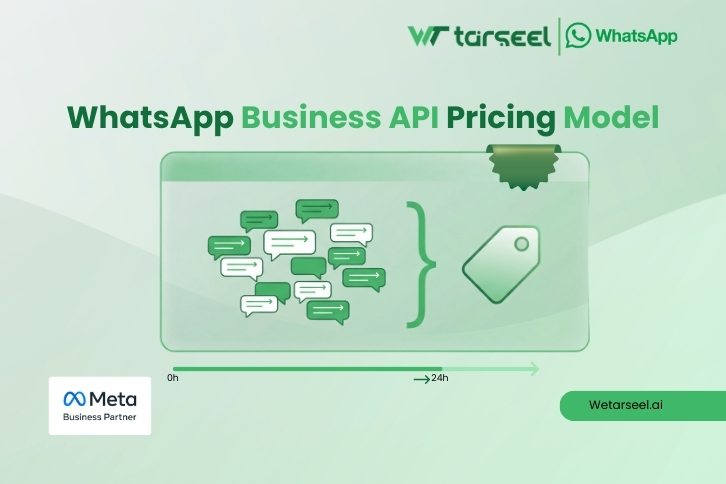
Understanding pricing is important, as the WhatsApp Business API is not free like the Business App.
1. Conversation-Based Pricing
WhatsApp charges businesses per conversation, not per message.
A conversation:
- Starts when a business or user sends the first message
- Lasts for 24 hours
- Allows unlimited messages within that window
Pricing varies by:
- Country
- Conversation type
2. Types of Conversations
There are different conversation categories, such as:
- Service conversations (customer-initiated support)
- Utility conversations (order and account updates)
- Marketing conversations (promotions and offers)
- Authentication conversations (one-time passwords)
Each category has its own pricing, with service conversations usually being the most affordable.
3. Additional Platform Costs
Apart from WhatsApp charges, businesses may also pay for:
- WhatsApp Business Solution Provider fees
- Platform usage or subscription fees
- Optional automation and chatbot tools
These costs depend on the provider and features used.
4. Is the WhatsApp Business API Worth the Cost?
For D2C brands, the cost is often justified because:
- Messages are highly visible
- Support efficiency improves
- Revenue recovery increases
- Customer experience is stronger
For small businesses with very low volume, the Business App may still be enough. For growing D2C brands, the API usually delivers a positive return when used correctly.
Common Mistakes to Avoid and WhatsApp Compliance Best Practices
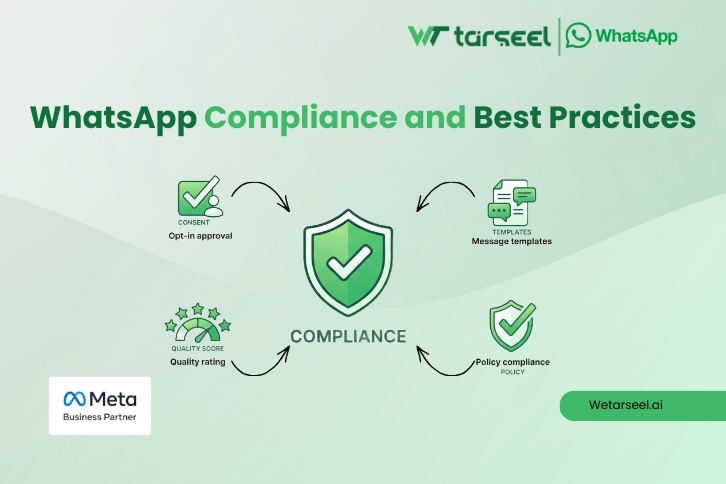
Many businesses face issues not because of the API itself, but because of incorrect usage.
Avoiding these mistakes protects your account and improves results.
1. Sending Messages Without Proper Opt-In
This is the most common and serious mistake.
Customers must clearly agree to receive WhatsApp messages. Hidden or unclear opt-ins can lead to:
- Message blocking
- Account restrictions
- Poor customer trust
Always explain what type of messages the user will receive.
2. Overusing Marketing Messages
WhatsApp is a personal channel.
Sending too many promotional messages can result in:
- Customer complaints
- Low engagement
- Reduced message delivery
Marketing works best when messages are relevant, timely, and limited.
3. Poorly Written Message Templates
Templates that are unclear or misleading often get rejected.
Good templates are:
- Short and specific
- Clearly identify the business
- Directly related to user activity
- Avoid exaggerated claims or vague language.
4. Ignoring the 24-Hour Customer Service Window
Once a customer messages your business, you have a 24-hour window to reply freely.
After that, only approved templates can be used.
Understanding this rule is critical to avoid unnecessary costs and restrictions.
5. Not Monitoring Quality Ratings
WhatsApp tracks how users respond to your messages.
Low engagement or frequent blocks can harm your account health.
Regularly review:
- Delivery rates
- Response rates
- User feedback
FAQs
-
Is the WhatsApp Business API free?
No. WhatsApp charges businesses based on conversations. Additional platform or provider fees may also apply.
-
Can small businesses use the WhatsApp Business API?
They can, but it is usually better suited for medium and large businesses with higher volumes and automation needs.
-
Can I send promotional messages using the WhatsApp Business API?
Yes, but only with customer opt-in and approved message templates. Messages must follow WhatsApp policies.
-
How long does WhatsApp Business API approval take?
Approval usually takes a few days, depending on business verification and template review.
-
Can multiple agents use the same WhatsApp number?
Yes. One of the main benefits of the API is multi-agent access through a shared inbox.
-
Is the WhatsApp Business API safe and compliant?
Yes. It is an official Meta product and follows strict data protection and messaging policies.
A Final Note
The WhatsApp Business API is not just a messaging tool. It is a structured communication system that helps D2C brands scale customer interactions without losing quality or trust.
When used responsibly, it improves efficiency, customer experience, and long-term business performance.