
What Is WhatsApp Abandoned Cart Recovery?
WhatsApp abandoned cart recovery is the process of sending automated WhatsApp messages to customers who added products to their cart but did not complete checkout.
These messages usually:
Remind the customer about the items left behind
Share a direct checkout link
Answer common doubts (delivery, payment, availability)
Encourage the customer to complete the purchase
Unlike email, WhatsApp messages appear directly on the customer’s phone, where they already communicate with friends, family, and businesses.
Common reasons customers abandon carts:
Extra shipping or tax shown at checkout
Long or confusing checkout process
Lack of trust or unanswered questions
Distractions or browsing on mobile
WhatsApp allows businesses to reconnect at the right moment, using a channel customers already trust.
Why WhatsApp Works Better Than Email for Abandoned Carts
WhatsApp is not just another messaging channel. It behaves very differently from email.
Here is why it works so well:
Very high open rates
Most WhatsApp messages are opened within minutes, while many emails remain unread or go to spam.Personal and conversational
WhatsApp feels like a real conversation, not marketing. Customers are more comfortable replying.Faster decisions
A simple reminder with a direct link often pushes customers to finish what they already started.Mobile-first experience
Most Shopify shoppers browse on mobile. WhatsApp fits naturally into that behavior.
Many Shopify stores report that WhatsApp cart recovery performs 2–4 times better than email, when messages are sent correctly and respectfully.
How WhatsApp Abandoned Cart Recovery Works with Shopify
To send automated abandoned cart messages, Shopify stores must use the official WhatsApp Business API.
This is important.
The WhatsApp Business API:
Is approved and controlled by Meta
Allows automation and integrations
Protects users from spam
Requires businesses to follow strict messaging rules
Key points to understand:
Customer Opt-In
Customers must agree to receive WhatsApp messages. This can happen during checkout, account creation, or via a clear opt-in checkbox.
Message Templates
Any automated message sent outside the 24-hour customer interaction window must use pre-approved templates. These templates are reviewed by WhatsApp to prevent spam.
Secure Integration
Shopify sends abandoned cart events, and the WhatsApp system triggers messages automatically based on rules you set.
Platforms like Wetarseel are designed to handle this entire process properly, from Shopify integration to WhatsApp compliance, without businesses needing to manage technical complexity themselves.
Step-by-Step: How Shopify Stores Recover Abandoned Carts Using WhatsApp
Step 1: Connect Shopify with WhatsApp Business API
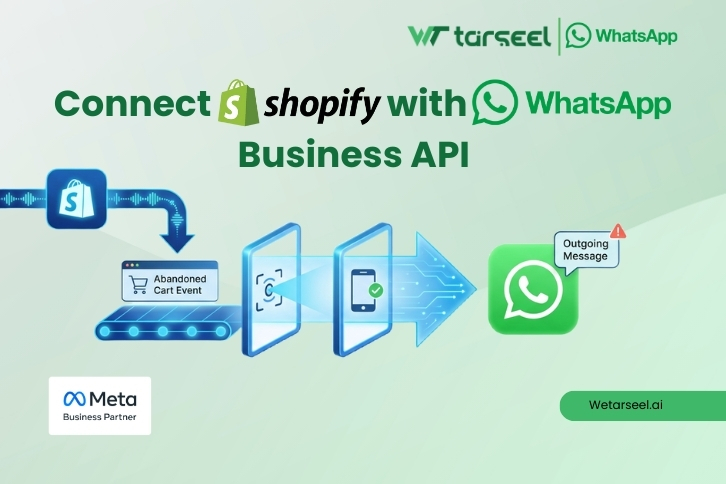
The first step is connecting your Shopify store to a WhatsApp Business API solution that supports abandoned cart automation.
This connection allows:
Detection of abandoned checkouts
Access to customer phone numbers (with consent)
Automatic message triggering
Step 2: Create Approved Cart Recovery Messages
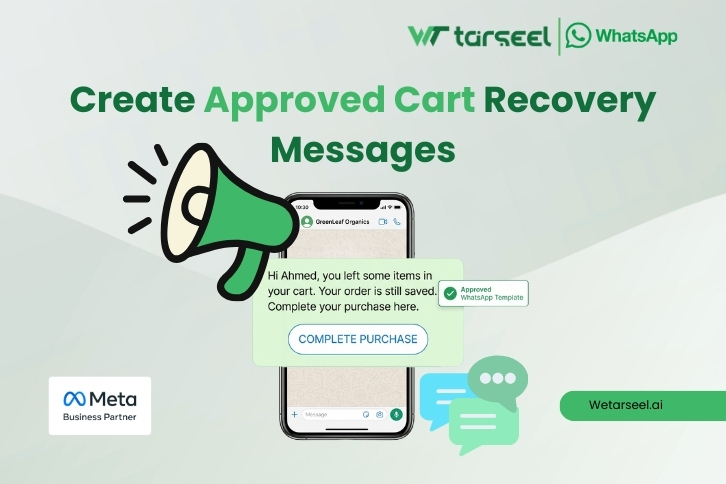
Messages must be:
Clear and friendly
Helpful, not aggressive
Short and easy to understand
Example message:
“Hi Ahmed, you left some items in your cart.
Your order is still saved.
Complete your purchase here: {{checkout link}}”
The message focuses on reminding, not pressuring.
Step 3: Set Message Timing
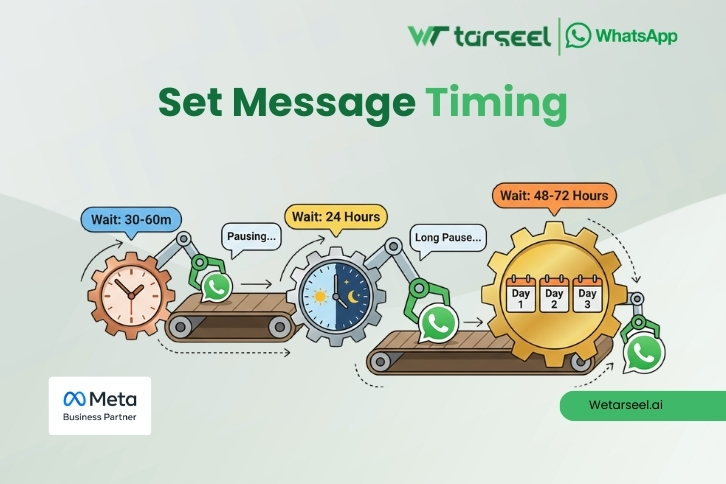
Timing plays a big role in success.
A common and effective sequence:
First message: 30–60 minutes after abandonment
Second message: 24 hours later
Final message: 48–72 hours later (optional)
Sending too many messages can reduce trust. Quality is more important than quantity.
Step 4: Allow Customer Replies
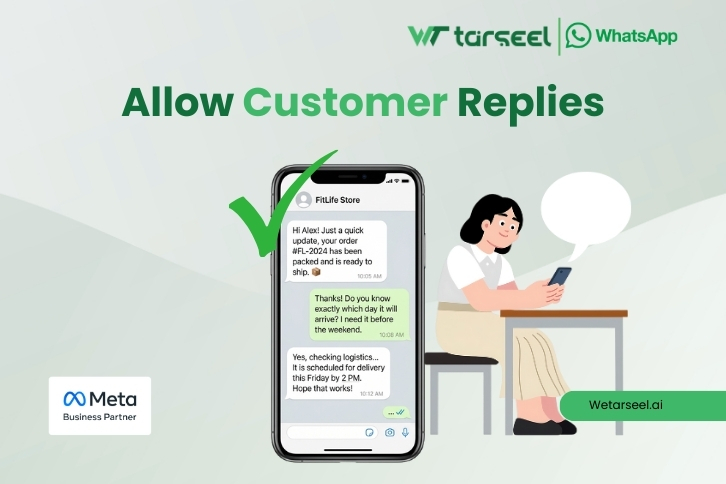
One major advantage of WhatsApp is two-way communication.
Customers may reply with:
Questions about delivery
Payment concerns
Product availability doubts
When replies are handled properly, conversion rates increase significantly. Solutions like Wetarseel support both automation and human follow-ups in one place.
Best Practices for WhatsApp Cart Recovery Messages
Successful WhatsApp cart recovery follows a few simple principles:
Keep the Language Simple
Avoid marketing words. Write like a human, not an advertisement.
Personalize When Possible
Use the customer’s name or product name if available.
Provide Clear Value
If offering an incentive, explain it clearly:
Free delivery
Limited stock
Small discount
Respect Customer Choice
Always give customers a way to stop messages if they want.
Stay Consistent with Brand Tone
Your WhatsApp messages should sound like your store, not a random script.
Real-World Example of a WhatsApp Cart Recovery Flow
Customer: Adds shoes to cart but leaves
30 minutes later:
“Hi Sara, your shoes are still waiting in your cart.
Complete your order here: {{link}}”
Next day:
“Just a reminder — your cart is still saved.
Let us know if you have any questions.”
Result:
Customer clicks link and completes checkout.
This simple flow works because it removes friction, not because it pushes hard.
Compliance, Trust, and Customer Experience
Trust is critical when using WhatsApp.
To maintain it:
Only message users who opted in
Use approved message templates
Avoid misleading or aggressive language
Protect customer data
Following these rules does not reduce performance. In fact, compliant messages usually perform better because customers feel respected.
Platforms built with compliance in mind, like Wetarseel, help businesses grow without risking WhatsApp account blocks or customer complaints.
What Results Can Shopify Stores Expect?
Results vary based on:
Industry
Product price
Message timing
Checkout experience
However, many Shopify stores see:
10–30% recovery of abandoned carts
Faster purchase decisions
Better customer engagement
WhatsApp should not replace email completely. It works best as part of a balanced recovery strategy.
Final Thoughts
WhatsApp abandoned cart recovery for Shopify is not a trend. It is a practical response to how customers communicate today.
When done correctly, it:
Recovers lost revenue
Improves customer experience
Builds trust instead of annoyance
The key is using the official WhatsApp API, sending respectful messages, and focusing on helping customers, not pushing them.
Solutions like Wetarseel are built around these principles, making it easier for Shopify businesses to recover carts responsibly, efficiently, and at scale.
If abandoned carts are hurting your store, WhatsApp is no longer optional. It is one of the most effective tools available when used the right way.