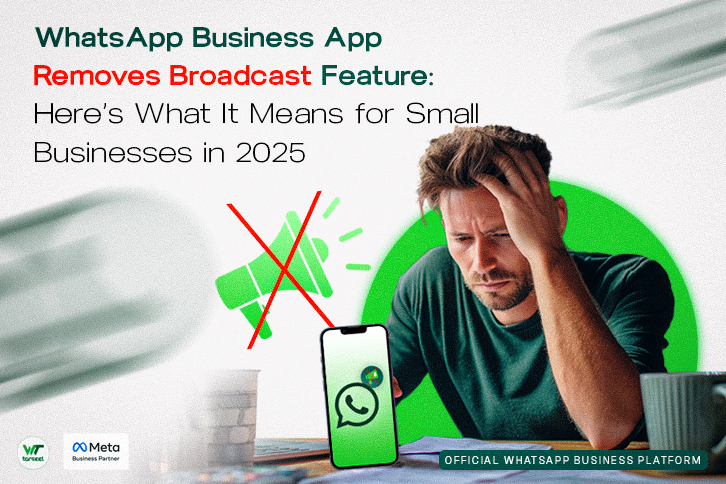
Ever squirted a message out to hundreds of customers in one go, only to wake up and find the “New Broadcast” button has vanished from your Business App? It’s not your imagination. In 2025, WhatsApp removed the familiar broadcast feature from its free Business App but only for marketing campaigns.
This isn’t just a UI shuffle. It’s a strategic—and paid—push toward controlled, policy-driven messaging via official routes. If your business relied on free broadcasts to reach customers, here’s everything you need to know to adapt and stay compliant.
Table of Contents
What Exactly Happened?
Traditional broadcast lists remain, but just for non-marketing use
- You can still create broadcast lists with up to 256 contacts, but only if those contacts have saved your phone number. To do this, go to Chats > New Broadcast on Android or Settings > Broadcasts on iOS.
- But this tool now only suits small-scale messaging, like sending individual-type updates to people who already know you.
WhatsApp introduced the paid “Business Broadcast” feature
- Accessible via Tools (or the “shopping bag” tab), allows sending to up to 500 opted-in contacts per send.
- Includes a 6‑month free trial covering 250 free messages every 30 days, after which you pay per successfully delivered message.
Campaigns must now run via Business Solution Providers (BSPs)
- According to Meta’s own Marketing Playbook, “It’s not possible to send WhatsApp campaigns from your personal WhatsApp account, or through the WhatsApp Business app on your phone… Campaigns can only be created and sent through the BSP.”
Meta is testing caps on free broadcasts
- Reports suggest WhatsApp is limiting free broadcast sends to perhaps around 30 per month—for both personal and business accounts—as part of an anti-spam pilot The Sun.
Why the Change? Here’s What’s Behind It
- Spam control & quality control
Meta aims to reduce misuse of broadcast tools. Paid broadcasts via BSPs allow vetting of content, opt-ins, and tracking. - Monetization strategy
Transitioning marketing communications into a paid, regulated channel encourages businesses to move toward the full API, bringing Meta steady revenue. - Better data governance
BSP means encryption, consent management, regional compliance, all of which get trickier with unsecured broadcast use.
What This Means for Your Business
| Situation | What You Can Do |
|---|---|
| Small list (≤256, all saved your number) & informational only | Keep using the free broadcast list |
| Medium or large list (marketing, updates, promos) | Use the new Business Broadcast feature—budget for messaging costs |
| High volume, multi-device team, campaign automation, CRM integration | Shift to WhatsApp Business API via a Meta-approved BSP |
How to Use Business Broadcasts Responsibly
- Set up Business Broadcast from the Tools tab.
- Carefully opt-in contacts.
- Craft pre-approved message templates.
- Monitor delivery, open rates, and refunds via Meta’s built-in tracking.
- After six months, ensure your payment method is funded to keep broadcasts running.
Don’t Miss This
- No shady workarounds—don’t rely on third-party hacks or QR extensions.
- Don’t ignore new monthly send limits—spread your campaigns wisely.
- For serious outreach, explore BSP-based API—especially if you need automation, compliance, or dynamic messaging.
Final Take: What Should You Do?
If you’re feeling limited by the new changes, you’re not alone. WhatsApp is steering businesses toward more structured, policy-compliant messaging. So if you’re ready to scale your outreach, track performance, or integrate with your CRM, it’s a smart move to start exploring Business Broadcasts or the WhatsApp Business API through a trusted BSP (Business Solution Provider). And if you’re still unsure which option fits your business best, don’t worry—you don’t have to figure it out alone. Reach out, and I’ll gladly help you find the right path forward, one that supports your growth without putting your account—or your reputation—at risk.
❓ FAQ
Q1: Can I still create broadcast lists on the WhatsApp Business App?
Yes—but only for free, direct messages to saved contacts (256 max). Marketing messages now require BSP-based tools.
Q2: What’s the cost of Business Broadcast?
The first 250 messages every 30 days are free for six months; after that, you pay per delivered message. Pricing varies by country.
Q3: What is a BSP, and why do I need one?
A Business Solution Provider is an approved partner that enables scalable, compliant messaging via the WhatsApp Business API—ideal for campaigns, automation, multi-user support, and performance tracking.
Q4: Will my free broadcasts still work after the trial?
Yes—but you’ll face limits on how many broadcasts you can send. In some tests, Meta is capping monthly broadcasts to around 30 messages.
Q5: My broadcast button disappeared—what now?
Update your app and look under Settings (iOS) or Chats > ⋮ More Options (Android). It’s been moved, not removed.
Q6: Should I go for the API?
If you send over 500 messages/day, need templates, analytics, automation, or multi-user access, then yes, API via a BSP is the clear choice.
🚀 Next Step
Clear, strategic messaging isn’t a luxury, it’s essential. If you’re exploring Business Broadcasts or the WhatsApp API but aren’t sure where to start, tools like Wetarseel can make the setup easier. Whether you’re scaling outreach or managing messaging better, getting started is simple. Here’s how to create your Wetarseel account and take the first step.
How to create a Wetarseel Account