When your business uses WhatsApp to communicate with customers, you might wonder: should you rely on WhatsApp broadcast messages or automated chatbots? Both are automation tools, but they serve very different purposes. Using the wrong one can waste time, frustrate customers, or even risk your WhatsApp Business account.
Short answer right away:
Choose broadcast when you need to send important updates or offers to many people at once.
Choose chatbots when you want 24/7 automated interaction and support that can answer questions and guide users.
In this guide, we’ll break down the differences, explain when to use each, show real-life examples, and share best practices to help your business communicate smarter on WhatsApp.
What Is WhatsApp Broadcast?
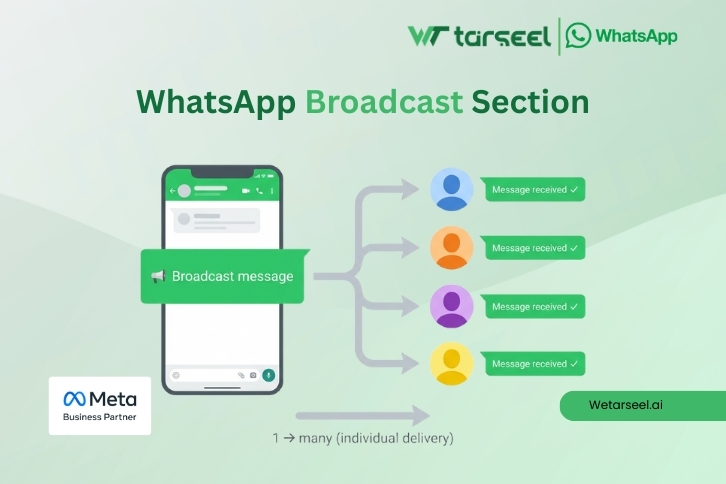
A WhatsApp broadcast sends the same message to many people at once. Recipients receive the message individually — it doesn’t appear in a group chat.
Key points:
Works like one-to-many messaging.
Only reaches users who have opted in. On the WhatsApp Business App, recipients must also have your number saved. With the WhatsApp Business API, opt-in is required, but saving the number is not mandatory.
Ideal for promotions, alerts, or updates.
Scale depends on your WhatsApp plan: The free WhatsApp Business App limits broadcasts to 256 contacts per list, while the WhatsApp Business API allows businesses to message thousands or even millions of opted-in users, depending on their messaging tier.
Example:
A UAE-based fashion retailer wants to announce a 48-hour flash sale to 5,000 subscribers. Using a broadcast message ensures everyone receives the announcement directly, boosting engagement compared to email campaigns.
Stat: WhatsApp campaigns often achieve 2–10× higher click-through rates than traditional email marketing when done correctly.
What Is a WhatsApp Chatbot?
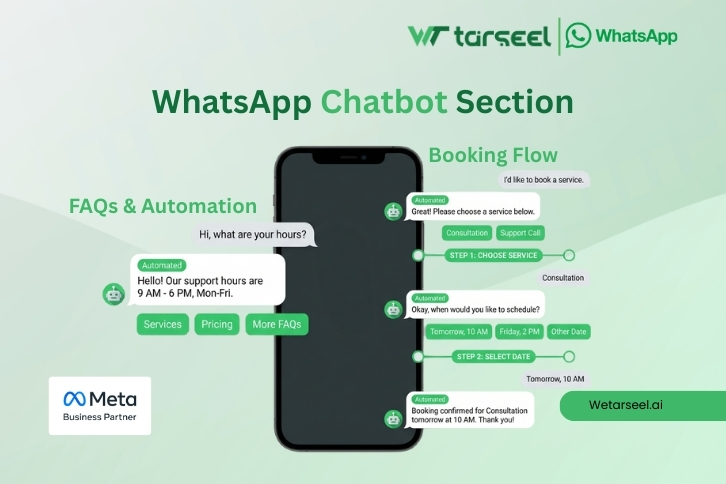
A chatbot automatically interacts with users by responding to messages based on rules or AI-driven logic, without human intervention.
Uses of chatbots:
Answering FAQs (e.g., business hours, pricing)
Guiding users through steps (e.g., booking a ticket or ordering food)
Capturing leads
Providing 24/7 support
Types of chatbots:
Rule-based bots – Respond to specific keywords or phrases.
AI-powered bots – Understand natural language and complex queries.
Example:
A travel company in India uses a chatbot to answer visa queries and flight bookings. Customers get instant replies, reducing wait times and freeing staff for complex queries.
Note: Meta (WhatsApp) only allows business-use chatbots via the WhatsApp Business API. General-purpose AI chatbots for messaging are restricted.
WhatsApp Broadcast vs Chatbots: Key Differences
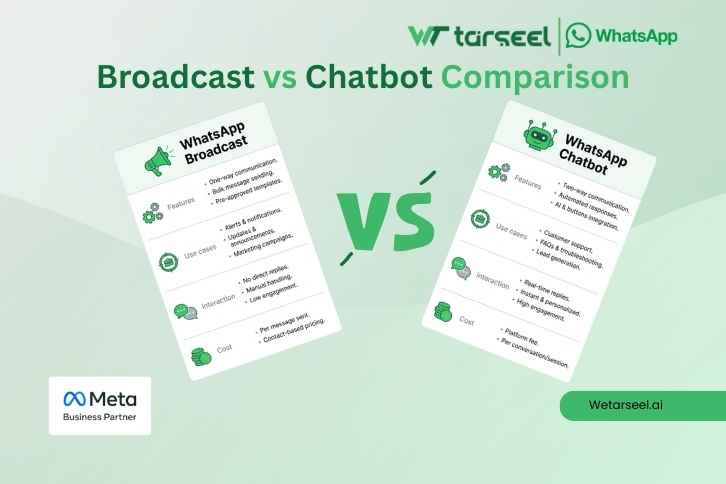
| Feature | Broadcast | Chatbot |
|---|---|---|
| Message Type | One-to-many | One-to-one automated |
| Ideal Use Case | Promotions, updates, alerts | Customer support, lead qualification |
| Interaction | Static | Interactive, conversational |
| Automation Depth | Simple | Complex flows |
| Tech Needed | Business API for large scale | Business API + chatbot platform |
| Engagement Type | One-way | Two-way |
| Cost | Lower | Higher (platform + integration) |
When Should You Use WhatsApp Broadcast?
Best for:
Sending promotions or offers (e.g., discounts, flash sales)
Confirmations and reminders (appointments, delivery updates)
News, alerts, and announcements
Example:
A UAE electronics store uses broadcasts to notify customers of new smartphone arrivals. Customers get the message instantly, leading to higher footfall in stores.
Pitfall:
Sending messages without proper opt-in or template approval can lead to blocked messages or account restrictions.
When Should You Use a WhatsApp Chatbot?
Best for:
Handling FAQs automatically
Qualifying leads by asking questions
Freeing support agents from routine tasks
Providing 24/7 service
Example:
A restaurant in India sets up a chatbot to take orders and answer menu questions. Customers receive instant confirmation, improving satisfaction and reducing human errors.
Combining Broadcasts and Chatbots
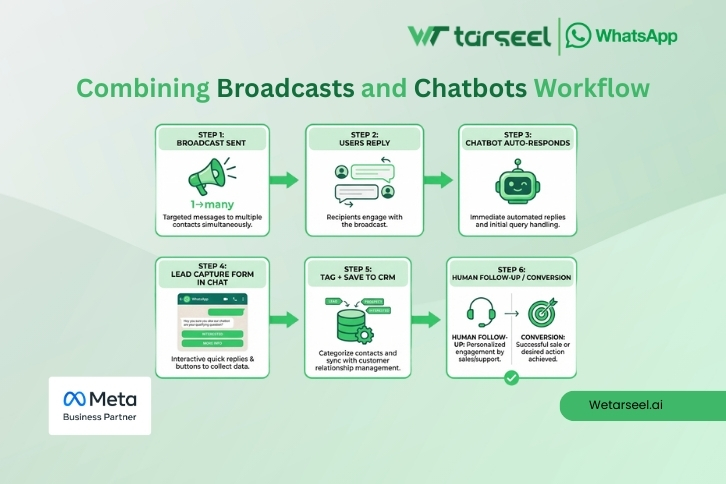
Many businesses use both together for maximum effect:
Workflow Example:
Send a broadcast with a special offer.
Include a call-to-action: “Reply 1 for details.”
The chatbot engages users who respond, answers questions, and captures leads.
This approach reduces manual work while keeping communication personal and responsive.
Compliance, Risks & Best Practices
To stay safe and trusted:
Only message users who opted in.
- DO not ignore 24-hour customer service window.
Replies to customer-initiated messages are free-form only within WhatsApp’s 24-hour customer service window. After that, businesses must use approved templates.
Use approved message templates for broadcasts.
Avoid spammy language (e.g., “BUY NOW!!”).
Track delivery, open, and response rates.
Why it matters: Meta strictly enforces rules — repeated violations can result in account bans.
Future Trends (2026+)
Meta is tightening rules on general-purpose AI chatbots. Focus on business-use chatbots only.
WhatsApp continues expanding Business API features for personalized automation, including interactive buttons and richer message templates.
Pro Tip: Businesses in the UAE and South Asia can combine broadcasts with chatbots to engage users at scale without compromising compliance.