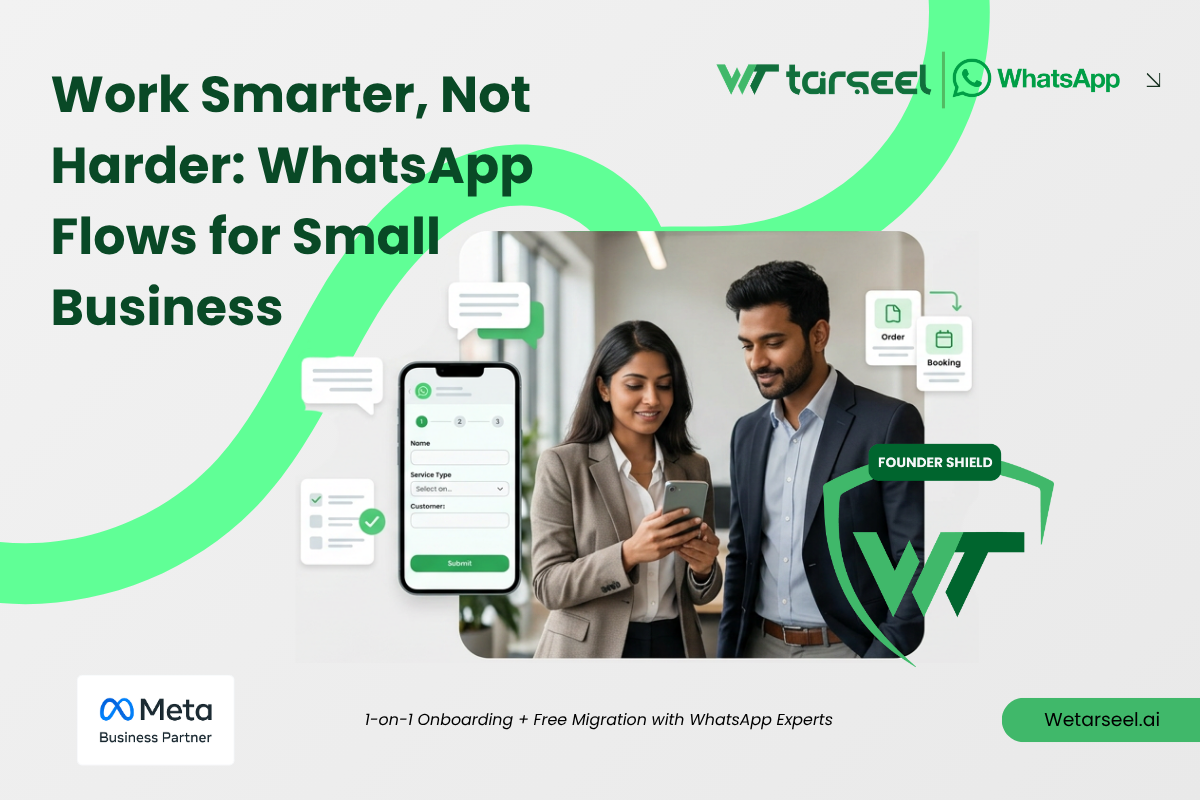
Har Message Khud Type Kartay ho? Aisay Tou Scale Nahi Hota
Most small businesses in Pakistan start like this:
- Instagram pe orders
- WhatsApp pe chats
- Har customer ko manual reply
At the start, it feels manageable.
But as soon as orders increase:
- Same questions repeat
- Same replies type karne padte hain
- Messages miss hone lagte hain
Aur yahan se problem start hoti hai.
You’re working in the business, not on the business.
What Are WhatsApp Flows?
For many growing sellers, WhatsApp Flows for Small Business are simply a way to replace manual chatting with structured, guided conversations inside WhatsApp.
Think of WhatsApp Flows as:
“Chat ke andar ek mini app”
Instead of typing everything manually, you send a structured experience where the customer:
- Selects options
- Fills details
- Confirms actions
All inside WhatsApp.
Simple Example:
Instead of this:
“Please send name, address, size, color…”
You send a Flow:
- Name → auto field
- Address → input
- Size → dropdown
- Confirm order → button
No confusion. No back-and-forth.
Why WhatsApp Flows for Small Business Matter in Ecommerce?
If you’re running an online store, especially in Pakistan:
- COD orders
- Instagram traffic
- WhatsApp confirmations
Then WhatsApp flows for ecommerce are not optional, they’re a growth tool.
1. COD Confirmation Flow
Problem:
- Fake orders
- Incomplete addresses
- No response from customers
Solution with Flow:
- Customer confirms order with one tap
- Edits details if needed
- You get structured data instantly
Result: Fewer fake orders, faster processing
2. Lead Generation Flow
Instead of:
- Random chats
- Missing details
You create a Flow:
- Name
- Phone
- Product interest
- Budget
Now every inquiry becomes usable data
3. FAQ Automation
Most businesses answer the same questions daily:
- Price?
- Delivery time?
- Location?
With Flows + automation:
- Customer selects question
- Gets instant reply
No typing. No delay.
Where WhatsApp Chatbots Fit In?
Flows work even better when combined with a WhatsApp chatbot Pakistan setup.
Here’s how:
- Chatbot handles entry conversation
- Flow handles structured input
- Automation completes the process
Example Flow + Chatbot Journey:
- Customer messages → “Hi”
- Bot replies → “Order karna hai ya inquiry?”
- User selects → “Order”
- Flow opens → Order form
Real Benefit: Time Saved Daily
Let’s break this down practically.
A growing small business in Pakistan typically handles:
- 80–150 WhatsApp messages per day
Now look at the nature of these messages:
- “Price kya hai?”
- “Delivery kitne din ki hai?”
- “Order confirm ho gaya?”
Around 50–60% of these are repetitive.
What Happens Without Automation?
Every message requires:
- Reading
- Typing
- Waiting for reply
- Following up
Even if each reply takes just 1–2 minutes,
you’re spending 3–5 hours daily just on WhatsApp.
That’s not growth work,
that’s manual handling.
What Changes With Automation?
With automated WhatsApp replies for business and Flows:
- Repetitive questions get instant answers
- Customers select options instead of typing everything
- Order details are collected in structured format
Instead of managing every message manually,
you’re managing a system that handles conversations for you.
Why You Need a Secure Setup
Now here’s where many businesses go wrong.
They understand automation…
but choose the wrong tools.
The Shortcut Approach (Common in Pakistan)
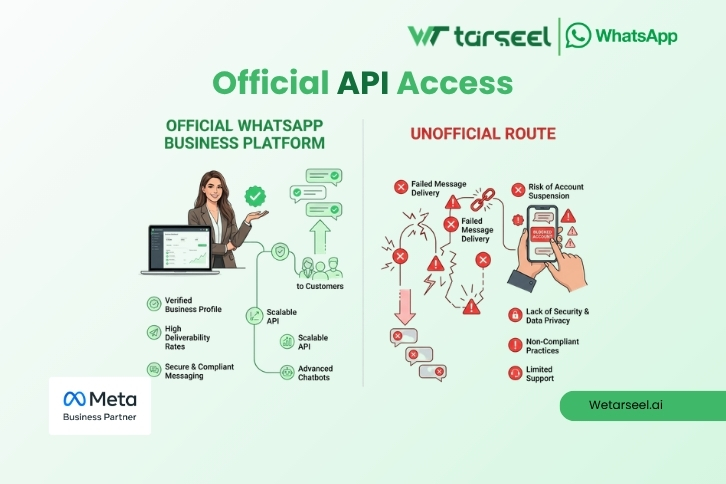
- Unofficial apps
- Bulk sender tools
- “Unlimited messaging” software
These tools promise convenience.
But they operate outside WhatsApp’s official system.
Why That’s a Problem
From a technical standpoint:
- These tools don’t follow Meta’s communication protocols
- They simulate or bypass normal behavior
- Their sending patterns look unnatural to the system
This increases:
- Detection probability
- Account flagging
- Permanent bans
How to Spot a Fake WhatsApp Business API Provider: 5 Red Flags to Watch
The Hidden Risk Most Founders Ignore
It’s not just about bans.
It’s about:
- Losing your entire chat history
- Losing customer conversations
- Losing trust built over time
That’s why serious businesses focus on secure WhatsApp for business, not just “working tools.”
Because today, growth is no longer just about replying faster or sending more messages.
The businesses winning on WhatsApp are the ones creating smoother, more reliable customer experiences.
Read: Why Customer Experience is the New Marketing in Pakistan
Beyond Messaging: Why Customer Experience Is the Future of WhatsApp Marketing in Pakistan
What “Secure” Actually Means
A secure setup ensures:
- You’re operating within official systems
- Your messaging follows approved patterns
- Your account remains stable as you grow
The Role of WhatsApp Business API
To understand automation properly, one thing must be clear:
All serious automation, including Flows, runs on the WhatsApp Business API
Why API is Necessary (Not Optional)
Personal WhatsApp apps are designed for:
- Human-to-human conversations
- Low message frequency
- Unstructured chats
But businesses need:
- Structured communication
- Higher message handling capacity
- Automation capabilities
The API provides exactly that.
What the API Actually Enables
With the WhatsApp business API for startups, you can:
- Send structured messages (instead of random typing)
- Build Flows for orders, forms, and confirmations
- Integrate with systems (CRM, Shopify, etc.)
- Maintain consistent communication at scale
Most importantly:
It aligns your activity with what WhatsApp expects from a business account.
Then Why Doesn’t Everyone Use It?
Because traditionally, API access has been:
- Expensive (20k+ setups)
- Technical (developer required)
- Built for large companies
Which makes small founders feel:
“Yeh hamare liye nahi hai.”
Introducing Founder Shield
Official Business API in Just Rs. 5000
This is exactly the gap solutions like WeTarseel WhatsApp API are solving.
Instead of forcing small businesses into complex systems, it simplifies access to the official infrastructure.
What It Actually Is?
Founder Shield provides:
- Official WhatsApp API access (Meta-compliant)
- Structured messaging framework
- Controlled automation capabilities
- Unified integration with Facebook & Instagram
All at a localized price point of PKR 5,000.
What Changes for a Founder?
Instead of:
- Figuring out technical setups
- Managing integrations manually
- Building automation from scratch
You get:
- Pre-configured environment
- Ready-to-use Flows
- Simplified onboarding
- Local support that understands your use case
Why You Need Founder Shield?
Because now, even a solo Founder can:
- Automate order confirmations
- Capture leads properly
- Handle high message volume
- Scale without operational chaos
Without hiring developers or spending heavily
Stop Wasting Hours on Manual Replies.
Start using:
- Flows
- Automation
- Official API