The Best Shopify app For
WhatsApp API to Recover Abandon Cart

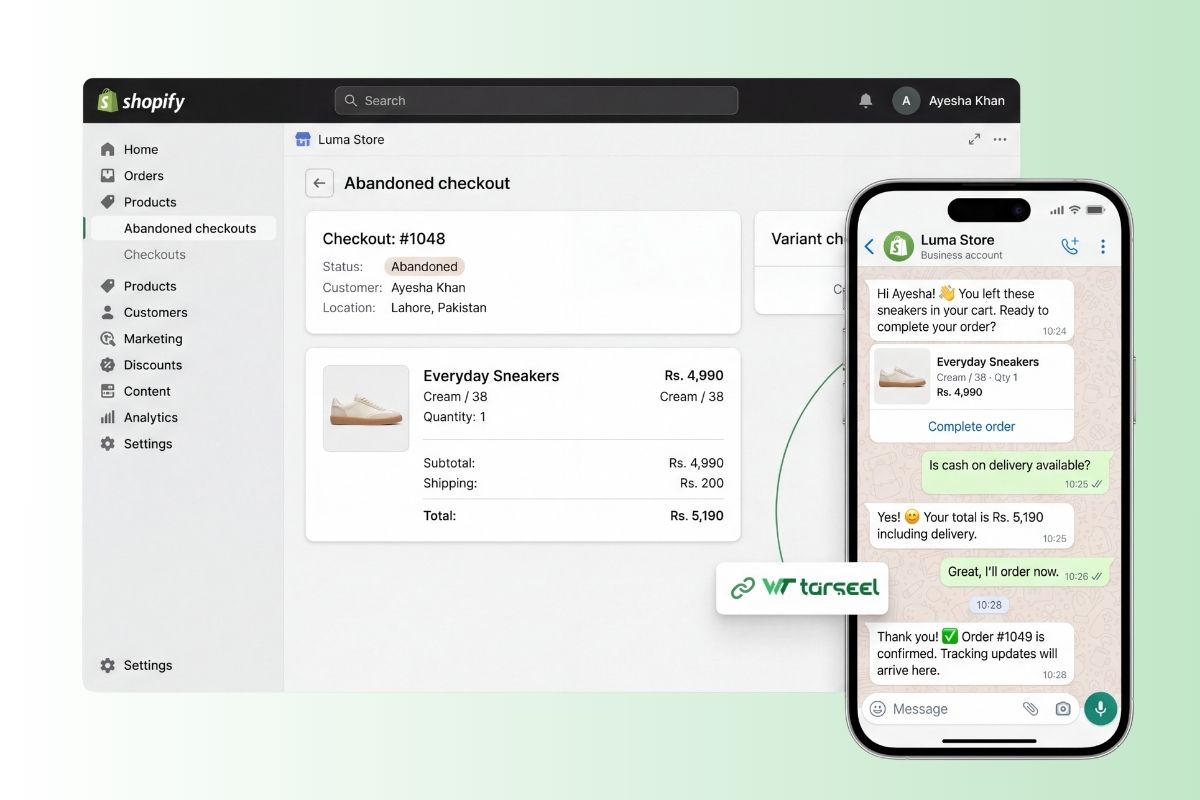
Connect your Shopify store to WeTarseel and automate cart recovery, order updates, COD confirmation, and post-purchase support all on WhatsApp, where your customers already reply.

Best Shopify app For WhatsApp API to Recover Abandon Cart
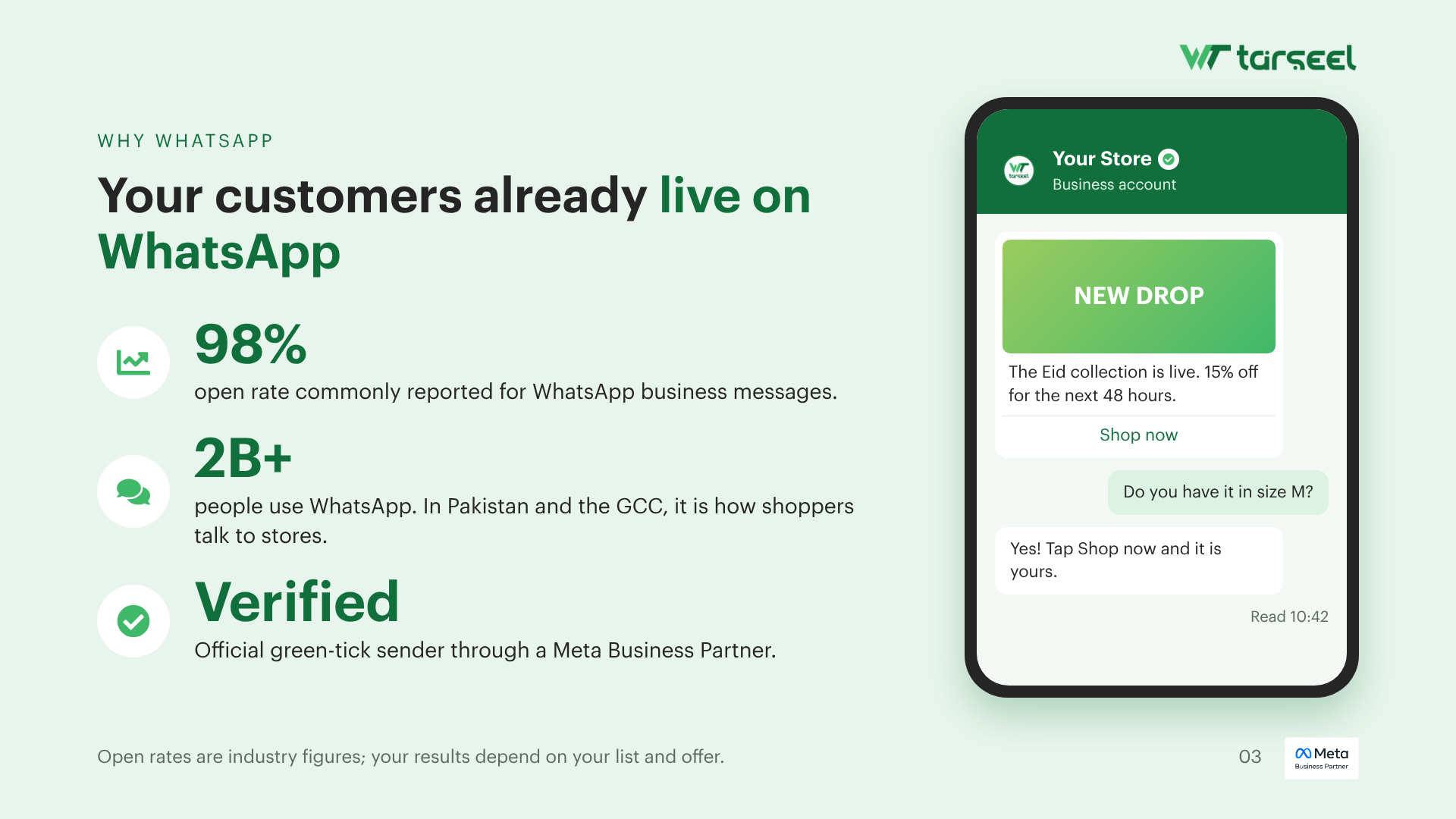
98%
Open rates on WhatsApp vs email for store alerts
3×
Faster replies when buyers chat on WhatsApp
RTO
Confirm COD orders before dispatch to cut returns
24/7
Automated flows keep selling while your team sleeps
Why Shopify × WhatsApp

Meet shoppers where they already buy

Email gets ignored. SMS gets filtered. WhatsApp is the channel your customers open every day so every store event can become a conversation that recovers revenue.

Real-time store events

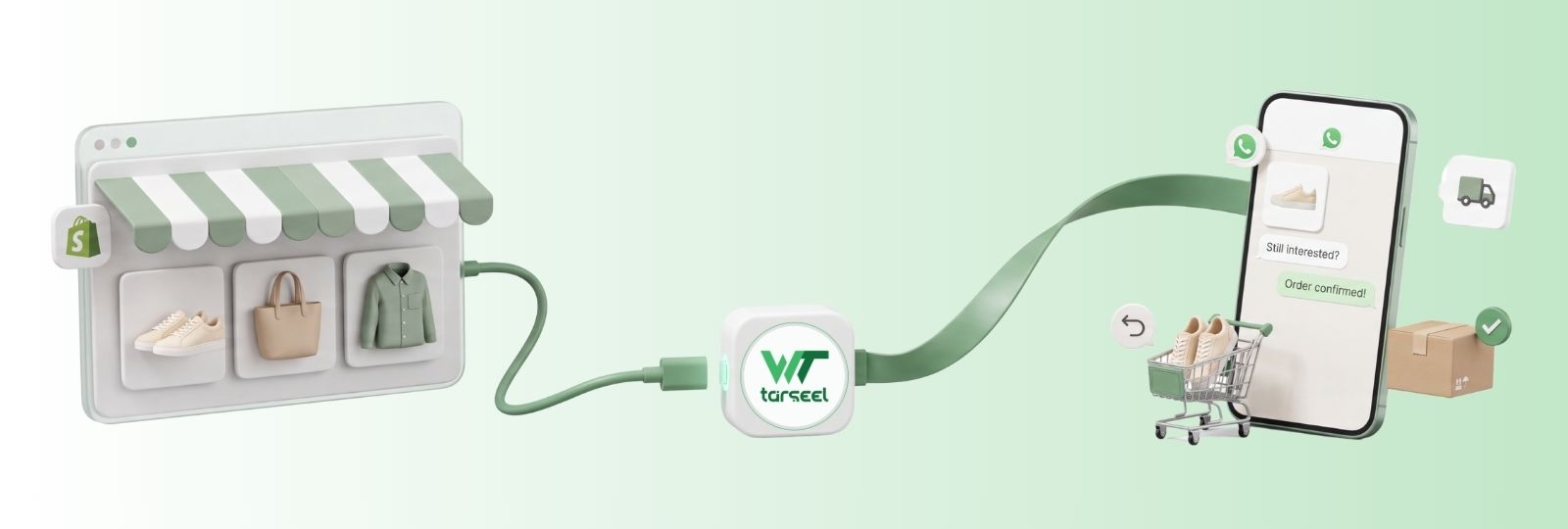
Trigger WhatsApp messages from cart abandonment, checkout, fulfillment, delivery, and cancellation events in Shopify.

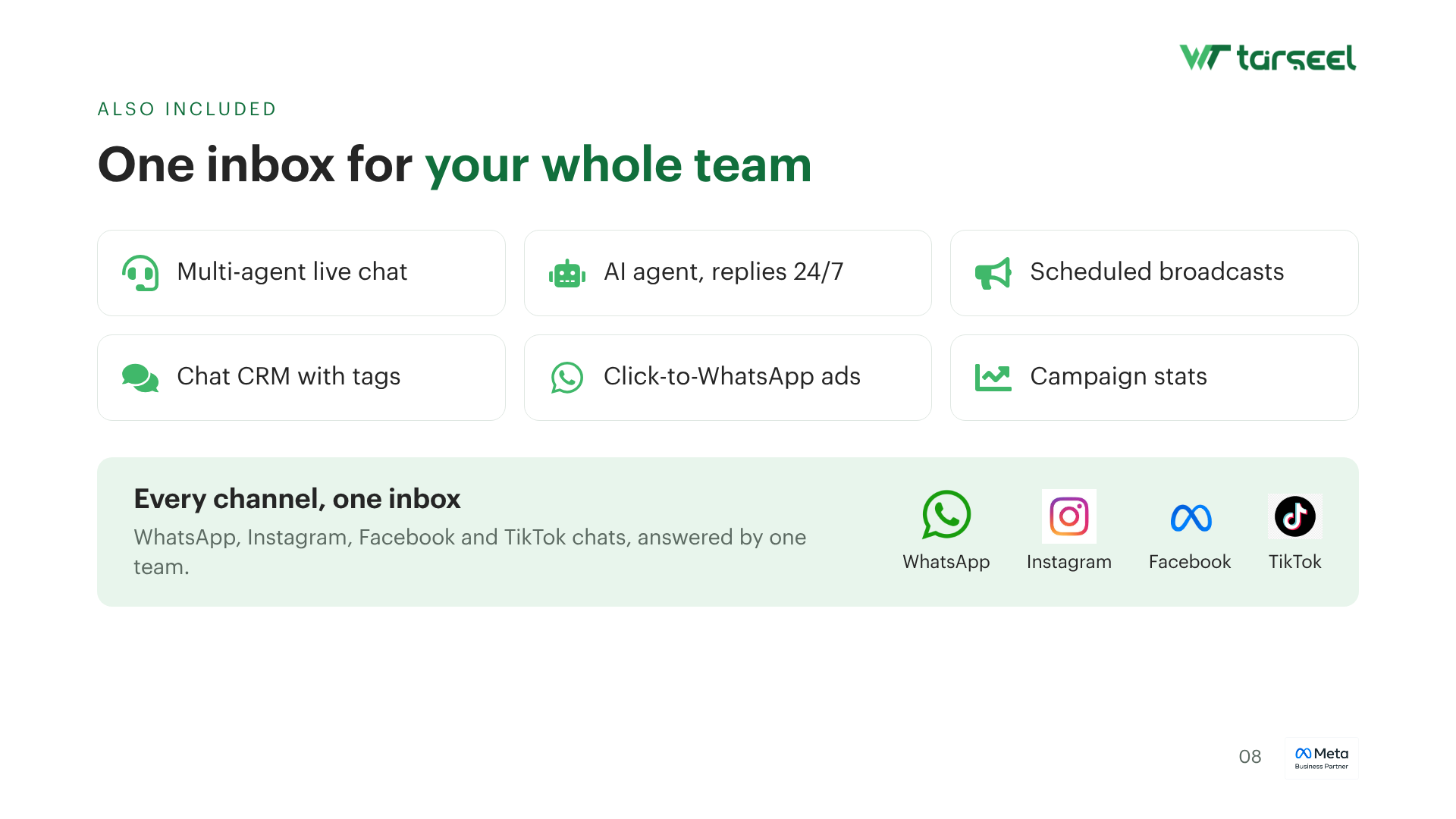
Two-way conversations

Buyers can reply to confirm COD, ask about sizing, or track an order your team answers from one shared inbox.

Measurable revenue lift

Track delivered, read, and replied rates per flow so you know which reminders actually bring carts back to checkout.

Store use cases

WhatsApp workflows for every Shopify moment

From abandoned carts to reorder nudges automate the messages that protect revenue and reduce support load.

Best Shopify app For WhatsApp API to Recover Abandon Cart use case

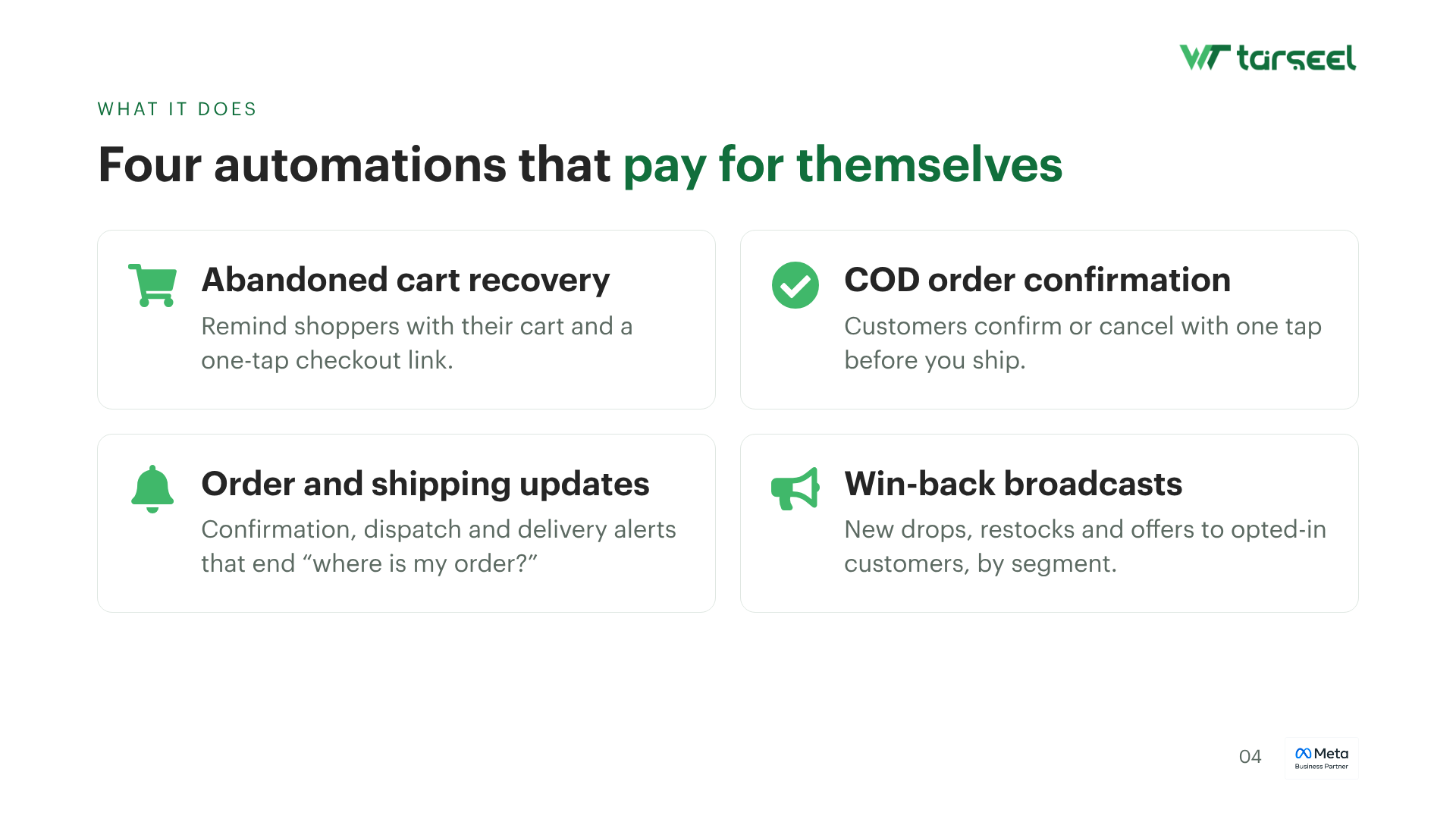
Recover abandoned carts

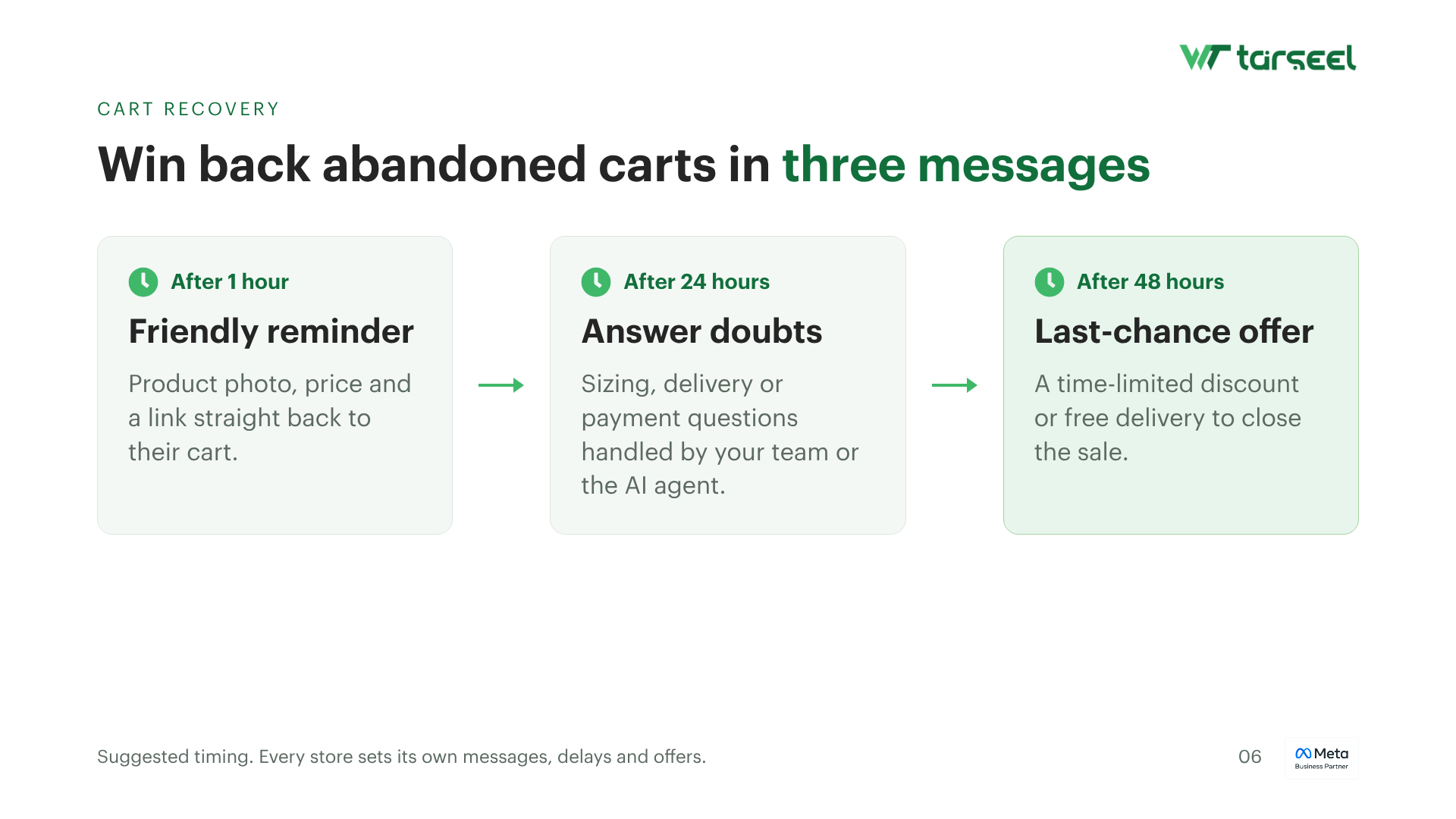
Send timed WhatsApp reminders with product details and a one-tap checkout link before interest cools off.

  • 1st reminder within minutes of drop-off
  • Follow-ups with urgency or offer
  • Deep link back to the same cart
online confirmation tracking

Order confirmation & tracking

Push instant confirmations, packed notices, and tracking links so customers stop chasing support for status.
  • Order placed / cancelled alerts
  • Shipped + delivered notifications
  • Tracking URL in the chat
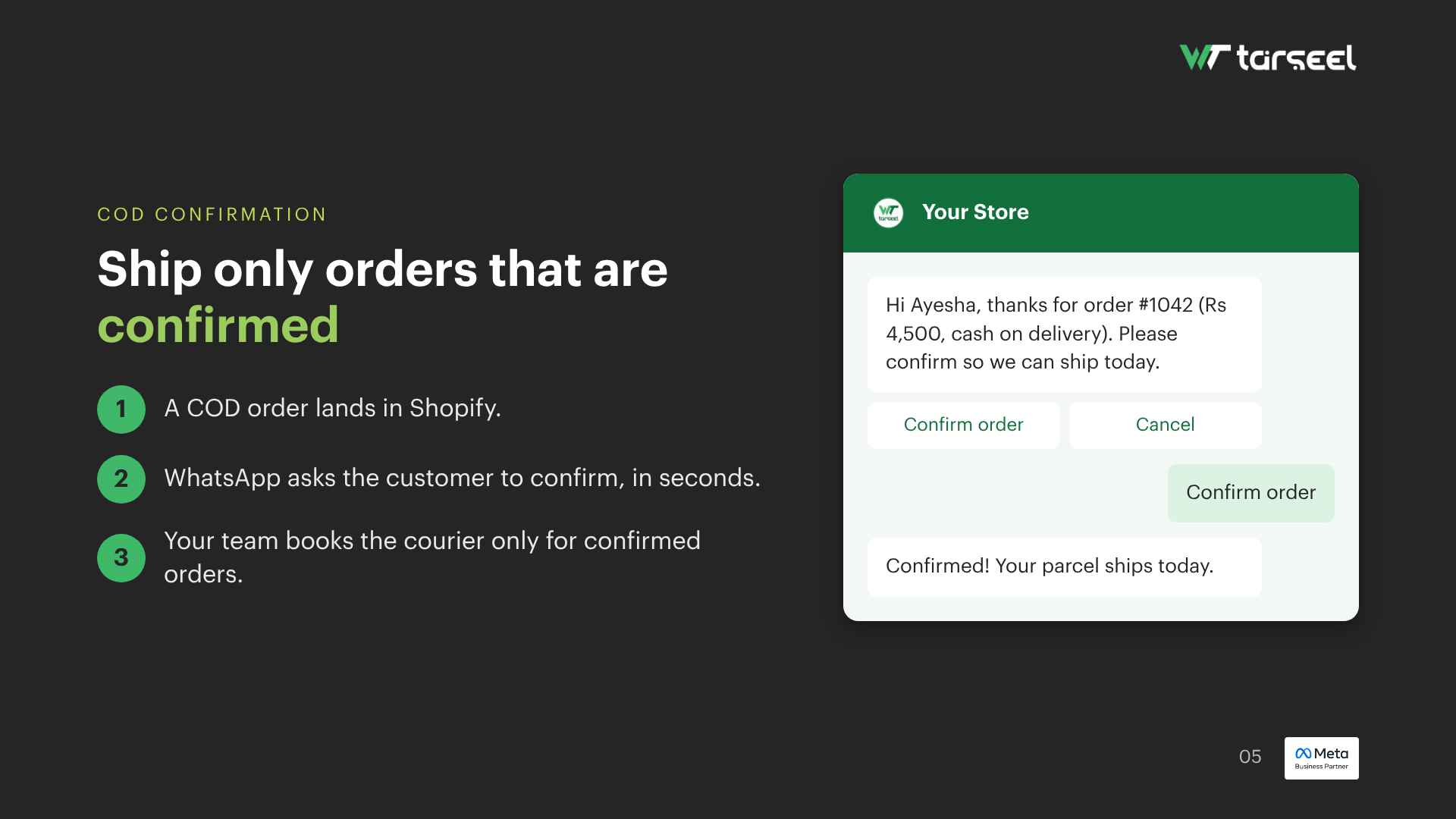
confirm cod

Confirm COD before dispatch

Ask buyers to confirm Cash on Delivery orders on WhatsApp reduce fake orders and return-to-origin losses.

  • One-tap confirm / cancel
  • Prepaid switch nudge
  • Address re-check before ship
collect review and feedback

Collect reviews & feedback

After delivery, request a quick rating or review link while the unboxing moment is still fresh.

  • Post-delivery timing
  • NPS or star rating prompt
  • Route unhappy buyers to support
launch offers

Launch offers & drops

Broadcast flash sales, new arrivals, and VIP codes to opted-in customers with approved WhatsApp templates.

  • Segment by purchase history
  • Product image in the message
  • Click-to-shop deep links
timely reordered

Timely reorder reminders

Remind customers to restock consumables or bestsellers based on their last order date drive LTV without ads.
  • Cadence by product type
  • One-tap reorder link
  • Upsell complementary SKUs
Shopify WhatsApp API Multi-step
Cart recovery

Bring shoppers back before the cart expires

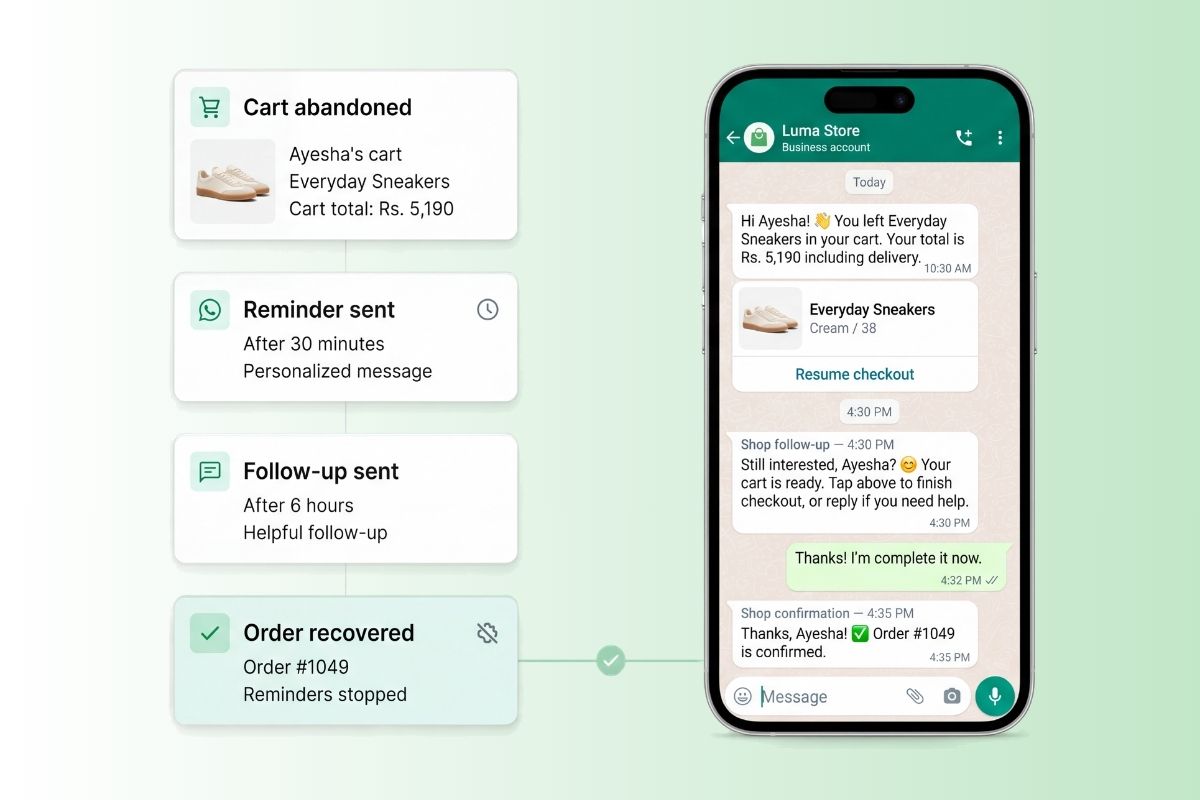
Most abandonments happen in the first hour. WeTarseel the Best Shopify app For WhatsApp API fires reminders with product context so buyers can finish checkout without digging through email.

  • Personalize with customer name, product, and cart value
  • Space reminders so you recover quietly — not spam
  • Stop the sequence automatically once the order is placed
Shopify WhatsApp Multi-step abandoned cart
COD & RTO

Ship only what customers still want

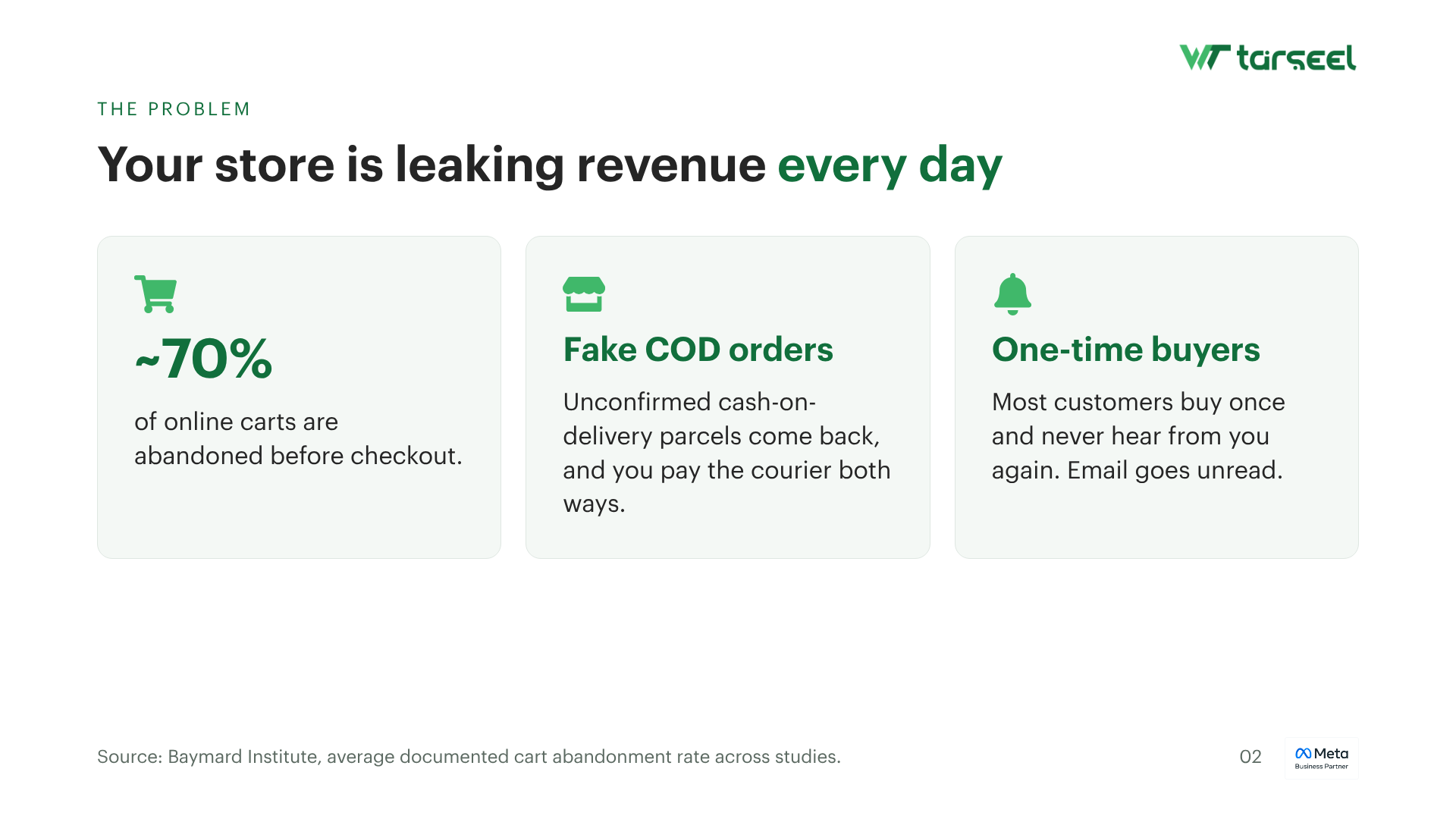
In COD-heavy markets, fake or impulse orders drain cash. Confirm intent on WhatsApp before the parcel leaves your warehouse.

  • Confirm address, phone, and delivery window in chat
  • Offer a prepaid discount to convert hesitant COD buyers
  • Auto-cancel unconfirmed orders after your cutoff window
WhatsApp templates

Sample messages for your Shopify store

Ready-to-adapt templates for Meta-approved WhatsApp messages. Swap in your Shopify placeholders and go live.

Abandoned cart

Hi {{Customer Name}} 👋

You left {{Product}} in your cart.

Complete your order before it sells out. Return to checkout →

Order shipped

Good news, {{Customer Name}} 🚚

Order #{{Order ID}} is on the way.

Track your parcel anytime. View tracking →

COD confirmation

Hi {{Customer Name}}, please confirm your COD order for {{Product}} ({{Amount}}).

Reply YES to confirm or NO to cancel — this helps us deliver faster. Valid for the next few hours

Order feedback

Hi {{Customer Name}} 😊

Your order has been delivered! We would love to know how your experience was.

Your feedback helps us serve you better. ⭐ Rate your purchase {{Review Link}}

Reorder / Upsell

Hi {{Customer Name}} 👋

Running low on {{Previously Purchased Product}}?

Reorder in just one click.

🎁 Enjoy an exclusive offer just for you! Reorder now → {{Product Link}}

Payment reminder

Hi {{Customer Name}} 👋

This is a quick reminder to complete the payment for your order {{Order ID}}.

Complete your payment now to avoid any delay in processing. 💳 Complete payment {{Payment Link}}

Promotional campaign

🔥 Limited-time offer!

Get {{Discount}}% OFF on our best-selling products.

⏳ Offer valid till {{Expiry Date}} Shop now → {{Store Link}}
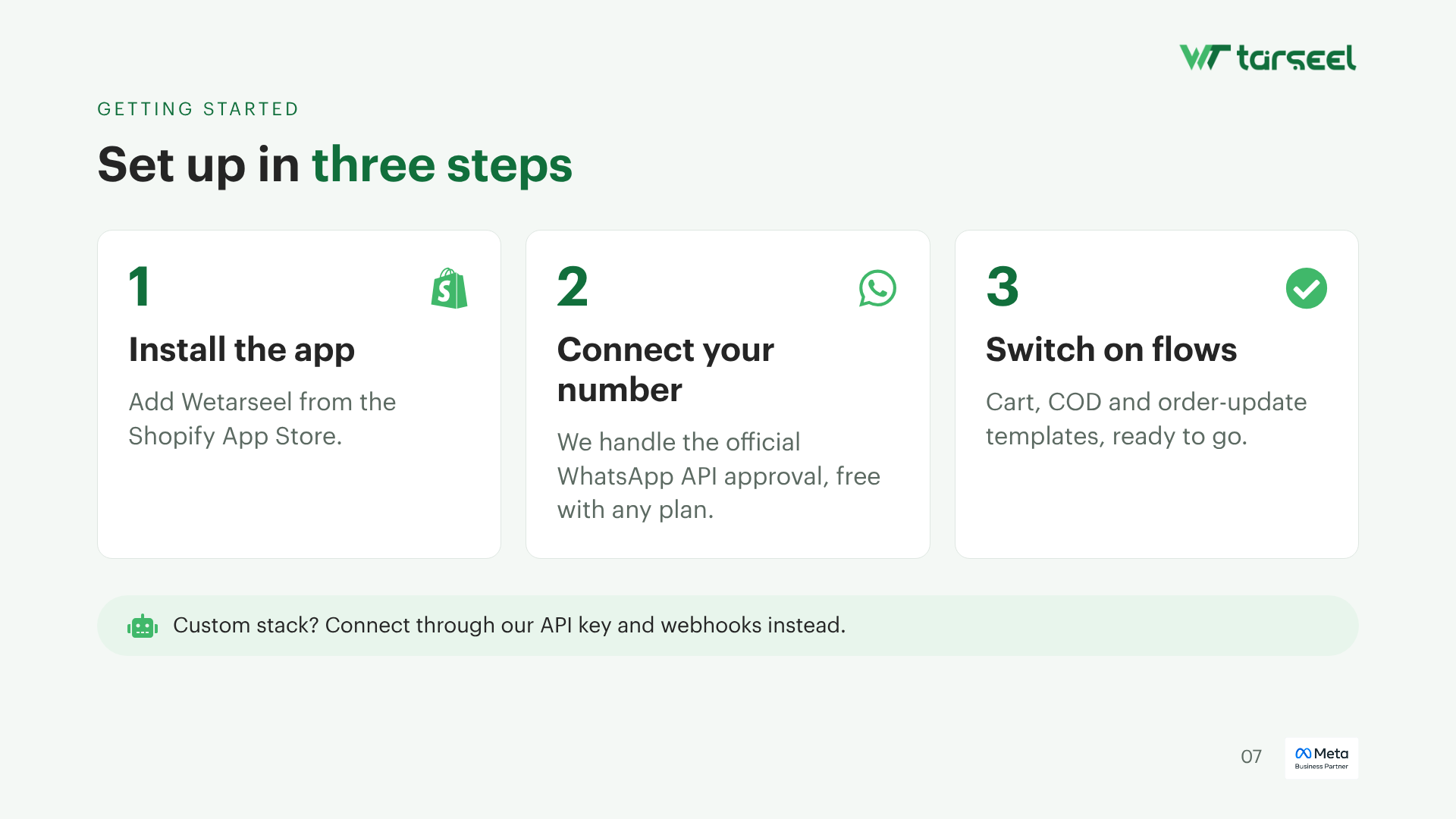
Getting started

Connect Shopify in a few simple steps

No custom code required for the core flows. WeTarseel helps with WhatsApp Business API setup so your store can go live faster.

1

Create your WeTarseel account

Sign up and get your WhatsApp Business API number approved — we guide the Meta green-tick process.

2

Connect your Shopify store

Link the store (app token / install flow) so cart, order, and fulfillment events sync into WeTarseel.

3

Turn on the flows you need

Enable abandoned cart, COD confirm, shipping updates, and feedback customize timing and copy.

4

Go live & monitor results

Watch delivery and reply metrics, then refine templates that recover the most revenue.
Shopify WhatsApp API dashboard
Frequently asked questions

You ask, we answer

Quick answers about Shopify, WhatsApp Business API, and getting live with WeTarseel.

Do I need WhatsApp Business API to send Shopify notifications on WhatsApp?
Yes. The free WhatsApp Business app works for one person replying manually — it can’t connect to Shopify or send automatic messages. WeTarseel gives you access to the WhatsApp Business API (Platform), which supports automation, multiple agents, and store integrations.
How do I integrate Shopify with WhatsApp using WeTarseel?
Create a WeTarseel account, verify your WhatsApp Business Account through Meta, then install the WeTarseel app from the Shopify App Store and connect it from your dashboard. Once connected, you can turn on automations for order and cart events.
What WhatsApp messages can I automate with Shopify + WeTarseel?
Order confirmations, COD confirmations, shipping and delivery updates, abandoned cart reminders, review requests, reorder reminders, and opted-in promotional broadcasts.
Do I need technical skills to set this up?
No coding is required for the standard setup — installing the app and connecting your account is done through guided screens. You will need your Meta Business verification documents ready, since that step is required by Meta for any WhatsApp Business API provider, not just WeTarseel.
How long does it take to go live?
Template approval is usually quick once submitted. Business verification with Meta is the step that varies most — it can take anywhere from a few hours to a couple of weeks depending on your documentation, regardless of which provider you use.

Ready to sell more from your Shopify store on WhatsApp?

Connect WeTarseel, automate the journeys that matter, and let every cart, order, and COD confirmation become a conversation.

WhatsApp Business API · Shopify events · Shared team inbox

Get a quick access of whatsapp business platform