One of these three WhatsApp badges is completely free. One can run you close to $500 a month at the top tier.
And one of them is quietly still alive inside Meta’s own partner documentation — even though half the internet insists it was retired years ago.
If you’ve spent any time researching Official Business Account vs Meta Verified vs Green Tick, you’ve probably come away more confused than when you started. Meta renamed things, merged programs, and rolled features out region by region — and much of what’s written online treats this as a fully settled, one-color story when the reality on the ground is messier and still shifting.
This guide clears all of that up, using Meta’s own developer documentation wherever possible rather than recycled blog claims. By the end, you’ll know what each term actually means, which one applies to your business, what it realistically costs, and what to check before you apply.
Quick Answer: What’s the Real Difference?
Here’s the short version before we go deep:
“Blue Tick” is the original name for WhatsApp’s free, merit-based verification badge. Many marketing blogs describe it as fully retired and replaced by a universal blue badge — but Meta’s own Business Solution Partner documentation still labels this free badge “green” as recently as mid-2026. In practice, badge color for this free tier is inconsistent and rolling out region by region; don’t assume it looks the same on every account. Official Business Account (OBA) is the formal, current name for this free program — Meta reviews your brand’s public notability and organic media coverage before granting it, regardless of what color it renders as. Meta Verified for Business is the separate, paid subscription route to a verified badge — you pay monthly and submit legal documents instead of proving fame, and this badge consistently renders blue.
Both programs end in a verification badge next to your business name. The eligibility path, cost, and (currently) the badge color are where they genuinely diverge.
What Is the WhatsApp “Blue Tick”? (Formarly Known as Green Tick)
The green tick was WhatsApp’s original verification badge for the WhatsApp Business Platform (API) — one of the hardest badges to earn on any messaging app, reserved almost exclusively for large enterprises and recognized brands that Meta manually reviewed.
Around 2023–2024, Meta introduced Meta Verified — a paid subscription badge — first on Instagram and Facebook, then extended to WhatsApp. A large share of marketing content since then claims WhatsApp fully retired the green badge and unified everything under one blue checkmark, matching Facebook and Instagram.
Here’s the more careful, editorially honest version: that unification is real for Meta Verified subscribers, whose badge consistently displays blue. For the free, notability-based program (now formally called Official Business Account, or OBA), the picture is less settled. Meta’s own current Business Solution Partner documentation still refers to it explicitly as the “green Official Business Account (OBA) badge,” which tells us the rollout to a unified blue color is not complete or consistent across every account and region as of this writing. If your account was verified under the older program, treat “green tick” and “OBA” as the same underlying verification status — but don’t be surprised if the badge you see, or the one a customer sees, isn’t blue yet.
The safest way to check your own account’s status is inside WhatsApp Manager itself, not a third-party guide — badge appearance can differ by rollout stage even when the underlying verification is identical.
What Is a WhatsApp Official Business Account (OBA)?
OBA is the free verification program that lives entirely inside the WhatsApp Business Platform (API) — not the free consumer WhatsApp Business mobile app. That distinction matters immediately: OBA was built for businesses running WhatsApp through a Business Solution Provider, not solo shop owners messaging from a personal phone.
Meta’s official eligibility requirements for OBA (per Meta for Developers documentation) are specific and worth knowing exactly, because most third-party guides only describe part of them:
- Your business must comply with the WhatsApp Business Messaging Policy
- Your number must have been registered on the WhatsApp Business Platform for at least 30 days
- The business portfolio that owns the number must have completed Meta’s Business Verification process
- Two-step verification must be enabled on the phone number
- The phone number’s display name must already be approved
- The business must represent a well-known, frequently searched brand — evidenced by up to five supporting links to genuine, independent news coverage (Meta explicitly excludes your own website, your own social channels, and paid or sponsored content as evidence)
Two exclusions catch people off guard: Meta does not grant OBA status to individual employee accounts, test accounts, or numbers running on the free WhatsApp Business mobile app — API registration is mandatory. And if your request is rejected, Meta requires a 30-day wait before you can reapply, so it’s worth making your notability evidence as strong as possible on the first attempt rather than resubmitting quickly with minor tweaks.
One underrated consequence of not having OBA status: a business phone number without it won’t appear when a user searches for it inside the WhatsApp app itself. Customers can still find you if they’ve already saved your number, but you lose in-app discoverability without it — a good reason to pursue verification even beyond the trust signal.
Because the notability bar is genuinely high, OBA has historically suited large retailers, airlines, banks, telecom operators, and public institutions that already generate independent press coverage as a matter of course. A strong local or regional business without that kind of media footprint will usually find Meta Verified the more realistic route — not because OBA is closed to smaller brands by rule, but because the evidence requirement is hard to satisfy without an existing media profile.
What Is Meta Verified for WhatsApp Business?
Meta Verified is the paid alternative — and the reason verification stopped being an exclusive club. Instead of proving fame, you prove identity: you submit legal business documents and Meta cross-checks that your profile’s display name matches your registered legal entity.
It’s available in two places:
- Inside the free WhatsApp Business mobile app, for businesses messaging customers directly from a phone
- Inside the WhatsApp Business Platform (API), accessed through Meta Business Suite, for businesses running WhatsApp through a BSP
If you’re applying through the mobile app specifically, Meta’s stated eligibility criteria include: being 18 years or older, using a phone number registered in a country where Meta Verified for WhatsApp is available, having used the WhatsApp Business app for a minimum period, having sent at least one recent message, having a complete profile (name and picture), and not already holding a conflicting subscription through Meta Business Suite. If your account doesn’t meet the requirements, the option simply won’t appear in your settings yet — that’s a rollout limitation, not necessarily a rejection.
On pricing: Meta’s own published Meta Verified tiers (as listed for individual/creator plans, which also anchor the structure businesses see) are $14.99/month (Standard), $49.99/month (Plus), $149.99/month (Premium), and $499.99/month (Max). Business pricing for WhatsApp specifically can differ from these anchor figures by country, bundling, and current promotions — some third-party trackers report business tiers as low as roughly $15/month and as high as the mid-$300s to just under $500/month depending on region. Treat any number you read online, including this one, as a starting point — confirm your actual quote inside Meta Business Suite or the WhatsApp Business app before budgeting.
What you get beyond the badge itself:
- Impersonation monitoring, so Meta actively watches for accounts copying your branding
- Access to support channels, with coverage varying by tier (Business Plus, Business Premium, Business Max)
- The ability to carry a verified badge across additional linked WhatsApp Channels — up to 10 on higher tiers, per Meta’s own WhatsApp for Business resource pages
- Higher device-linking and account-protection limits on enterprise tiers
Approval timeline: Meta and most Business Solution Providers describe Meta Verified reviews completing within roughly 3 business days once documents are submitted — far faster and more predictable than an OBA notability review, precisely because the criteria are objective (do your documents match your profile) rather than subjective (is your brand well-known enough).
Does It Actually Work? A Real Example
Skepticism about paid verification badges is fair — does the badge do anything, or is it just a checkmark?
Meta’s own WhatsApp for Business resource library documents one concrete case: MoToLyfe, a motorcycle training program for women founded in 2018, needed to build rider trust as a new brand in a market with few existing options. After adopting the Meta Verified badge, the business reported a 24% year-over-year increase in riders joining its beginner program. That’s a single case study, not a guarantee of results for every business. But it’s a genuine, attributable example rather than a marketing-blog estimate, and it illustrates the mechanism at work: verification lowers the trust barrier for a first-time customer deciding whether to engage.
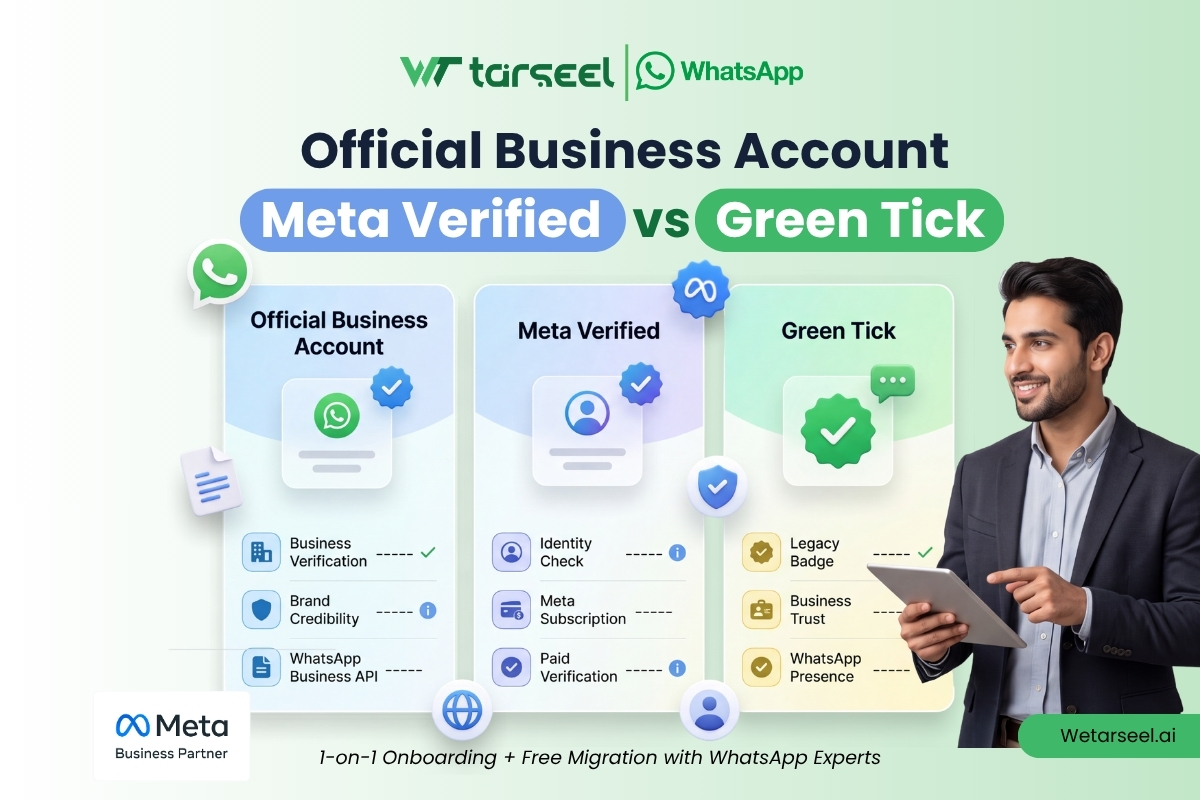
Official Business Account vs Meta Verified vs Green Tick: Side-by-Side
| Green Tick (legacy term) | Official Business Account (OBA) | Meta Verified for Business | |
|---|---|---|---|
| What it is today | Just the old name — the badge itself was retired and converted to blue in 2024 | The formal current name for the free verification program | The separate paid verification subscription |
| Badge color | N/A — auto-converted to blue | ● Blue | ● Blue |
| Cost | N/A | 100% Free | ~$15–$500/mo Varies by tier, region & platform — confirm in your account |
| Eligibility basis | N/A | Proven public notability via up to 5 independent, organic press links | Verified legal business documents matching your profile name |
| Where you apply | N/A | WhatsApp Manager (Business Platform / API only — not eligible on the mobile Business app) | WhatsApp Business mobile app or Meta Business Suite (API) |
| Minimum prerequisites | N/A | Number registered 30+ days, Business Verification complete, 2FA enabled, display name approved | Age 18+, available country, active profile, no conflicting subscription |
| Best suited for | N/A | Major, widely recognized enterprises with existing press coverage | Startups, SMEs, growing e-commerce stores, and businesses without press coverage |
| Typical review time | N/A | No published SLA; 30-day mandatory wait before reapplying if rejected | Around 3 business days once documents are submitted |
| Can be revoked? | N/A | Yes — for policy violations or messaging quality issues | Yes — for policy violations or messaging quality issues |
Which One Should You Actually Choose?
Consider the Official Business Account (OBA) route if:
- Your brand is already widely recognized, or regularly appears in independent news coverage
- You can point to at least a handful of genuine, third-party (non-paid, non-owned) media mentions
- You’re already operating on the WhatsApp Business Platform (API) through a BSP, with Business Verification already complete
- Budget isn’t the constraint — clearing the notability bar is
Consider Meta Verified for Business if:
- You’re an SME, D2C brand, startup, clinic, agency, or growing e-commerce store without major press coverage
- You have your legal business registration documents ready and your profile name matches them exactly
- You want a predictable ~3-business-day timeline instead of a subjective notability review
- You’re comfortable paying a monthly fee for the credibility, monitoring, and support that come with it
A practical note: the two programs aren’t mutually exclusive by rule, so if you’re unsure whether you’ll clear the OBA notability bar, there’s no real downside to pursuing Meta Verified in parallel while you keep building the kind of independent media coverage OBA requires. Just be aware Meta’s mobile-app eligibility flow specifically excludes accounts that already hold certain conflicting subscriptions, so check the current requirements in your own app before assuming you can run both at once.
A Common Mix-Up Worth Clearing Up
Before you go further, it’s worth flagging a confusion that trips up even experienced marketers: the verification badge next to a business’s name has nothing to do with the two grey or blue checkmarks that appear next to an individual message.
Those small ticks are simply delivery and read receipts, grey for delivered, blue for read, and every WhatsApp user has always had them, verified or not.
The verification badge, by contrast, is a small icon that sits beside your business name in the chat header, contact card, and profile. It is a completely separate feature governed by the OBA and Meta Verified programs described above.
Why the Badge Is Worth Pursuing
A verified badge isn’t cosmetic, it’s a trust shortcut. Customers messaging an unfamiliar business number are, understandably, cautious about scams and impersonation, and a verified badge is one of the few visual signals WhatsApp gives them to tell a legitimate brand apart from a copycat.
There’s also a discoverability benefit that’s easy to miss: without OBA status specifically, your business number won’t surface when a customer searches for it inside the WhatsApp app, they can still reach you if they’ve saved your number, but you’re invisible to new searchers until you’re verified.
That said, it’s worth being honest about what the badge doesn’t do. As the MoToLyfe example shows, it can meaningfully move a trust-sensitive metric like new-customer sign-ups. But it earns the first click, not the outcome. Everything after that still depends on how well you run your WhatsApp channel.
Ready to Apply? Here’s Where to Go Next
Understanding the difference between these programs is only half the job, the actual application process (which documents to prepare, which menu to click inside WhatsApp Manager or Meta Business Suite, and how long each step realistically takes) is where most businesses lose time.
If you’re ready to move from “which one applies to me” to “how do I actually get verified,” our detailed walkthrough on how to apply for the blue tick in the WhatsApp Business Platform breaks down both the free OBA route and the paid Meta Verified route step by step, including the exact documentation checklist and realistic timelines for 2026.
How to Apply for Blue Tick in WhatsApp Business Platform (2026)
Frequently Asked Questions (FAQs)
-
Is the WhatsApp green tick still available in 2026?
No — not as a green badge. The underlying free verification program is still available, and Meta now formally calls it the Official Business Account (OBA), but the badge itself has displayed blue since Meta unified its verification colors across Facebook, Instagram, and WhatsApp in 2024. "Green tick" today just means people using the older name for the same OBA program.
-
Is Meta Verified the same as the Official Business Account?
No. They're separate programs with different rules that both result in the same blue verification badge. OBA is free and based on proving your brand's public notability through independent press coverage. Meta Verified is a paid monthly subscription based on verifying your legal business documents.
-
Can a small business get WhatsApp verification?
Yes — through Meta Verified for Business. The free OBA route is realistically reserved for widely recognized brands with substantial independent media coverage, since Meta requires up to five genuine third-party links as evidence. Meta Verified was specifically built to let smaller, less-famous businesses access a verified badge by paying a subscription and verifying their legal paperwork instead.
-
Do I need the WhatsApp Business API to get verified?
Only for the OBA route, which explicitly excludes numbers on the free mobile Business app. Meta Verified, by contrast, is available both inside the free WhatsApp Business mobile app and inside the WhatsApp Business Platform (API).
-
How much does Meta Verified for WhatsApp Business cost?
Meta's published tier pricing (as anchored across its verified-badge programs) is $14.99/month (Standard), $49.99/month (Plus), $149.99/month (Premium), and $499.99/month (Max), though actual WhatsApp Business pricing can vary by country and bundling. Always confirm the exact current price inside your own Meta Business Suite or WhatsApp Business app before budgeting.
-
What happens if my OBA request is rejected?
Meta requires a mandatory 30-day wait before you can submit a new OBA request. There's no limit on how many times you can reapply after that, so it's worth using the waiting period to strengthen your notability evidence rather than resubmitting the same links.
-
Can WhatsApp revoke a verification badge after granting it?
Yes, under both programs. Meta can remove verification from an OBA or Meta Verified account if it later detects policy violations, repeated compliance issues, or messaging behavior that no longer meets its quality standards.