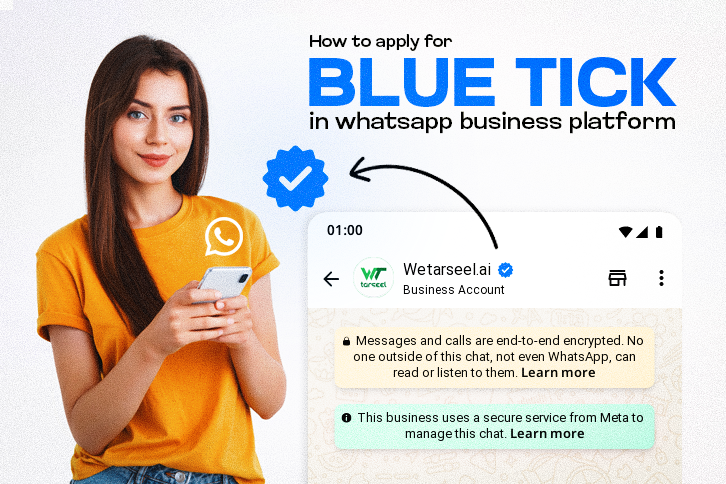
Imagine receiving a WhatsApp message from an unknown business. One account displays a plain name and a phone number; the other features a distinct, official blue verification checkmark right next to its branding.
Which one do you trust with your time and money?
That small checkmark builds instant authority, credibility, and security. While Meta originally launched this feature as a green checkmark, WhatsApp has officially transitioned to the Blue Tick to match the verified design used across Instagram and Facebook.
Whether you are applying for a free enterprise badge or subscribing to Meta Verified, getting verified on the WhatsApp Business Platform (API) completely changes how customers interact with your brand.
What is the WhatsApp Blue Tick?
The verification mark (the WhatsApp blue tick) is an official stamp of authenticity issued directly by Meta.
Once your account is approved, your business experiences an immediate upgrade:
Visible Brand Identity: Your business name appears at the top of the chat screen even if the customer has never saved your phone number to their contact list.
The Blue Badge: A blue circle containing a white checkmark shows up next to your business name in chats, contact views, and your official profile page.
Two Paths to Get Verified on WhatsApp in 2026
Meta offers two separate ways to secure the verification badge next to your business name. Depending on your business size and media presence, you can choose the path that fits best.
| Feature | Method 1: Meta Verified (Subscription) | Method 2: Official Business Account (OBA) |
| Verification Badge | Yes, instant upon approval | Yes, upon successful review |
| Cost | Monthly subscription fee | 100% Free |
| Process Time | 10 minutes to 3 business days | 2 to 7 business days |
| Best For | Startups, growing e-commerce stores, and SMBs | Major public enterprises and household names |
Core Requirements Before You Apply
Before you can pursue either method, your account must meet Meta’s foundational compliance standards. You cannot get verified on a standard, personal WhatsApp account.
- For the Free Organic Route (OBA): You are strictly required to use the official WhatsApp Business Platform (API).
- For the Paid Route (Meta Verified): This option is natively available right inside the standard WhatsApp Business mobile app as well as the API.
Foundational Checklists
If you are applying via the Free Organic Route (OBA API):
- An active phone number registered on the WhatsApp Business Platform (API).
- An admin-managed Meta Business Suite account with an approved Display Name.
- Two-Factor Authentication (2FA) turned on for your business manager and phone line.
If you are applying via the Paid Route (WhatsApp Business App):
- An active account on the standard WhatsApp Business mobile app.
- A clean compliance record matching Meta’s Business Terms of Service.
- Two-Factor Authentication (2FA) enabled directly within your device’s app settings.
Step-by-Step: How to Apply for WhatsApp Verification
Method A: The Paid Route (Meta Verified for Business)
If you are a growing business and want a guaranteed badge without needing massive newspaper PR features, you can purchase a Meta Verified subscription package. Because Meta offers this subscription track for both standard business app users and advanced API users, the setup depends on how your daily operations are managed:
Option 1: If Using the WhatsApp Business App on Your Phone
If your team handles customer messaging straight from a mobile device using the free business app, you can apply natively through your smartphone:
Open the WhatsApp Business app on your phone and navigate to Settings (or open your Business Tools menu).
Find and tap on Meta Verified. (Note: If you do not see this option, the feature is rolling out incrementally and may not be available in your region yet).
Review the available subscription tier packages (Standard, Plus, Premium, or Max) and tap Subscribe on the plan that matches your structural needs.
Set up your monthly mobile ecosystem payment configuration.
Upload Legal Documentation: Submit clear matching legal business documents (e.g., official tax filings, certificates of incorporation, or utility bills) to confirm your corporate entity’s identity.
Critical Rule: Your WhatsApp profile display name must perfectly match the legal business name written on your registration files.
Meta will review your uploaded paperwork. Your blue verification tick will automatically apply to your business profile, chat headings, and call lists within 3 business days.
Option 2: If Using the WhatsApp Business Platform (API)
If your infrastructure is running on the professional API framework via a Business Solution Provider like Wetarseel AI, you can manage the application process directly on your computer via your central web dashboard:
Log into your Meta Business Suite (
business.facebook.com) using an admin account.Navigate to the left-hand navigation sidebar, click on All Tools, and select Meta Verified.
Choose your preferred subscription tier plan based on the number of linked support devices or verified broadcast tracks your team requires.
Set up your monthly corporate billing card configuration.
Complete the identity verification steps by attaching your matching government tax records or legal operational business licenses.
Meta’s compliance team will verify your assets and deploy the blue tick to your active API numbers within 3 business days.
Method B: The Organic Route (Official Business Account)
If your brand is highly notable and frequently searched, you can complete the whatsapp official business account application for free.

How to Check Your Approval Status
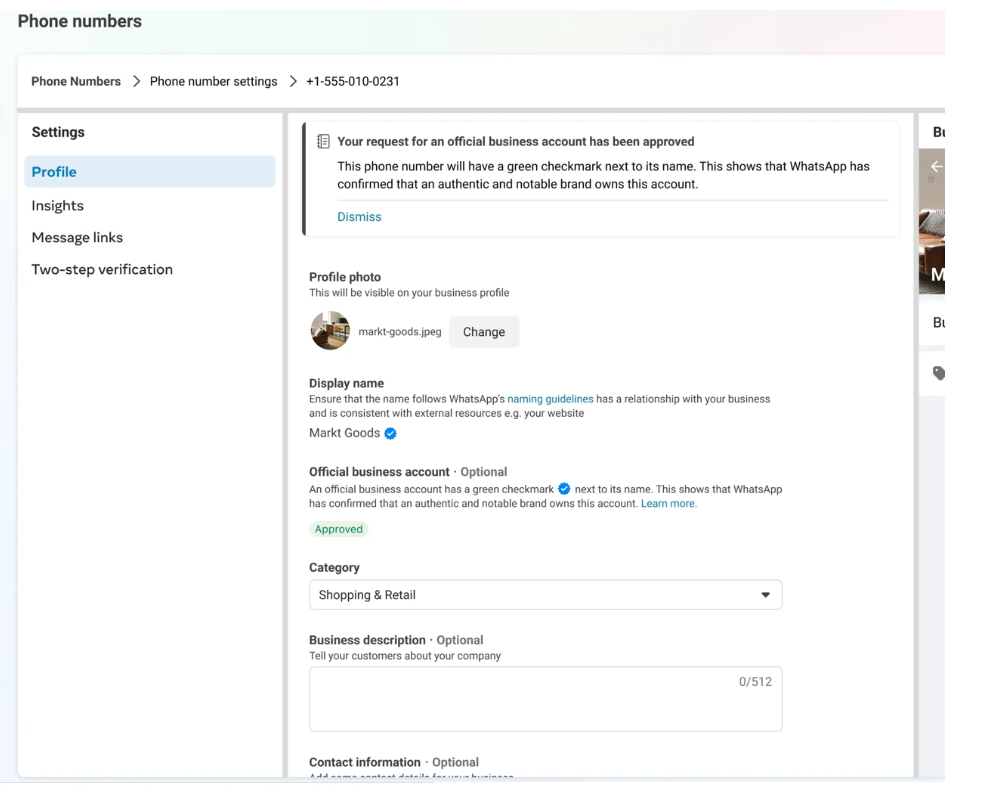
Once Meta completes the review, you can navigate back to your WhatsApp Manager > Phone Numbers > Settings. If successful, your dashboard will display an explicit confirmation notice reading “Your request for an official business account has been approved,” and an “Approved” badge will show next to your business parameters.
What Happens After You Apply?
Once you click submit, the waiting game begins. The time frame depends entirely on the pathway you choose. Subscription paths are processed within hours or up to 3 business days, while the manual OBA review takes a few days due to manual press-clipping evaluation.
Dealing with Rejections
If Meta denies your OBA request, don’t panic. Rejections are highly common, especially on your first attempt. Meta will allow you to correct your documentation, build up your brand presence online, and reapply after 30 days.
Key Benefits of Having a Verified Account
Securing your verification checkmark isn’t just for looks. It drives real business results:
Instant Trust & Safety: Customers know they are dealing with your official team, protecting them from impersonators and phishing scams.
Higher Reply Rates: Verified messages stand out in a crowded chat list, leading to higher open rates and customer engagement.
Reduced Spam Risk: Verified business numbers are far less likely to be blocked or flagged as spam by users, keeping your quality rating high.
Why Partnering with Wetarseel AI Makes It Seamless
Navigating the technical setup of Meta’s systems can feel overwhelming. That is where a certified Meta Business Solution Provider (BSP) like Wetarseel AI steps in to handle the heavy lifting.
When you manage your business communication stack through Wetarseel AI, you don’t just get access to the WhatsApp Business API—you unlock a complete scaling ecosystem:
Guided Onboarding: We walk you through every step of the whatsapp business verification process to make sure your paperwork satisfies Meta on the first try.
Advanced Growth Tools: Gain access to our no-code visual chatbot flow builder, multi-agent customer support dashboards, and broadcast marketing tools.
Display Name Optimization: We help ensure your public display name matches your official documentation perfectly, avoiding the number one cause of application rejections.
Don’t leave your brand’s credibility to chance. Build a trusted, official presence on the world’s most popular messaging app today.