One wrong word in your WhatsApp Business API setup can double your bill overnight.
“We were still budgeting off conversation-based pricing in Q3 2025 — no one on the team realized Meta had already switched us to per-message billing two months earlier.” — a common story BSP support teams hear almost every week.
If that sounds familiar, you’re not alone.
The WhatsApp API (its full name is the WhatsApp Business Platform) has its own set of words. And Meta has changed many of these words in just the last two years:
- New pricing model — July 2025
- On-Premises API fully shut down — October 2025
- New shared limits for all your numbers — October 2025
- Another pricing change coming — October 2026
This glossary is here to help you keep up.
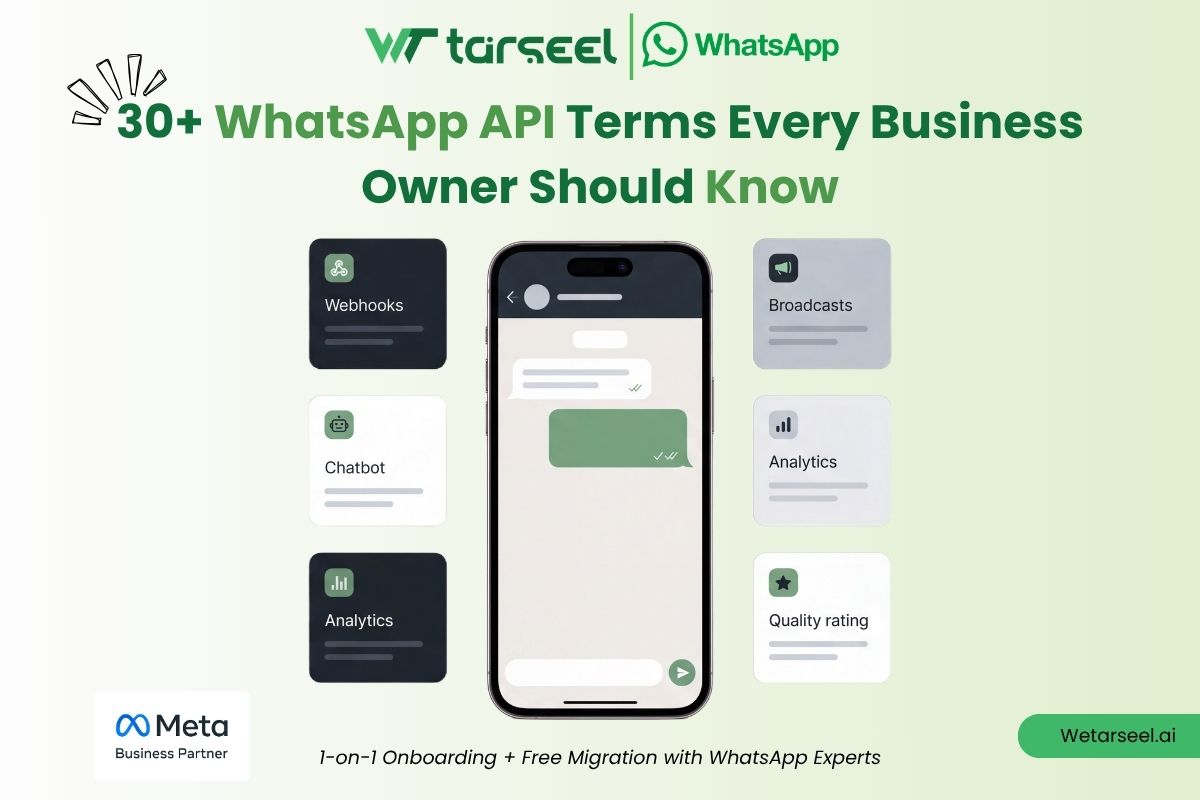
We’ve grouped 30+ terms into five simple parts: platform basics, messaging and templates, pricing and billing, trust and rules, and advanced features. Each term gets a simple meaning, real numbers, and a short “why it matters” note — the part most glossaries skip.
Still not sure if you even need the API? Read our comparison of WhatsApp Business API vs WhatsApp Apps first.
WhatsApp Business API vs WhatsApp Apps: Move From One to Other
Already decided, and now setting up, budgeting, or talking to a vendor? This page is your reference — save it for later.
Quick-Reference: What Changed Recently
Three dates you need on your radar before the definitions, because several terms below hinge on them:
| Date | What Changed |
|---|---|
| July 1, 2025 | Meta retired conversation-based pricing. Billing moved to per-message. |
| October 23, 2025 | On-Premises API fully sunset. Cloud API is now the only option. |
| October 1, 2026 | Meta begins charging for service messages and AI-agent replies that have been free since 2025. |
Keep these in mind as you read.
Table of Contents
1. Foundational Platform Terms
WhatsApp Business Platform (WhatsApp API)
This is the main name for Meta’s messaging system built for businesses. It lets medium and large businesses send and receive WhatsApp messages at scale. It also connects to CRMs and helpdesks, and lets many team members reply from one number.
Unlike the free WhatsApp Business App, it has no app screen of its own. You use it through Meta directly, or through a BSP.
Why it matters: this is the big first decision. If your team still replies by hand from a phone using the free app, read our WhatsApp Business API vs WhatsApp Apps guide. It explains exactly when the upgrade is worth the cost.
Cloud API
This is Meta’s own cloud version of the WhatsApp Business Platform.
Since On-Premises shut down on October 23, 2025, Cloud API is the only option left. Here’s what it looks like in real use:
- Default speed of 80 messages per second, which can be raised to 1,000 per second for high-volume, verified senders
- No servers, Docker setups, or security certificates for you to manage — Meta handles all of it
- Only Cloud API gets newer features (like WhatsApp Flows) that never came to On-Premises
On-Premises API (no longer used)
This was the first version of the API. Businesses ran it themselves on their own servers (or a BSP’s servers), and had to manage their own database and security certificates.
Meta stopped adding new numbers to it in mid-2024, then shut it down fully on October 23, 2025.
If a vendor is still trying to sell you “on-premise” WhatsApp hosting in 2026, that’s a warning sign. It’s simply not possible anymore on Meta’s system.
Business Solution Provider (BSP)
A BSP (like Wetarseel) is a company approved by Meta that gives businesses access to the WhatsApp Business Platform. It handles number setup and template approval, and usually adds a simple inbox, automation tools, and CRM connections on top of Meta’s raw system.
You can connect to Meta’s API directly, without a BSP. But most businesses without their own tech team don’t, because Meta’s raw system has no screen or buttons at all, just code.
WhatsApp Business Account (WABA)
This is the “folder” that holds your business phone number(s), your message templates, your quality scores, and your messaging limits, all inside Meta’s system.
One Meta Business Portfolio can hold many WABAs. One WABA can hold many phone numbers. This is why you’ll hear “WABA” all the time in support chats and BSP dashboards, everything else connects to it.
Meta Business Portfolio (used to be called Business Manager)
This is the top-level account. Your WABA(s), ad accounts, and team members all live inside it.
Since October 7, 2025, this is also the level where Meta counts your messaging limit. Example: if you run three phone numbers under one portfolio, and your limit is 10,000, all three numbers share that 10,000. They do not each get their own 10,000.
Embedded Signup
This is Meta’s official sign-up process. It runs right in your browser. It lets a business link its own WhatsApp number to a BSP’s platform (or to Meta directly) in a few clicks, no need to build developer apps or trade access codes by hand.
Most trusted BSPs, including Wetarseel, use Embedded Signup as the default. It keeps control of the WABA with the business, not with the vendor.
2. Messaging & Template Terms
Message Template (used to be called “HSM”)
This is a pre-approved message format. You use it to start talking to a customer when there’s no open chat window; things like order confirmations, OTP codes, offers, and appointment reminders.
Every template must be sent to Meta for approval before you can use it. Meta checks the wording, and also checks if you picked the right category (see below).
One key rule: templates are the only way to start a chat. You cannot freely type a message to a customer who hasn’t messaged you first.
Template Category
Meta places every approved template into one of three groups. The group decides the price:
- Marketing — offers, promos, newsletters, “come back” messages, cart reminders. This is the most costly group, and it gets no bulk discount.
- Utility — normal, non-sales updates like shipping alerts, appointment confirmations, or account notices.
- Authentication — one-time passwords (OTPs) and login codes.
If you label a sales message as “utility” just to save money, this breaks Meta’s rules. Meta checks the real content closely, not just the label — and it can reject your template or punish your account.
Session Message (Service Message)
This is a message you write yourself, no template needed. You can send it while a 24-hour customer service window (see below) is open.
Any reply your team or chatbot sends after a customer messages you first is a session message. Right now, these are free, but that changes on October 1, 2026 (see the Pricing section).
24-Hour Customer Service Window
This is the 24-hour period that starts the moment a customer messages your business first.
While it’s open, you can reply freely with session messages; no template needed. Since July 1, 2025, even utility-category templates sent in this window have been free too, but that free deal ends on October 1, 2026 (see the Pricing section).
Free Entry Point Window
This is a 72-hour (not 24-hour) free window. It opens when a customer messages you first through a Click-to-WhatsApp ad, or through a Facebook/Instagram Page button.
During these 72 hours, every message type — even marketing templates — is free. Most businesses don’t use this cost-saving trick enough.
Opt-In
This means a customer has clearly agreed to get WhatsApp messages from you. You can collect this through a website form, a checkbox, or an in-store QR code.
Meta requires proof of opt-in before you send marketing templates. For customers in the EU/EEA, the rule is stricter: a pre-checked box doesn’t count as real consent. You need a saved, timestamped record of their “yes.”
Broadcast
This means sending the same template to a list of opted-in contacts. Each person gets it as their own private one-to-one chat, not a group message.
Compare this to the free app: the WhatsApp Business App limits broadcast lists to 256 contacts who have already saved your number. The API has no such limit on list size, though it’s still limited by your daily messaging limit.
Interactive Messages (Buttons & Lists)
These are message formats with buttons or lists. Customers can tap an option instead of typing a reply, good for quick replies, menus, or order confirmations.
They cut down on confusing or unclear replies from customers. You’ll see them often inside WhatsApp Flows and chatbot setups.
3. Pricing & Billing Terms
Per-Message Pricing (PMP)
This is the billing model used today, since July 1, 2025. Meta charges you for every single template message delivered, not for a whole 24-hour chat.
The price depends on two things: the template’s category (marketing, utility, or authentication), and the customer’s country.
Conversation-Based Pricing (CBP) (no longer used)
This was the old model. It ran from 2022 to June 30, 2025. One flat fee covered a full 24-hour “chat window,” no matter how many template messages you sent in it.
Meta now officially calls this model retired. If a pricing calculator you’re using still runs on CBP, its numbers are old and wrong.
Market-Category Pair
This means the mix of the customer’s country plus the template category. Together, these two things set your exact per-message price under PMP.
“India–Utility” and “Germany–Marketing” are two different pairs, with two different prices. There is no single “WhatsApp API price,” that’s why rate cards are shown as full tables, not one number.
Rough range to expect: marketing messages have cost under $0.01 in places like India, and over $0.12 in places like Germany. Utility and authentication messages usually cost less than marketing. Always check Meta’s live pricing page for the exact number, since these change from time to time.
Volume Tier Discount
This is an automatic price cut on utility and authentication templates. It kicks in once a business sends past a certain amount each month, in a given country. The tiers reset every month, and the exact discount amount changes by country. But the pattern stays the same: the more you send in a market, the less each message costs.
One thing to note: marketing templates get no bulk discount at all under the current rules. This is why many BSPs suggest sending as many replies as possible inside the free service window, instead of relying only on marketing templates.
Authentication-International Rate
This is a higher OTP/login rate. It applies when you send a code to a phone number in a different country than your business’s home market.
Meta has changed these international rates more than once in the last two years, for different countries. This is a good reminder that authentication pricing can shift, always check your live rate card by country, rather than trusting a fixed number from any blog, including this one.
Meta Business Agent Messages (new in 2026)
This is a new group that Meta split off from normal service messages. It started when Meta launched the Meta Business Agent Platform, Meta’s own built-in AI helper, on July 1, 2026. This group only covers replies written by Meta’s own AI, not a human, and not a third-party chatbot.
It’s easy to mix up two dates here, so let’s be exact:
- August 1, 2026 (already happened) — Meta Business Agent replies started costing money. They are billed per token, at $2.00 per million tokens — around 4–5 cents for a normal chat. This is a totally different billing method from everything else in this glossary.
- October 1, 2026 (still coming) — normal service messages (replies written by a human, or by a third-party chatbot) start costing money per message. The price matches the utility/authentication rate for that country. This ends the free-reply period that businesses have had since November 2024.
Only one charge type ever applies to any single reply — either Meta’s own AI handles it (billed per token, since August), or a human/third-party tool handles it (billed per message, from October). Never both. If your support team relies on free replies inside the 24-hour window, mark these two dates, they’re the biggest cost change coming in your 2026 budget.
4. Compliance & Trust Terms
Messaging Limit (Messaging Tier)
This is the highest number of unique customers your business can message first (meaning, you message them before they message you) within a rolling 24-hour period.
Since October 7, 2025, this limit is counted at the Business Portfolio level. It’s shared across every phone number in that portfolio; no longer set per number, like before.
Typical growth path:
250 → 2,000 → 10,000 → 100,000 → Unlimited
New, unverified numbers usually start at 250 unique contacts per day. Verified businesses can move up this list, based on steady sending and a good quality score.
One thing to remember: this limit doesn’t apply to replies inside an open customer service window. If a customer messages you first, it never counts against this limit.
Quality Rating
This is a rolling 7-day score. You’ll see it in WhatsApp Manager as:
- 🟢 Green (high quality)
- 🟡 Yellow (medium quality)
- 🔴 Red (low quality)
It’s based on blocks, spam reports, and how customers respond. Meta now checks if you can move up a tier about every 6 hours.
You need a Green or Yellow score to move up a tier. A Red score freezes your growth, but as of 2026, one Red reading alone no longer causes an instant drop the way it used to.
Throughput (Messages Per Second / MPS)
This is different from your daily messaging limit. It sets how fast your system can send messages through the API, by default, around 80 messages per second. You can request a higher speed if needed.
Don’t confuse the two: your messaging tier controls how many unique people you can reach in a day. Throughput controls how fast you can actually send.
Business Verification (Meta Verified Business)
This is a formal check where Meta confirms your business is real. Meta usually checks your Meta Business Portfolio against your official business papers.
You don’t need this to get started on the API, but you do need it to move to higher messaging tiers. It’s also usually required before you can get the Official Business Account badge (below).
Official Business Account (Green Tick / Meta Verified Badge)
This is a visible checkmark on your business profile. It shows Meta has confirmed your business is genuine, this is different from basic verification, and it’s usually only given to larger, well-known brands.
You can’t get this on the free WhatsApp Business App. Only Business Platform accounts can qualify, and Meta decides who gets it.
Display Name
This is the name customers see on your business number, it can be different from your official legal business name. You must submit it for Meta’s approval, and it must clearly show your real brand; no generic words, no unrelated keywords.
Frequency Capping
This is a limit Meta puts on every business, not just yours. It limits how many marketing messages one WhatsApp user can get in 24 hours, from all businesses combined, around two messages per user per day.
If a marketing template fails to send, with an error that shows the customer hit their limit, that’s not a sign your account is unhealthy. Meta suggests simply waiting about 24 hours before you try that customer again.
5. Advanced Features & Technical Terms
WhatsApp Flows
This is a form-like screen that opens right inside the chat. Customers can book an appointment, fill out a multi-step form, or pick from set options; all without ever leaving WhatsApp.
Flows never worked on the old On-Premises API. This is one more reason Meta pushed businesses to move to Cloud API.
Click-to-WhatsApp Ads (CTWA)
These are Facebook or Instagram ads with a “Send Message” button. Tapping it opens a WhatsApp chat with your business.
Since the customer starts the chat, it opens the 72-hour free entry point window. This makes CTWA one of the cheapest ways to start new chats under the 2026 pricing rules.
Webhook
This is an automatic, real-time alert. Meta’s servers send it to your system the moment something happens on your WABA; a new message, a delivery confirmation, a change in template status, or a shift in your quality rating.
Your CRM or helpdesk “listens” for these alerts, then triggers actions like auto-replies or new support tickets, the second a customer writes in.
Catalog & Commerce
This lets you upload your product list straight into WhatsApp. Customers can browse it, add items to a cart, and, in some countries, pay, all without leaving the chat. WhatsApp becomes a small storefront, not just a support line.
Multi-Agent / Team Inbox
This lets many team members send and receive messages from the same business number, at the same time. Chats can be assigned to different team members.
Biggest difference from the free app: the WhatsApp Business App only allows a few linked devices, and it has no real system for routing chats to the right person.
Coexistence
This is an official Meta feature, slowly rolled out since 2024. It lets a business run the free WhatsApp Business App and the API on the same number, at the same time.
Human, one-on-one chats stay in the app. Automated messages and bulk campaigns run through the API. You don’t lose any chat history or contacts.
This still depends on your country, your BSP, and if your number qualifies. A few app-only features (like disappearing messages or view-once media) may not carry over fully.
System User / Access Token
This is the login key your CRM, chatbot tool, or BSP uses to send API requests for your WABA. You create it inside your Meta Business Portfolio.
Best practice: use a long-lasting system-user token tied to a named app, not a personal login. That way, access won’t break if one team member leaves.
Phone Number ID / WABA ID
These are the unique ID numbers Meta gives to your phone number and to your WhatsApp Business Account. Every API call uses these IDs to show which number is sending a message, or which account a webhook belongs to.
These are not your visible phone number, they’re internal reference codes. You’ll see both often in developer guides and BSP support tickets.
Frequently Asked Questions (FAQs)
-
What's the difference between "WhatsApp API" and "WhatsApp Cloud API"?
"WhatsApp API" (WhatsApp Business Platform) is the umbrella product. "Cloud API" is Meta's specific cloud-hosted implementation of it. Since On-Premises retired in October 2025, Cloud API is effectively the WhatsApp API — there's no other supported version left.
-
Is WhatsApp Business API still billed per conversation?
No. That model ended June 30, 2025. Since July 1, 2025, Meta bills per individually delivered template message, based on category and recipient country.
-
Do I need Business Verification to use the WhatsApp API?
Not to start at the entry-level tier — but you need it to advance beyond that, and it's generally a prerequisite for the Official Business Account (green tick) badge.
-
What's the difference between a messaging limit and throughput?
Messaging limit = how many unique people you can message first in a rolling 24 hours. Throughput = how fast, in messages per second, your system can physically send. You can be well under your daily limit and still get rate-limited for sending too fast.
-
Will service messages stay free in 2026?
No. Free since November 1, 2024, but Meta has announced service messages and Meta Business Agent messages become billable starting October 1, 2026 — worth building into your second-half-2026 budget now.