
The basics
What is the WhatsApp Business API for Spas?
It is the business version of WhatsApp that connects to your booking system. It lets many staff share one number. It sends approved messages like confirmations and reminders on its own. Clients book, change or cancel in a chat they already use.
It does not run on one phone. It connects to your garage software or CRM. Then it sends messages for you, like confirmations, reminders, and invoices.
Why Spa use it
✓ Every customer already uses WhatsApp. No app to download.
✓ Replies are instant, so fewer missed calls.
✓ Reminders and updates go out on their own.
✓ Regular follow-ups bring customers back.
All in one chat
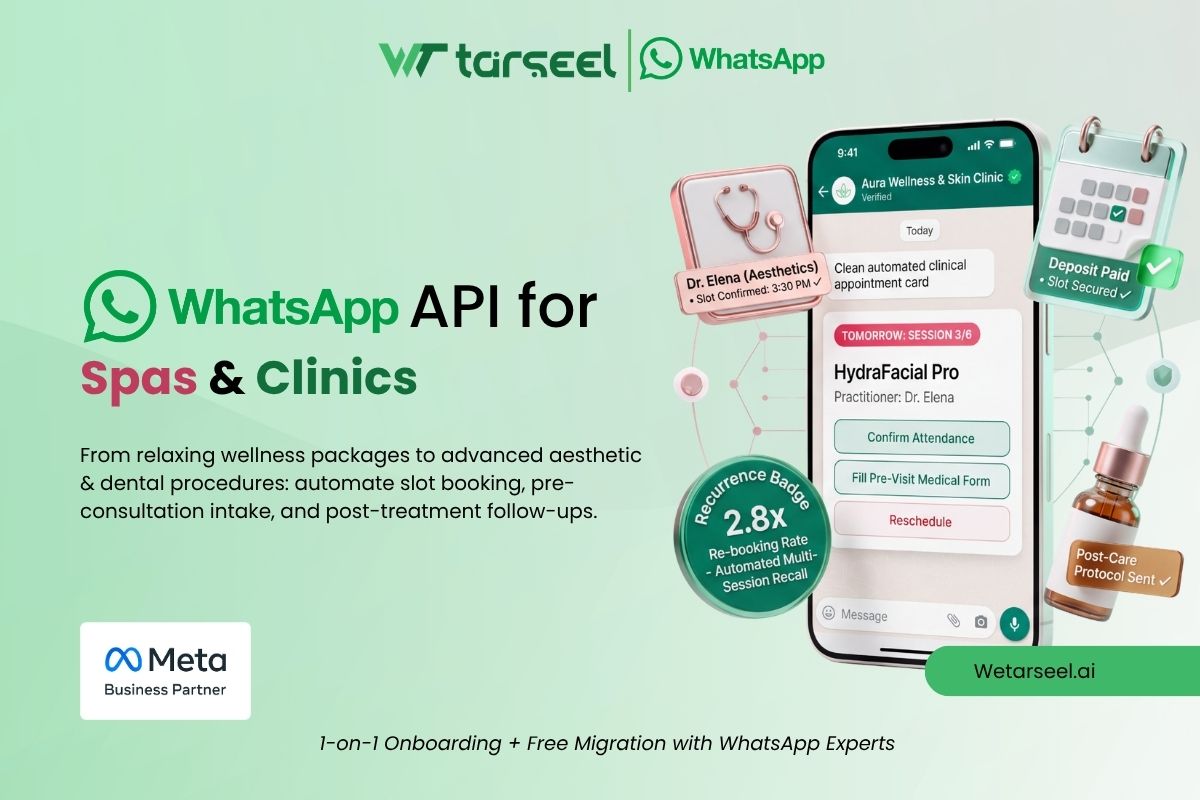
Use WhatsApp API for spas to book clients, send reminders, fill empty slots, and bring guests back.
Why it matters
Why Spa Need WhatsApp API?
Spa deal with dozens of daily customer interactions: calls, updates, quotations, and reminders. Doing all of this manually takes time, and it's easy to miss something. Here's why WhatsApp API helps:
📱
Every customer already uses WhatsApp
No app downloads needed.
⚡
Faster communication
Replies are instant, reducing missed calls.
⏱️
Automation saves time
Confirmations, updates, and reminders run automatically.
⭐
Professional image
Customers see your spa as modern and reliable.
🔁
Builds loyalty
Regular follow-ups bring customers back for future services.
Use cases
5 Ways a Spa Can Use WhatsApp API
01
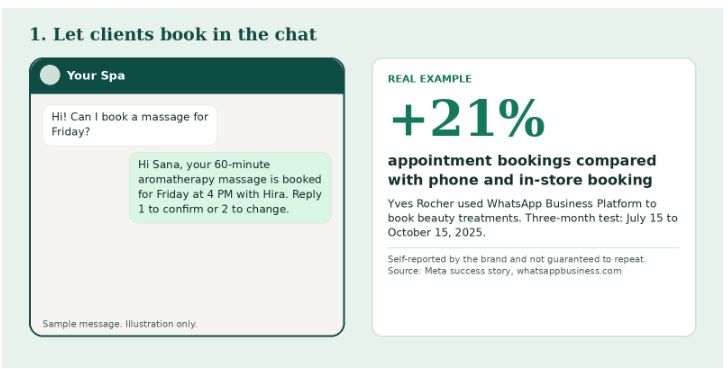
Let clients book in the chat
A client messages your number or taps a Click to WhatsApp ad. A short flow asks three things: treatment, preferred therapist, and time. The system checks your calendar and confirms the slot.Meta's WhatsApp Flows can show forms inside the chat. So the client never leaves WhatsApp.
Tip : Connect the flow to your real calendar. If not, you may double-book.
02
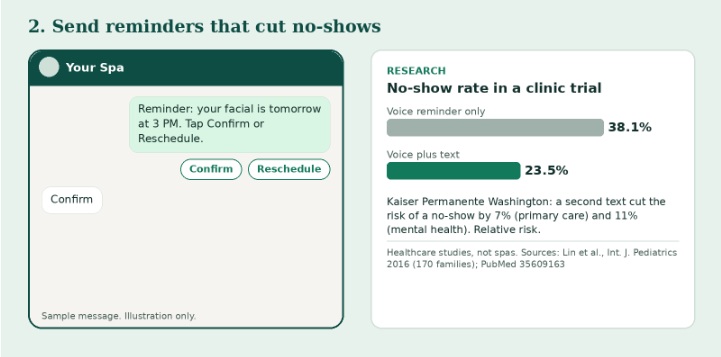
Send reminders that cut no-shows
An empty treatment room earns nothing. Send one message right after booking and one before the visit. Add quick-reply buttons: "Confirm" and "Reschedule".Reminders are usually sent as utility templates. Templates are messages Meta approves first.
03
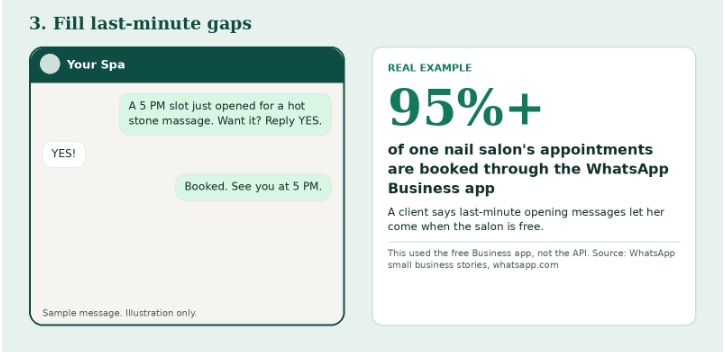
Fill last-minute gaps
A client cancels at noon. Message your waitlist: "Slot open today at 5 PM." The first yes gets it.This only works for people who opted in. Messages sent as marketing templates are charged every time Meta delivers them, unless a free window is open (see the cost section).
04
Care for clients before and after the visit
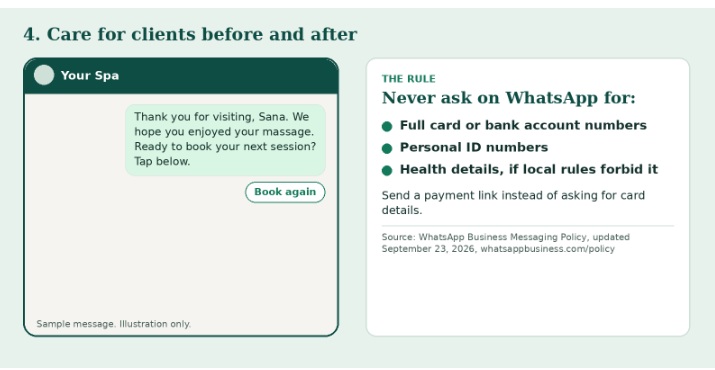
Send arrival tips, parking help and what to bring. After the visit, send a thank-you note and a rebooking nudge when it is time for the next session. You can also share photos of your treatment menu and packages.
Be careful with health details. Meta's policy says not to use WhatsApp to send or request health information if local rules forbid it. It also bans asking for full card numbers or ID numbers. For medical spas, keep forms for medical history in a system that meets your local rules. Send a payment link instead of card details.
05
Run one shared inbox for the whole team
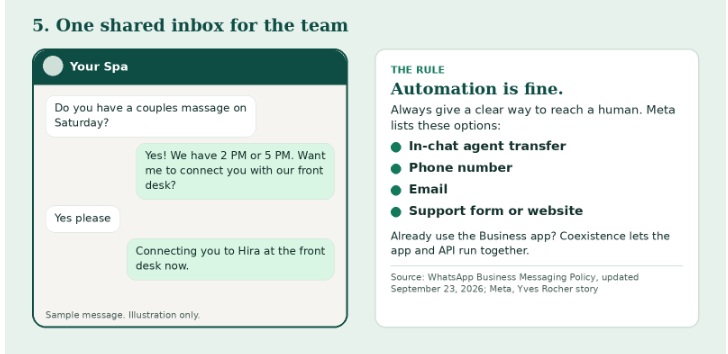
Front desk, therapists and managers can work from one number. Chats can be assigned to the right person. A chatbot can answer simple questions like hours and prices. A human can take over any time.
Meta requires a clear way to reach a human when you use automation. That can be an in-chat agent transfer, a phone number, an email or a support form. If you already use the WhatsApp Business app, coexistence lets the app and the API run together, as Yves Rocher did.
Agents can also reply on the go with the Wetarseel B2B Android app.
In 5 steps
How to get started
From signing up to sending your first booking confirmation, most spas are live in a few days.
01
Pick an official provider
WhatsApp API access comes through a Meta-authorized provider like Wetarseel.
02
Verify your business
You need a Meta Business account, your business documents, and a WhatsApp number for your garage.
03
Set up message templates
for confirmations, reminders and aftercare.
04
Connect your system
Link your spa software or CRM so messages go out when a booking is made, a job is done, or a bill is created. No system? Use your provider's dashboard or chatbot builder.
05
Train your team
Reply fast, keep the tone polite, and save quick replies for common questions like cost, timings, and directions.
FAQ
Frequently Asked Questions
Everything garage owners usually ask before getting started with WhatsApp API. Can't find your answer? Talk to our team.
Contact us
What is WhatsApp API for spas?
It is the business version of WhatsApp for companies that need automation and team access. A spa can send approved reminders, take bookings and share one number across staff
How is it different from the WhatsApp Business app?
The app suits one person on one phone. The API connects to your software, supports many agents and allows automation. With coexistence you can use both on one number.
Can clients message me any time?
Yes. When a client messages first, you can reply freely for 24 hours. Each new client message resets the timer. After that, you need an approved template.
Do I need client consent?
Yes. Meta says you may only contact people who gave you their number and agreed to receive messages or calls from you on WhatsApp
Can I collect health or ID details on WhatsApp?
Be careful. Meta's policy bans asking for full card numbers or ID numbers. It also says not to send or request health information if local rules forbid it. Check your local law first.
Does WhatsApp really reduce no-shows?
Reminders reduce no-shows in published healthcare studies. Spa-specific public data is limited, so track your own numbers before and after.
Do I need technical skills?
Not much. Verification, template approval, and system connection are needed, but a good provider guides you through each step with a simple dashboard.
What limits should I expect?
Template approval takes some time, message content must follow WhatsApp policy, customers must opt in, and some message types are charged.