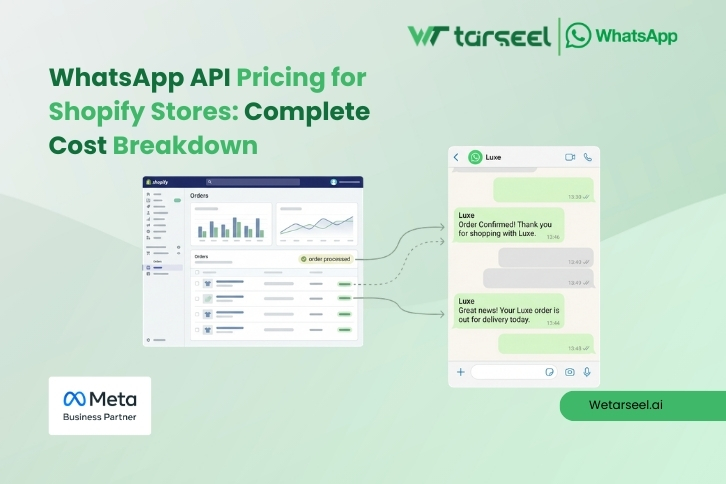
What Is WhatsApp API and Why Shopify Stores Use It
WhatsApp API (officially called the WhatsApp Business Platform) is designed for businesses that need automation, integrations, and multi-agent access.
Unlike the free WhatsApp Business app, WhatsApp API allows Shopify stores to:
- Send automated order confirmations
- Share shipping and delivery updates
- Send abandoned cart reminders
- Handle customer support with multiple agents
- Integrate WhatsApp directly with Shopify systems
Because this is an enterprise product, Meta does not offer WhatsApp API for free.
All businesses using WhatsApp API must follow Meta’s official pricing model.
How WhatsApp API Pricing Works (Important to Understand)
1- Meta Charges Per Message (Not a Flat Monthly Fee)
Since July 1, 2025, Meta has officially moved WhatsApp API pricing from a conversation-based model to a per-message pricing model.
This means:
- You are charged only when a business-initiated template message is delivered
- Different message categories have different prices
- Pricing depends on the recipient’s country
- Meta pricing is fixed and the same across all providers
Meta controls message pricing.
Providers cannot change Meta’s per-message rates.
2- WhatsApp Message Categories (Official Meta Classification)
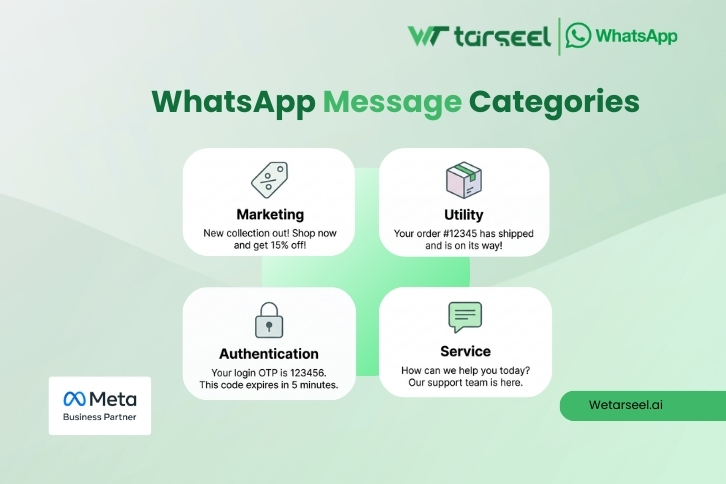
Meta divides WhatsApp API messages into four categories, and pricing depends on the category.
a) Marketing Messages
Used for:
- Promotions
- Discounts
- Offers
- Abandoned cart reminders
This is the highest-cost category
b) Utility Messages
Used for:
- Order confirmation
- Shipping updates
- Delivery notifications
- Payment reminders
Lower cost than marketing messages
c) Authentication Messages
Used for:
- One-time passwords (OTPs)
- Login verification
- Account security
Typically priced similar to utility messages
d) Service Messages
Used for:
- Customer support replies
- Order questions
- Help and issue resolution
Not charged by Meta if sent within the 24-hour customer service window
If a customer sends your business a message, a 24-hour service window opens, during which you can reply without Meta charging for those replies.
This applies only to replies to user-initiated messages.
Providers may still charge platform fees.
WhatsApp API Pricing (How to Understand the Numbers Correctly)
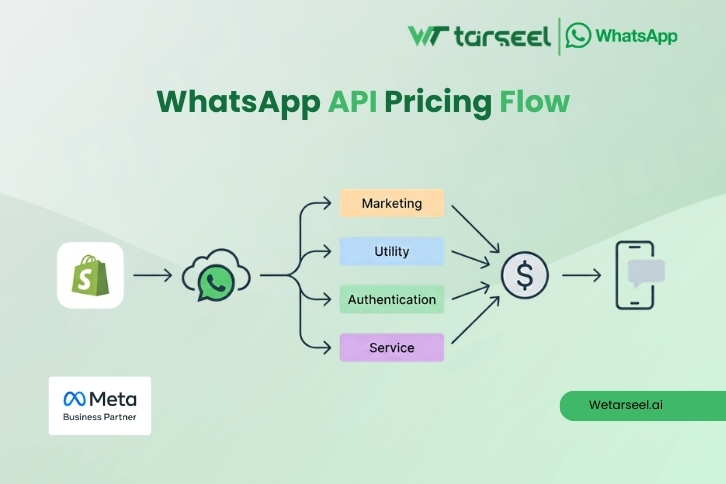
Meta does not publish one fixed global price list for WhatsApp messages.
Instead:
- Pricing varies by recipient country
- Each message category has its own rate
- Rates may change over time
Example: UAE / GCC
| Message Type | Cost Level |
|---|---|
| Marketing | Higher than India |
| Utility | Medium |
| Authentication | Medium |
| Service | Free (within 24-hour window) |
Important Clarification
Meta decides pricing based on the customer’s country, not your business location.
If your Shopify store sells internationally, your WhatsApp API cost will vary by region.
WhatsApp API Provider Fees (Separate from Meta Pricing)
Meta does not give WhatsApp API access directly to Shopify stores.
You must use an official WhatsApp Business Solution Provider (BSP).
Providers typically charge a platform or subscription fee for:
- WhatsApp API access
- Shopify integration
- Automation workflows
- Template approval & management
- Dashboards and analytics
Typical Industry Pricing (Indicative Only)
| Plan Type | Monthly Fee Range |
|---|---|
| Entry / Starter | $10 – $20 |
| Growth / Pro | $25 – $50 |
| Advanced / Enterprise | Custom |
These fees:
- Are set by the provider, not Meta
- Apply even if message volume is low
- Are separate from Meta’s per-message charges
Total WhatsApp API Cost for a Shopify Store (Realistic Example)
Example Shopify Store
- 2,000 orders per month
- 2 utility messages per order
- 300 marketing messages
- Customer support replies mostly within 24 hours
Cost Structure (Illustrative)
- Utility messages → Charged by Meta
- Marketing messages → Charged by Meta
- Service replies → Not charged by Meta (within window)
- Provider platform fee → Fixed monthly cost
Estimated Monthly Cost Range
Low thousands per month, depending on:
- Message volume
- Country mix
- Provider pricing
The WhatsApp API is neither cheap nor expensive by default; it is usage-based and predictable when configured correctly.
WhatsApp API Pricing for Shopify – What to Check Before Choosing
1- Clear Pricing Breakdown
Provider should clearly separate:
- Meta message charges
- Platform or subscription fees
2- Proper Use of Service Window
Encourages customer-initiated messages to reduce costs.
3- Strong Template Approval Support
Incorrect templates can lead to delays and higher costs.
4- Country-Wise Cost Visibility
Pricing should reflect where your customers are located.
5- Native Shopify Integration
Avoids extra apps and hidden technical costs.
Common WhatsApp API Pricing Mistakes
- Assuming WhatsApp API is free like the Business app
- Using marketing templates for support messages
- Ignoring the 24-hour service window
- Overlooking country-based pricing
- Comparing providers without understanding Meta’s pricing model
Avoiding these mistakes can significantly reduce WhatsApp costs over time.
WhatsApp API vs WhatsApp Business App (Cost Comparison)
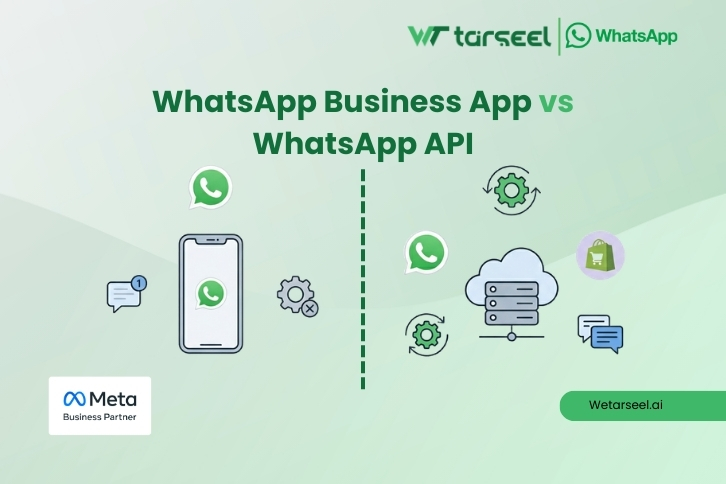
| Feature | Business App | WhatsApp API |
|---|---|---|
| Cost | Free | Paid |
| Automation | ❌ No | ✅ Yes |
| Shopify integration | ❌ No | ✅ Yes |
| Multi-agent support | ❌ Limited | ✅ Yes |
| Official scaling | ❌ No | ✅ Yes |
For serious Shopify stores, WhatsApp API is a structured communication system, not just a chat app.
Final Thoughts
WhatsApp API pricing often feels confusing because it combines two different layers: Meta’s message rules and the provider’s platform setup. Once you separate these two, the cost becomes far easier to understand and control.
The real deciding factor is not the price of a single message, but how thoughtfully WhatsApp is used inside your Shopify workflow. Stores that rely on automated updates, timely support replies, and customer-initiated conversations tend to keep costs stable. Stores that treat WhatsApp like a bulk marketing channel usually see unpredictable spending.
Therefore, before committing to any solution, the smartest approach is to map out your actual usage