Quick Answer
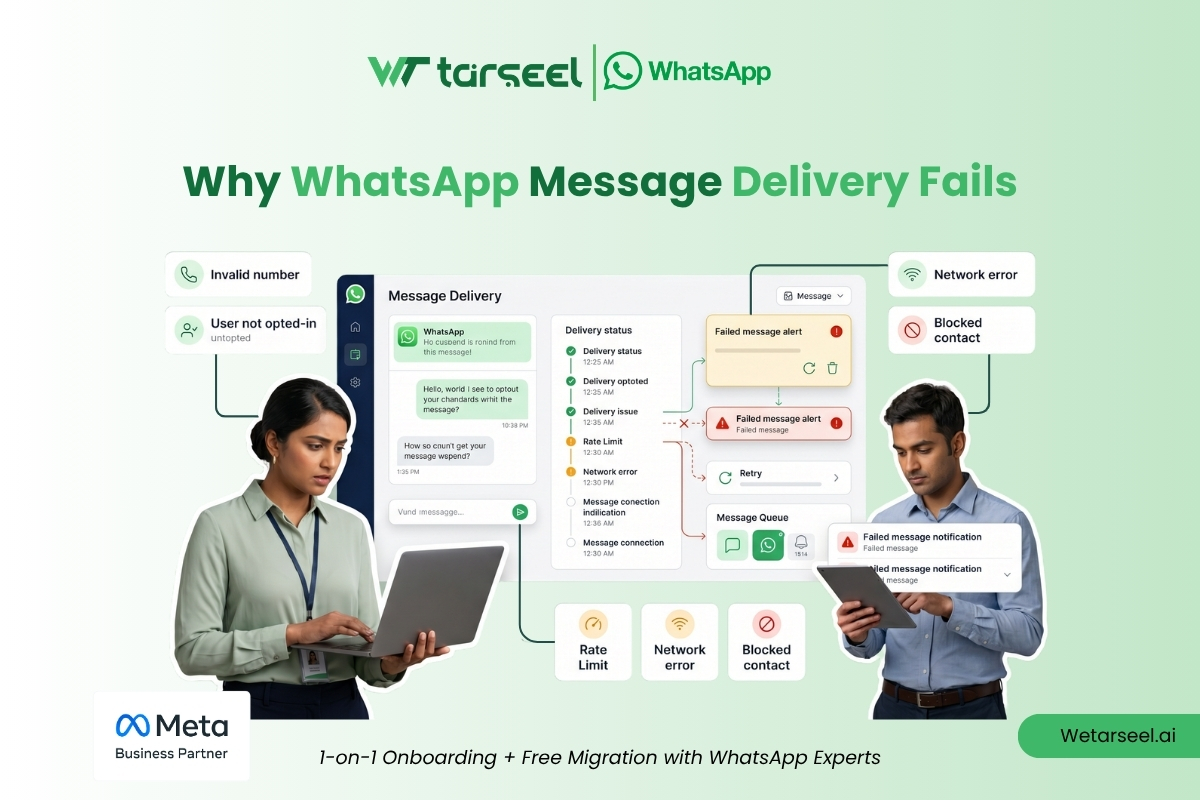
WhatsApp message delivery fails when a message cannot successfully reach or be accepted by the recipient’s WhatsApp client due to platform rules, recipient conditions, or technical issues in the messaging pipeline.
Even if the API request is accepted (status “sent”), delivery can still fail later due to factors such as invalid numbers, missing consent, template rejection, messaging limits, or user-side blocking.
Understanding delivery failures requires analyzing the full WhatsApp message lifecycle—not just the API response.
Key Takeaways
| Area | Insight |
|---|---|
| Delivery is multi-stage | Sent → Delivered → Read are different states |
| API success ≠ delivery success | A 200 response does not guarantee message delivery |
| Failures are categorized | Recipient, content, policy, system, or configuration |
| Most issues are preventable | Proper opt-in, templates, and monitoring reduce failures |
| Diagnosis matters | Logs, webhooks, and status tracking are essential |
What “Message Delivery” Actually Means in WhatsApp API
In the WhatsApp Business Platform, message delivery is not a single event.
It is a state transition process:
1. Sent
The message is successfully accepted by Meta’s servers.
2. Delivered
The message reaches the recipient’s device.
3. Read (optional)
The recipient opens the message.
A key misunderstanding is assuming that “sent” equals success. In reality, delivery depends on multiple downstream conditions beyond API acceptance.
Why Delivery Can Fail Even When API Returns Success
When you send a message through the WhatsApp Cloud API or On-Premise API, a successful response only confirms:
“Meta has received your request and will attempt delivery.”
It does NOT confirm:
- recipient is valid
- message is allowed
- device is reachable
- policy checks passed after submission
- network delivery succeeded
This separation is intentional in the system design to ensure scalability and policy enforcement.
WhatsApp Message Delivery Failure Decision Tree
Before debugging, identify where the failure occurred:
Did API request succeed?
        ↓
Yes → Check message status (webhooks)
        ↓
Was message "sent" but not "delivered"?
        ↓
Check recipient availability, blocking, device status
        ↓
Was message rejected before sending?
        ↓
Check templates, opt-in, API errors, formatting
This helps separate pre-send failures from post-send delivery failures.
Types of WhatsApp Message Delivery Failures
WhatsApp delivery failures generally fall into five operational categories:
- Recipient-related failures
- Policy or compliance failures
- Message content or template failures
- Business configuration issues
- System or infrastructure issues
Each behaves differently and requires a different debugging approach.
1. Recipient-Related Delivery Failures
These occur when the message cannot be delivered to the intended user.
Common Causes
- Phone number is not registered on WhatsApp
- User has changed or deactivated their number
- User has blocked the business
- User has no active WhatsApp session/device access
- Network/device unavailability at the time of delivery
What this means technically
WhatsApp performs recipient validation before final delivery. If the recipient is unreachable or not eligible, delivery will fail even if the message was accepted initially.
How to diagnose
- Check webhook status updates
- Verify recipient number format (E.164 standard)
- Test number in WhatsApp UI (where applicable)
Prevention
- Validate numbers before sending
- Use CRM hygiene checks
- Remove inactive or invalid contacts regularly
2. Policy & Opt-In Related Failures
WhatsApp is a permission-based messaging platform.
If consent is missing or unclear, delivery may be blocked or suppressed.
Common causes
- No valid opt-in collected
- Opt-in does not match message type
- User did not expect communication
- Messaging outside allowed context
Important clarification
WhatsApp does not treat all messages equally. Business-initiated messages often require approved templates and valid customer consent depending on context.
How to diagnose
- Review opt-in logs
- Compare message type vs consent scope
- Check template category alignment
Prevention
- Maintain structured consent records
- Align message purpose with opt-in category
- Avoid assuming consent from transactions alone
3. Template-Related Delivery Failures
Template messages are required for business-initiated communication outside the customer service window.
Common causes
- Template not approved
- Template rejected due to policy violations
- Variable mismatch (e.g., missing placeholders)
- Incorrect formatting or syntax
- Using wrong template category
Technical insight
Templates undergo pre-send review and post-approval enforcement. Even approved templates can fail if variables or formatting are incorrect at runtime.
How to diagnose
- Check template status in Meta dashboard
- Validate variable payload structure
- Review API response error details
Prevention
- Test templates in sandbox environment
- Validate variables before sending
- Maintain version control of templates
4. Messaging Limit & Quality Related Failures
WhatsApp uses messaging tiers and quality ratings to protect users.
Common causes
- Exceeded messaging tier limits
- Reduced quality rating due to user feedback
- High block or report rates
- Rapid scaling without warming up number
What happens internally
Accounts with poor engagement signals may experience reduced throughput or restricted delivery capacity.
How to diagnose
- Monitor WhatsApp Manager quality rating
- Check messaging tier status
- Track engagement vs complaint ratio
Prevention
- Gradually scale messaging volume
- Send relevant, expected content
- Avoid spam-like messaging patterns
5. API, Configuration & Infrastructure Failures
These are technical issues unrelated to messaging intent.
Common causes
- Invalid access token
- Webhook misconfiguration
- Incorrect phone number ID
- API endpoint errors
- Temporary Meta service issues
- Timeout during request processing
How to diagnose
- Check API response codes
- Validate authentication tokens
- Inspect webhook delivery logs
- Monitor retry behavior
Prevention
- Implement proper token refresh logic
- Use structured logging
- Monitor API health continuously
Why Delivery Failures Are Often Misdiagnosed
Most businesses assume:
“If the message didn’t reach the user, the API is broken.”
In reality, WhatsApp messaging is a multi-layer system involving:
- API request handling
- policy validation
- template processing
- recipient availability
- device delivery
- feedback loops
A failure can occur at any stage.
Correct diagnosis depends on understanding where in the pipeline the issue occurred.
Initial Troubleshooting Checklist
Before escalating delivery issues, verify:
✔ Was the API request successful?
✔ Was the message template approved?
✔ Is the recipient number valid and active?
✔ Is there a valid opt-in?
✔ Are you within messaging limits?
✔ Are webhooks configured correctly?
✔ Is the access token valid?
Technical Breakdown of WhatsApp Message Delivery Failures (With Debugging Logic)
Now that we understand where delivery failures can occur in the WhatsApp messaging lifecycle, we move into the most important layer:
What exactly is failing—and how do you prove it?
In real production systems, WhatsApp delivery issues are rarely random. They follow predictable patterns that can be identified through message statuses, webhook events, and API responses.
Understanding WhatsApp Message Status Flow (Critical for Debugging)
Every WhatsApp message passes through a structured status pipeline:
1. sent
Message successfully accepted by Meta’s servers.
2. delivered
Message reached the recipient’s device.
3. read
User opened the message (if read receipts are enabled).
4. failed
Message could not be delivered due to a defined failure reason.
Why this matters
Most businesses incorrectly assume:
“If I got a 200 API response, the message worked.”
But in reality:
sent≠ delivereddelivered≠ readfailedcan occur after submission or immediately at validation stage
Understanding this distinction is the foundation of all troubleshooting.
Webhooks: The Most Important Debug Tool
WhatsApp does not rely on polling for message updates.
Instead, it uses webhooks to push real-time status changes.
A typical webhook payload includes:
- message ID
- status (sent, delivered, failed, read)
- timestamp
- recipient identifier
- error object (if failure occurs)
Why engineers depend on webhooks
Because API responses only tell you:
“What happened at submission time”
Webhooks tell you:
“What happened after submission”
Without webhooks, you are effectively blind to delivery outcomes.
Scenario-Based Debugging: Real WhatsApp Delivery Failures
Let’s break down real-world scenarios that explain most production issues.
Scenario 1: API Success but No Delivery
Symptom
- API returns success (
200 OK) - Message status remains
sent - No
deliveredevent
Root causes
- Recipient phone is inactive or unreachable
- User has blocked the business
- Device is offline for extended period
- WhatsApp client not installed or not active
How to confirm
Check webhook payload:
- If status never changes from
sent, the issue is recipient-side - Look for absence of
deliveredevent
Resolution strategy
- Validate number existence
- Remove inactive users from CRM
- Segment users based on engagement history
Scenario 2: Message Marked as Failed Immediately
Symptom
- API returns message ID
- Webhook returns
failedinstantly
Most likely causes
- Invalid phone number format (E.164 violation)
- Number not registered on WhatsApp
- Template validation failure
- Missing required parameters in payload
Diagnostic steps
- Check API error object
- Validate phone number formatting
- Confirm template approval status
- Re-test with known valid number
Key insight
Immediate failures are almost always pre-delivery validation issues, not network issues.
Scenario 3: Delivered but No User Engagement
Symptom
- Status shows
delivered - No read or reply activity
Root causes (non-technical but critical)
- Message content not aligned with expectation
- Poor timing of delivery
- Weak or unclear opt-in context
- Low trust in sender identity
Important clarification
This is not a “delivery failure” technically—but it is often perceived as one by businesses.
In reality, WhatsApp successfully delivered the message; engagement failure is a separate layer.
Scenario 4: Intermittent Delivery Failures
Symptom
- Some messages deliver successfully
- Others fail randomly
Likely causes
- Messaging tier throttling
- Temporary API rate limits
- Network instability between systems
- CRM sending duplicate or malformed payloads
- Batch processing overload
How to diagnose
- Compare timestamps of failures
- Check rate limit headers
- Review batching logic
- Analyze payload consistency
Prevention
- Implement controlled sending queues
- Avoid burst messaging spikes
- Introduce retry logic with exponential backoff
Scenario 5: Template Messages Not Delivered
Symptom
- API request succeeds
- Webhook shows failure for template messages only
Root causes
- Template not approved or recently re-evaluated
- Variable mismatch in runtime payload
- Incorrect template category usage
- Language mismatch in template version
Example failure pattern
Template expects:
Hello {{1}}, your order {{2}} is confirmed.But API sends:
Only {{1}} providedResult: failure or rejection.
Prevention
- Strict schema validation before sending
- Automated template testing in staging environment
- Version control for templates
Scenario 6: High Volume Failures After Scaling
Symptom
- System works at low volume
- Failures increase after scaling campaigns
Root causes
- Messaging tier limits exceeded
- Poor sender quality rating
- Sudden traffic spikes without warm-up
- CRM sending unsegmented bulk messages.
WhatsApp system behavior (important insight)
WhatsApp applies quality-based delivery controls. If engagement signals degrade, throughput and delivery reliability can be impacted.
Prevention strategy
- Gradual warm-up of new numbers
- Audience segmentation
- Monitor block/report rates
- Maintain consistent messaging cadence
How Engineers Actually Debug WhatsApp Delivery Issues
In production environments, debugging follows a structured flow:
Step 1: Confirm API Response
- Was request successful?
- Was message ID generated?
Step 2: Check Webhook Events
- Did status change to
sent? - Did it progress to
delivered? - Did it fail immediately?
Step 3: Identify Failure Category
Type | Meaning |
|---|---|
Pre-send failure | API, template, validation issue |
Post-send failure | recipient/device/network issue |
System limitation | rate limits or quality restrictions |
Step 4: Correlate With External Signals
- CRM logs
- Customer activity history
- Messaging volume spikes
- Template performance
Step 5: Reproduce the Issue
Always validate using:
- test numbers
- sandbox environment
- controlled payloads
Why Most Businesses Misdiagnose Delivery Failures
The most common mistake is assuming:
“WhatsApp didn’t deliver the message.”
In reality, the system is more layered:
- API layer (request acceptance)
- Policy layer (validation & compliance)
- Messaging layer (routing & delivery)
- Device layer (recipient availability)
A failure can originate at any of these layers.
Without structured logging, businesses end up troubleshooting the wrong layer.
Building a Reliable WhatsApp Message Delivery System
By this stage, we’ve answered two important questions:
How does WhatsApp message delivery work?
Why do messages fail?
The next question is more important for businesses operating at scale:
How do you prevent delivery failures before they affect customers?
This is where many organizations shift from reacting to delivery issues to proactively monitoring and improving their messaging infrastructure.
Whether you send hundreds or millions of messages each month, reliability depends on processes, visibility, and continuous monitoring, not simply sending API requests.
A Production-Ready Troubleshooting Framework
When a message fails, avoid making assumptions.
Instead, follow a consistent troubleshooting workflow that narrows the problem before applying a solution.
Step 1: Confirm the API Request Was Accepted
Begin with the API response.
Questions to ask:
Did the request return successfully?
Was a message ID generated?
Was authentication successful?
Did the payload pass validation?
If the request itself failed, investigate authentication, request formatting, or endpoint configuration before looking elsewhere.
Step 2: Review Webhook Events
Once the request is accepted, webhook events become the primary source of truth.
Review:
message status progression
timestamps
any associated failure information
whether the expected webhook events were received
If webhook events are missing entirely, investigate webhook configuration before assuming delivery problems.
Step 3: Verify Recipient Information
Next, verify customer information.
Check:
phone number formatting
recipient record
communication preferences
CRM synchronization
Incorrect customer data is one of the most common causes of avoidable messaging failures.
Step 4: Validate Business Configuration
Review your WhatsApp Business Platform configuration.
Examples include:
phone number selection
access credentials
template selection
messaging workflows
environment configuration (testing vs production)
Small configuration mistakes often appear as larger delivery problems.
Step 5: Look for Patterns Instead of Individual Failures
One failed message rarely tells the whole story.
Instead, ask questions like:
Are failures occurring only for one campaign?
Do they affect one region?
Are they limited to one template?
Did failures increase after a deployment?
Did they begin after increasing message volume?
Looking for patterns is often more valuable than focusing on individual messages.
Monitoring the Right Delivery Metrics
Businesses sometimes monitor only the number of messages sent.
That provides an incomplete picture.
A healthier approach is to monitor the entire messaging lifecycle.
| Metric | Why It Matters |
|---|---|
| Messages Submitted | Confirms requests entering the system. |
| Sent Status | Indicates Meta accepted the message. |
| Delivered Status | Shows successful delivery to recipients. |
| Read Status | Measures customer engagement. |
| Failed Messages | Highlights delivery issues requiring investigation. |
| Delivery Rate | Helps identify long-term reliability trends. |
| Template Performance | Reveals message-specific issues. |
Monitoring these metrics together provides better operational visibility than relying on a single KPI.
Why Delivery Logs Matter
Every production messaging system should maintain structured logs.
Logs help answer questions that become difficult—or impossible—to reconstruct later.
A useful delivery log typically records:
message ID
recipient identifier
timestamp
template used (if applicable)
API response
webhook status updates
final delivery outcome
Notice that these logs are operational records.
They are different from customer conversation history.
Together, they provide the visibility required to troubleshoot delivery issues efficiently.
Why CRM Integration Improves Delivery Reliability
Many businesses think of CRM integration primarily as a sales or marketing feature.
In reality, it also improves operational reliability.
When WhatsApp is connected to a CRM, teams can:
avoid duplicate messages,
verify customer preferences,
maintain cleaner contact records,
coordinate communication across departments,
and reduce inconsistent messaging.
Without centralized customer data, businesses often send messages based on outdated or conflicting information.
How to Connect WhatsApp API With Your CRM: Complete Guide for Businesses
The Importance of Data Hygiene
No messaging platform can compensate for poor customer data.
Before launching campaigns, businesses should regularly review:
duplicate contacts,
outdated phone numbers,
inactive customers,
incomplete records,
inconsistent formatting.
Routine data maintenance improves both delivery reliability and customer experience.
Should Businesses Automatically Retry Failed Messages?
Retrying failed messages can be useful, but only when the underlying cause is understood.
For example:
If a temporary network issue interrupts communication, retrying may succeed.
If the phone number is invalid or the customer has blocked the business, repeated retries are unlikely to resolve the problem.
Instead of retrying every failure automatically, classify failures first.
This reduces unnecessary requests and helps teams focus on the actual issue.
Build Failure Categories Instead of One “Failed” Bucket
Treating every delivery failure as identical makes troubleshooting much harder.
A more effective operational approach is to group failures into categories.
| Category | Typical Examples | Primary Action |
|---|---|---|
| Recipient | Invalid or unreachable number | Verify customer information |
| Policy | Consent or messaging restrictions | Review communication eligibility |
| Template | Formatting or approval issue | Validate template configuration |
| Configuration | Authentication or webhook setup | Review technical implementation |
| Temporary Platform Issue | Network or service interruption | Monitor and retry where appropriate |
Categorization allows support teams, developers, and operations managers to respond more efficiently.
Operational Best Practices for WhatsApp API Teams
Organizations with reliable WhatsApp messaging operations often have several practices in common.
They:
monitor webhook health continuously,
validate payloads before sending,
maintain clean customer records,
review delivery trends regularly,
document configuration changes,
test templates before production use,
investigate recurring failure patterns,
coordinate messaging across marketing, sales, and support teams.
Notice that most of these practices relate to process rather than technology.
Reliable messaging is usually the result of disciplined operations.
Delivery Reliability Checklist
Before launching a messaging campaign, review the following questions.
✅ Are customer phone numbers validated?
✅ Have customers provided appropriate consent?
✅ Are approved templates being used correctly?
✅ Is webhook monitoring active?
✅ Are authentication credentials valid?
✅ Are CRM records synchronized?
✅ Have templates been tested with production-like data?
✅ Is delivery monitoring in place?
Completing this checklist before sending messages helps identify preventable issues early.
Signs That Your Messaging Operations Need Improvement
Even if individual messages appear to be working, recurring operational issues may indicate deeper problems.
Watch for patterns such as:
increasing delivery failures,
repeated customer complaints,
inconsistent CRM records,
duplicate message sends,
declining engagement over time,
recurring webhook issues,
growing manual troubleshooting effort.
These trends often point to process weaknesses rather than isolated technical failures.
WhatsApp Message Delivery Diagnosis Matrix
When messages fail, avoid guessing. Use this matrix to identify the most likely cause before making changes.
| Symptom | Most Likely Cause | What to Check First | Recommended Action |
|---|---|---|---|
| API request fails immediately | Authentication or request issue | Access token, endpoint, payload | Validate credentials and request format |
| Message stays Sent but never Delivered | Recipient unavailable or unreachable | Webhook status, recipient information | Verify recipient details and monitor status updates |
| Template messages fail but session replies work | Template issue | Template approval, variables, language | Review template configuration and payload |
| Multiple campaigns suddenly show delivery problems | Messaging quality or operational issue | Quality rating, recent campaign changes | Review messaging practices and engagement trends |
| Only one customer experiences failures | Recipient-specific issue | Customer record and communication history | Verify recipient information and recent interactions |
| Webhook events stop arriving | Webhook configuration | Endpoint availability and verification | Test webhook delivery and logging |
| Random delivery failures across batches | Infrastructure or processing issue | Sending queues, batching logic, retry handling | Review message processing workflow |
This table is designed to help teams identify the correct troubleshooting path before making unnecessary configuration changes.
A Practical WhatsApp Delivery Troubleshooting Workflow
Instead of jumping between dashboards, use a consistent process.
Step 1: Confirm Submission
Ask:
- Did the API accept the request?
- Was a message ID returned?
If not, investigate the request before looking at delivery.
Step 2: Check Webhooks
Review:
- Sent
- Delivered
- Failed
- Read
Webhook events provide the most reliable picture of message progression.
Step 3: Validate Customer Information
Confirm:
- phone number formatting,
- communication preferences,
- CRM record accuracy,
- recent customer activity.
Step 4: Review Template and Business Configuration
Check:
- template status,
- template variables,
- language selection,
- authentication,
- phone number configuration.
Step 5: Look for Patterns
One failure may be isolated.
Repeated failures often indicate:
- process issues,
- configuration changes,
- messaging quality concerns,
- or data problems.
Common Myths About WhatsApp Message Delivery
Businesses often make assumptions that lead to unnecessary troubleshooting.
Let’s separate common misconceptions from operational reality.
| ❌ Myth | ✅ Reality |
|---|---|
| A successful API response means the message reached the customer. | A successful API response only confirms that Meta accepted the request for processing. Delivery is a separate stage that must be confirmed through message status updates. |
| Every failed message has the same root cause. | Delivery failures can result from recipient conditions, template issues, policy requirements, business configuration, or technical infrastructure. |
| Retrying every failed message improves delivery. | Retries are useful only when the underlying issue is temporary. Persistent failures should be diagnosed before sending the message again. |
| Delivery problems are always caused by the API. | Many delivery issues originate from customer data, messaging practices, template usage, consent management, or business configuration—not the API itself. |
| Monitoring API responses is enough. | Reliable troubleshooting requires webhook monitoring, structured logging, and end-to-end operational visibility across the messaging lifecycle. |
Understanding these distinctions helps teams spend less time troubleshooting the wrong problem.
FAQs
-
Why does the API return success but the customer never receives the message?
A successful API response indicates that Meta accepted your request for processing. Delivery still depends on factors such as recipient availability, template validity, messaging eligibility, and platform processing. Webhook events provide the most accurate information about what happened after submission.
-
Does a "Delivered" status guarantee the customer has seen the message?
No. A delivered status indicates that the message reached the recipient's device. Whether the customer opens or reads the message is represented separately through read status (when available).
-
Should every failed message be retried?
Not automatically. Before retrying, determine why the message failed. Temporary infrastructure issues may justify a retry, while invalid recipient information or template problems generally require corrective action instead.
-
How can businesses improve WhatsApp delivery reliability?
Reliable delivery depends on multiple operational practices working together. These include: maintaining accurate customer data, collecting appropriate customer consent, using approved templates correctly, monitoring webhook events, validating API requests, and reviewing delivery trends regularly. No single optimization guarantees reliable delivery. Consistent operational discipline is far more effective.
-
Can poor customer engagement affect future messaging?
Customer engagement is one of several signals businesses should monitor. Sending relevant, expected messages to customers who have chosen to communicate through WhatsApp generally contributes to healthier long-term messaging performance. Businesses should avoid treating message volume as the primary success metric.
-
What is the most important tool for troubleshooting delivery issues?
For most production environments, webhook events are the primary source of operational visibility because they show what happens after the API request has been accepted. API responses and application logs remain important, but they do not replace webhook monitoring.
Best Practices for Long-Term Delivery Reliability
Organizations with mature WhatsApp messaging operations tend to follow the same principles consistently.
Build around customer expectations
Send messages customers expect—not simply messages you are able to send.
Keep customer records accurate
Reliable messaging begins with reliable data.
Regularly review recipient information and communication preferences.
Monitor continuously
Delivery performance should be monitored over time rather than investigated only after problems appear.
Trend analysis often reveals issues before customers notice them.
Test before scaling
Validate new templates, messaging workflows, and automation logic before deploying them across large customer segments.
Document operational changes
When authentication, templates, CRM integrations, or messaging workflows change, document those changes.
This makes future troubleshooting significantly easier.
Final Thoughts
Understanding why WhatsApp message delivery fails is not about memorizing a list of possible errors.
It is about understanding the complete messaging lifecycle—from API submission and webhook events to customer data, messaging policies, and operational processes.
Businesses that approach delivery systematically are better equipped to identify the true source of a problem instead of treating every failure as an API issue.
The most reliable WhatsApp implementations share a common characteristic:
They do not rely solely on successful API requests.
They invest in structured monitoring, clean customer data, well-managed templates, accurate consent records, and disciplined operational practices.
As your messaging volume grows, these foundations become increasingly important.
Reliable delivery is not achieved through one configuration setting or one troubleshooting technique.
It is the result of consistent processes, informed decision-making, and continuous improvement.
When businesses understand the entire delivery pipeline, they spend less time reacting to failures and more time building communication experiences their customers can trust.